Operations / App template
Task Map
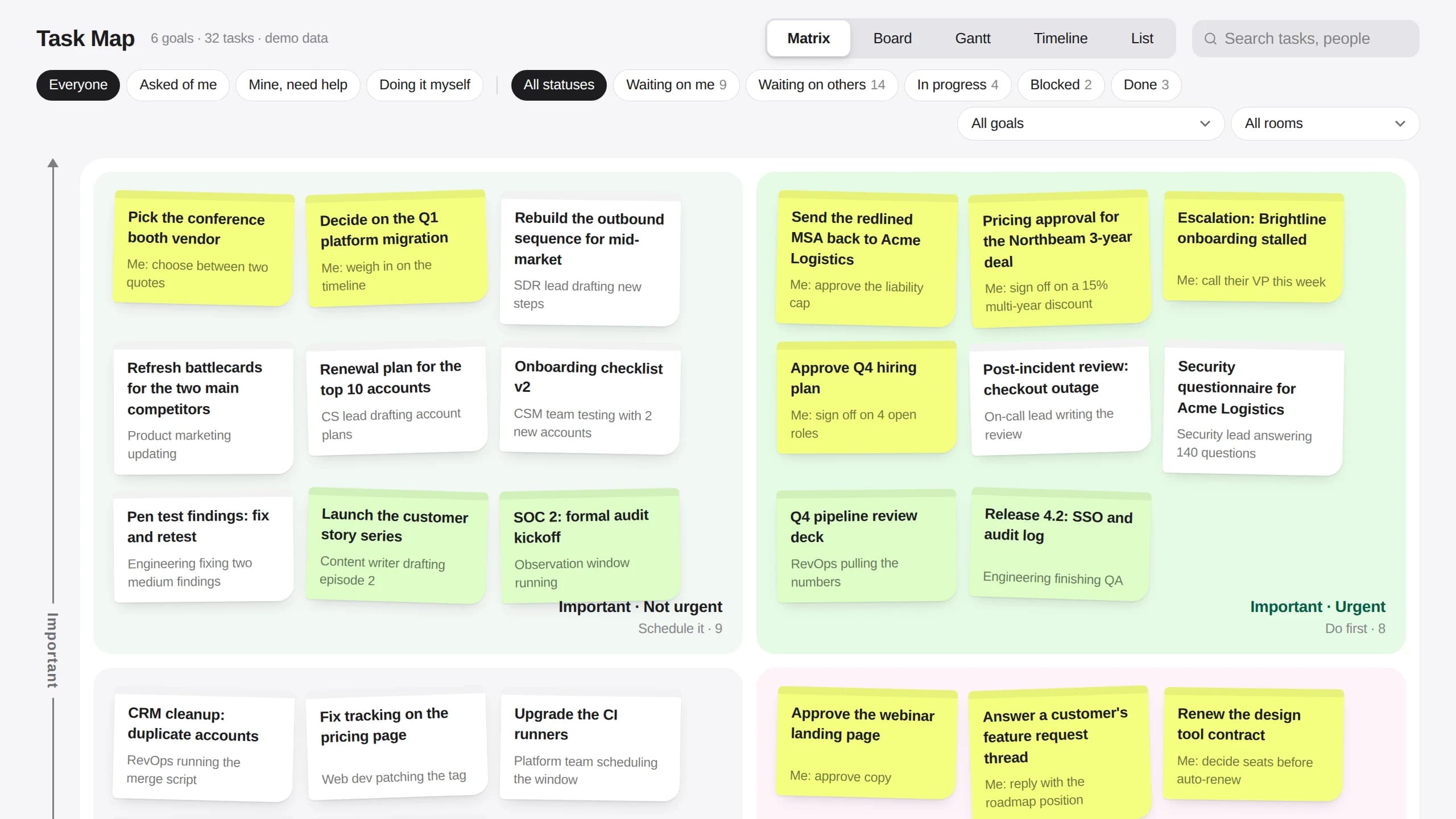
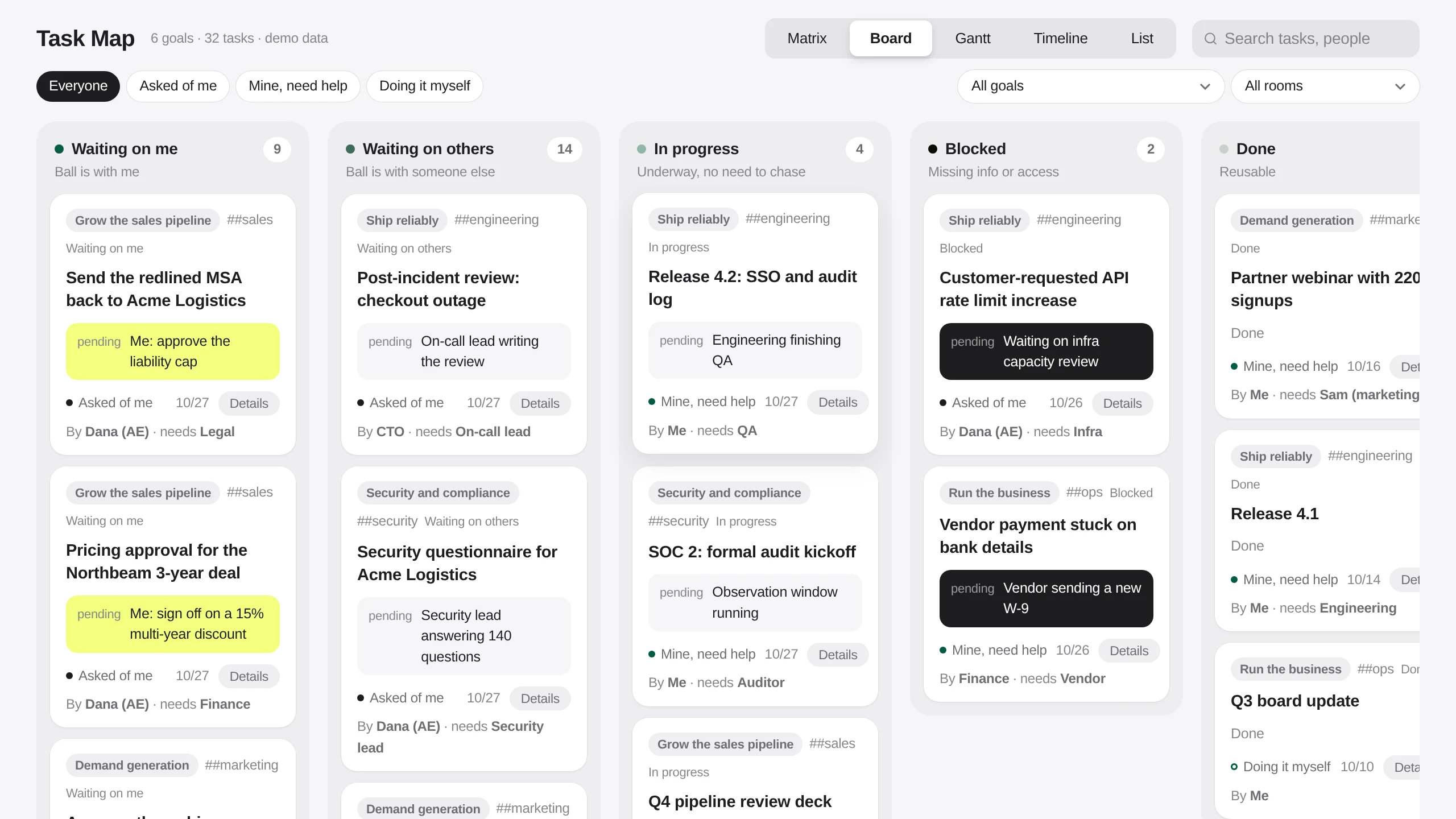
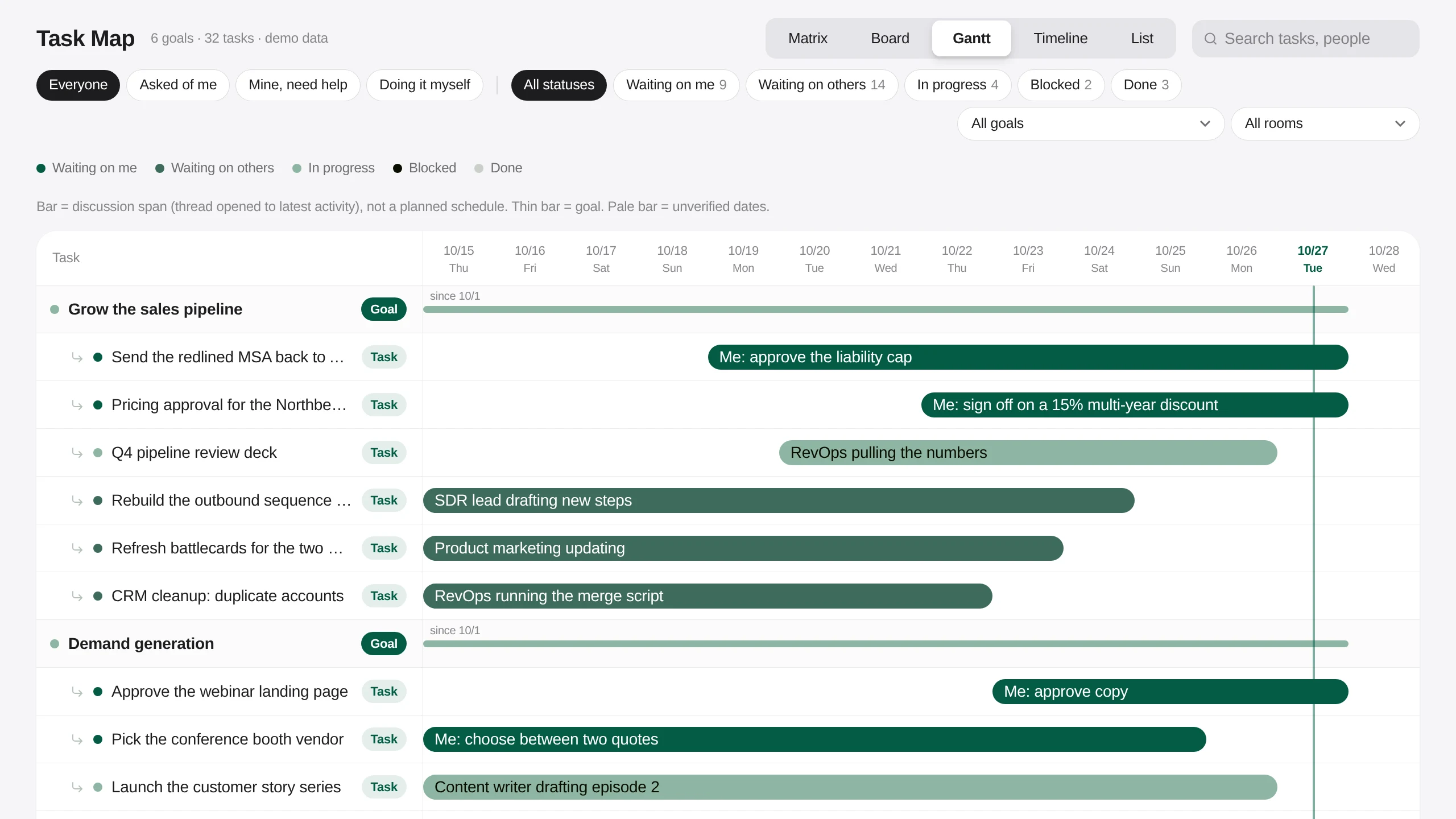
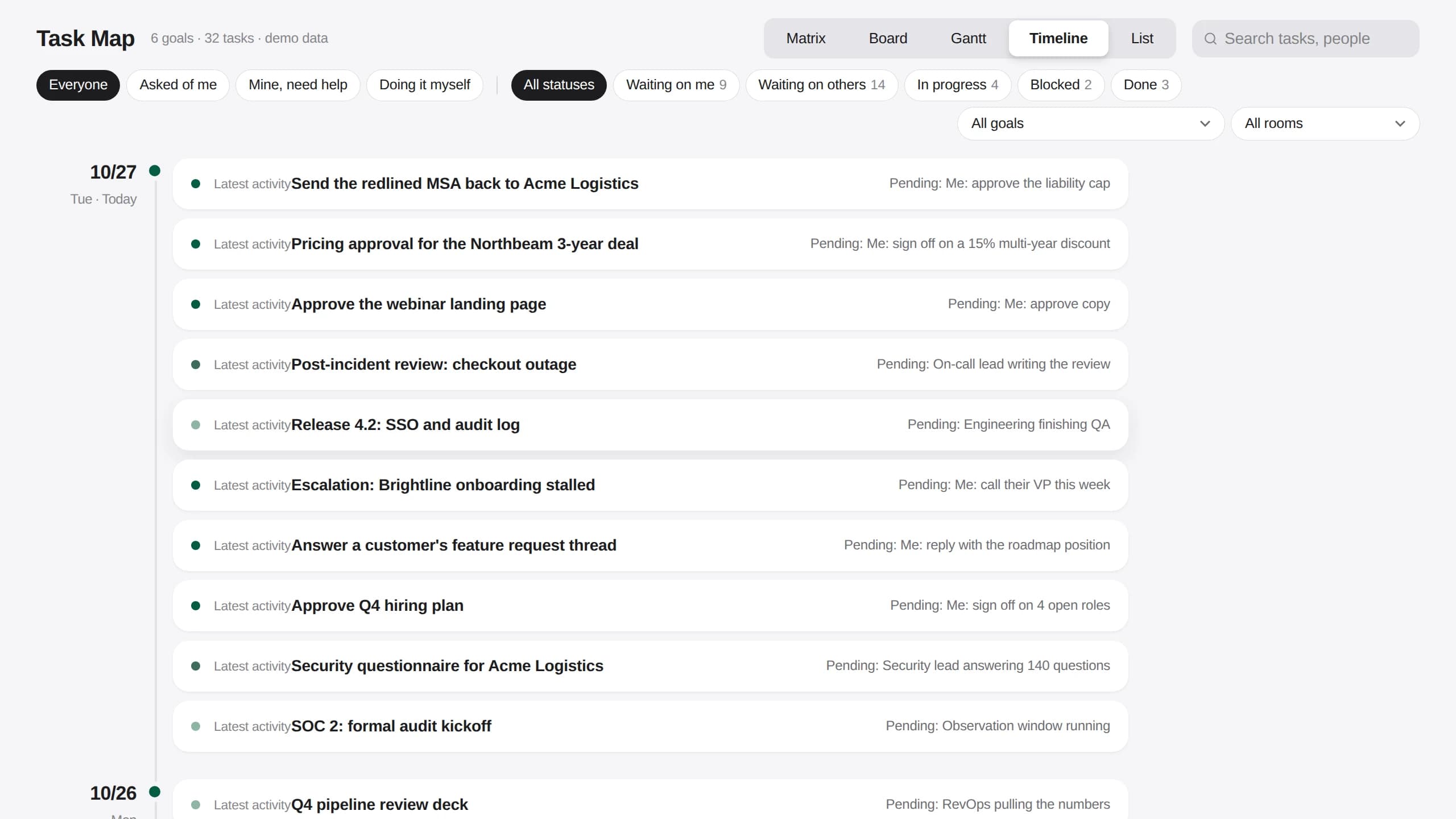
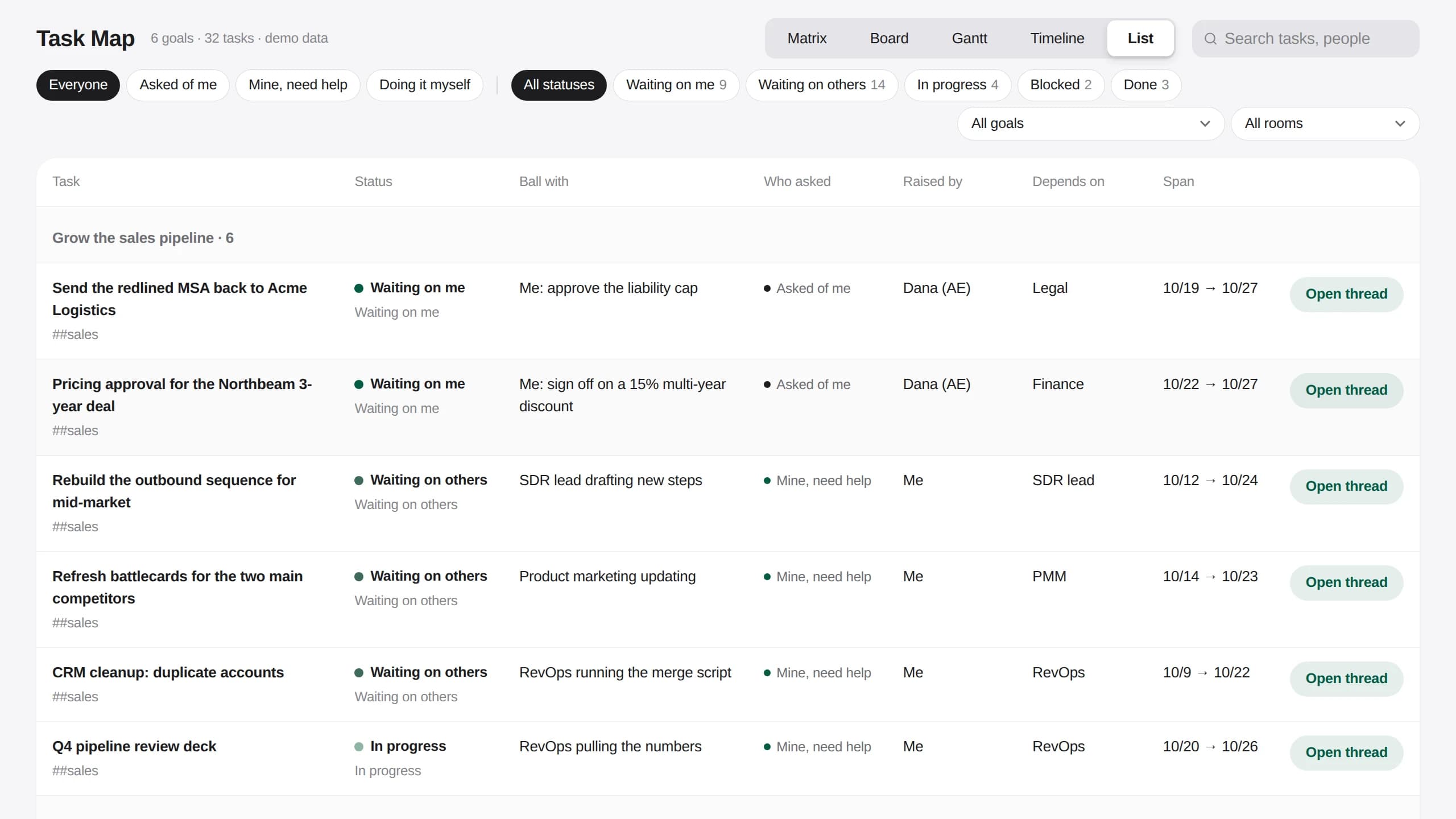
Work that matters is spread across threads, and the question nobody can answer at a glance is which of it is waiting on you. Task Map puts every goal and every one-off task on one screen: an agent makes the first call on how important and how urgent each task is, each card says who has the ball and what is pending, and you drag a note to another quadrant when you disagree. The same tasks open as a board by status, a Gantt of how long each discussion has run, a timeline of latest activity and a plain list.
画面に並ぶもの
01
Goals and tasks, kept apart
A goal is an ongoing direction with no todo of its own. The one-off tasks under it are what move it forward, and every view can be narrowed to one goal.
02
A matrix you can argue with
An agent makes the first call on importance and urgency. Drag a note to Do first, Schedule it, Handle fast or hand off, or Park it, and the board cards move the same way.
03
Whose court the ball is in
Each task says what is pending and from whom: waiting on me, waiting on others, in progress, blocked or done. Filter to what was asked of you, what you need help with, or what you are doing yourself.
04
Five views of the same work
Matrix, Board, Gantt, Timeline and List read from one set of tasks, and each view has its own address, so a link opens the same view again.
実際の画面
テンプレートが決めていない3つのこと
- Which Rooms feed the map, and which threads count as a task.
- What makes a task urgent for your team, so the agent's first call matches yours.
- Your goals, and which tasks roll up under each one.
同梱の手順書に沿って、AIエージェントがこの3点を順に確認します。
Questions people ask first
Where do the tasks come from?
In a real workspace each task links to the thread it came from, and agents keep the map up to date as those threads move. The template ships with invented demo tasks so the map is full on the first open.
Does dragging a note change anything?
In the demo, only in your browser. Nothing is written back, so anyone can try reclassifying tasks without affecting what someone else sees.
What does the Gantt bar mean?
How long the discussion has run, from when its thread opened to its latest activity. It is not a planned schedule, and a thin bar is a goal.
AIエージェントに貼り付けるプロンプト
Every goal, task, company and person in the demo is invented. Dragging a note or a card saves the change in your own browser only, so the live demo writes nothing back.
Build me a Task Map App like https://task-map-template.kylon.app. Goals are ongoing directions with no todo of their own; one-off tasks sit under a goal. Put every open task on an Eisenhower matrix (Do first, Schedule it, Handle fast or hand off, Park it) as a note showing the title and what is pending from whom, and let me drag a note to another quadrant to reclassify it. Give each task a status (waiting on me, waiting on others, in progress, blocked, done), who raised it, who it depends on and the thread it came from. Add Board, Gantt, Timeline and List views of the same tasks, each at its own URL, with filters for Everyone, Asked of me, Mine, need help and Doing it myself, plus goal and Room pickers and search. Start with invented demo goals and tasks, keep drag changes in the browser, push a draft and send me the link. Then stop. Do not read our real Rooms or threads until I say so.
ギャラリーの他のアプリ
営業 / アプリテンプレート
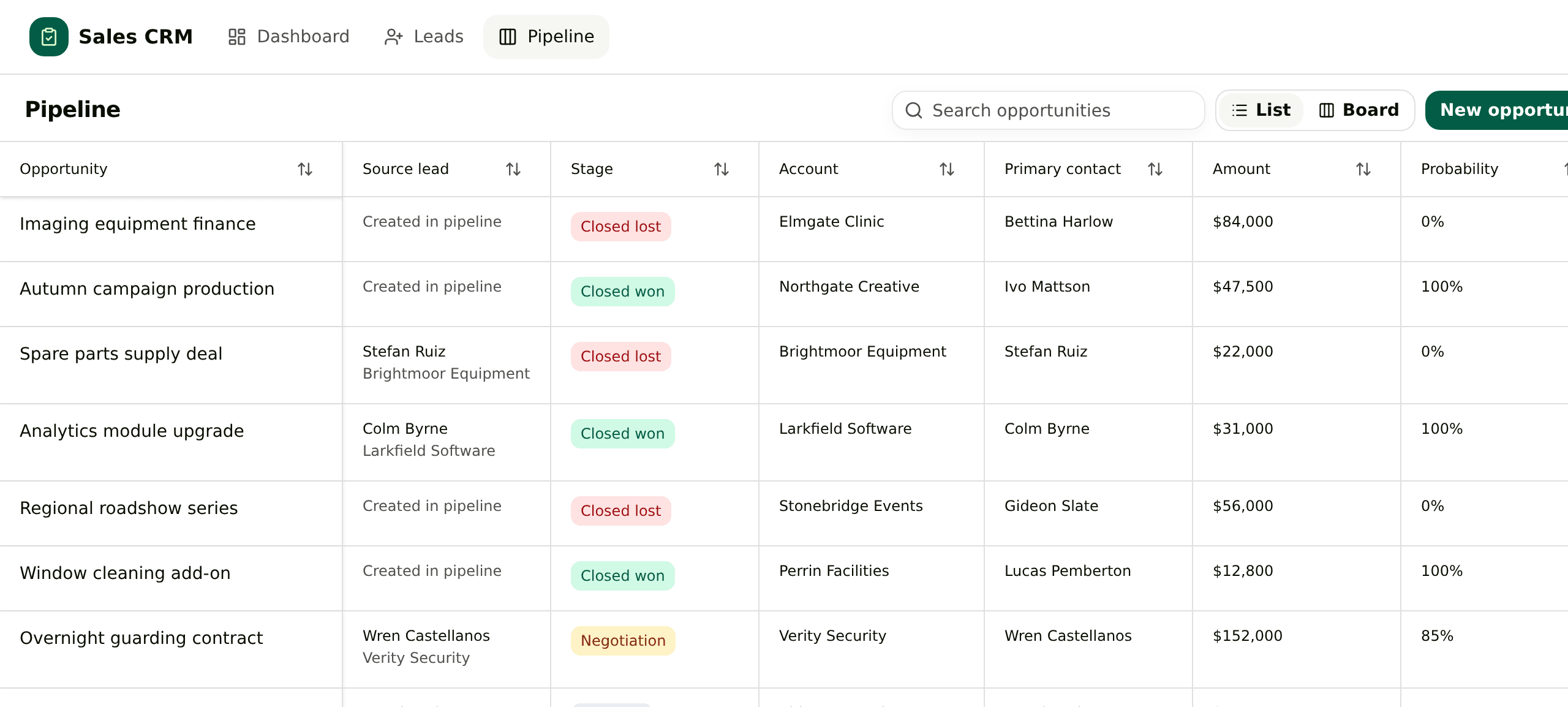
汎用CRM
リード、取引先、担当者、商談を1つのアプリにまとめます。リードを変換すると、取引先と担当者と商談が同時に作成され、商談側からも元の問い合わせを確認できます。
マーケティング / アプリテンプレート
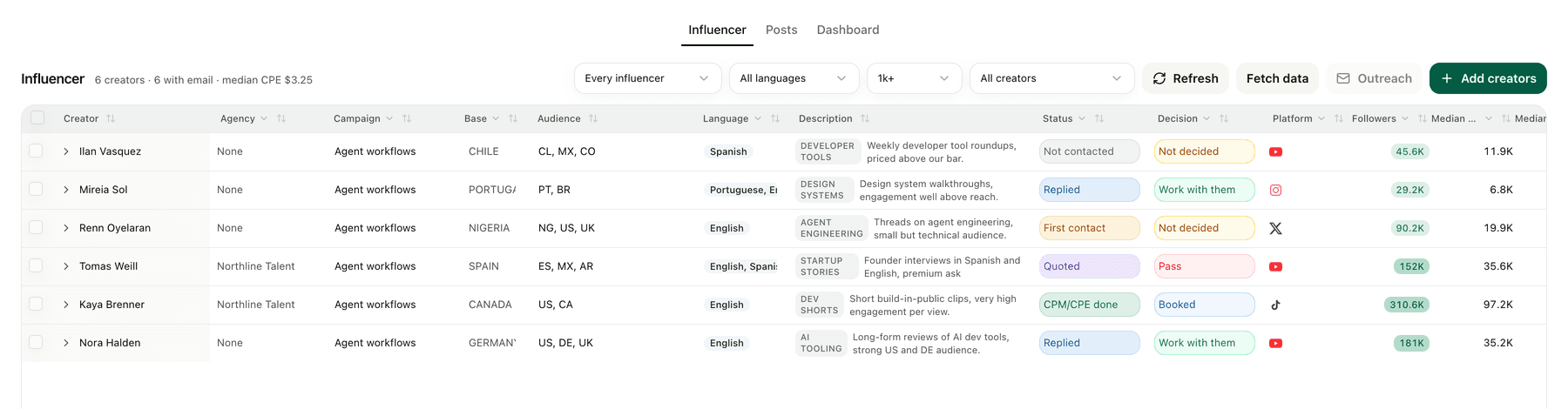
クリエイター管理
名簿は1つ。連絡のやり取りから投稿後の登録数までを、同じ行で追えます。
EC / アプリテンプレート
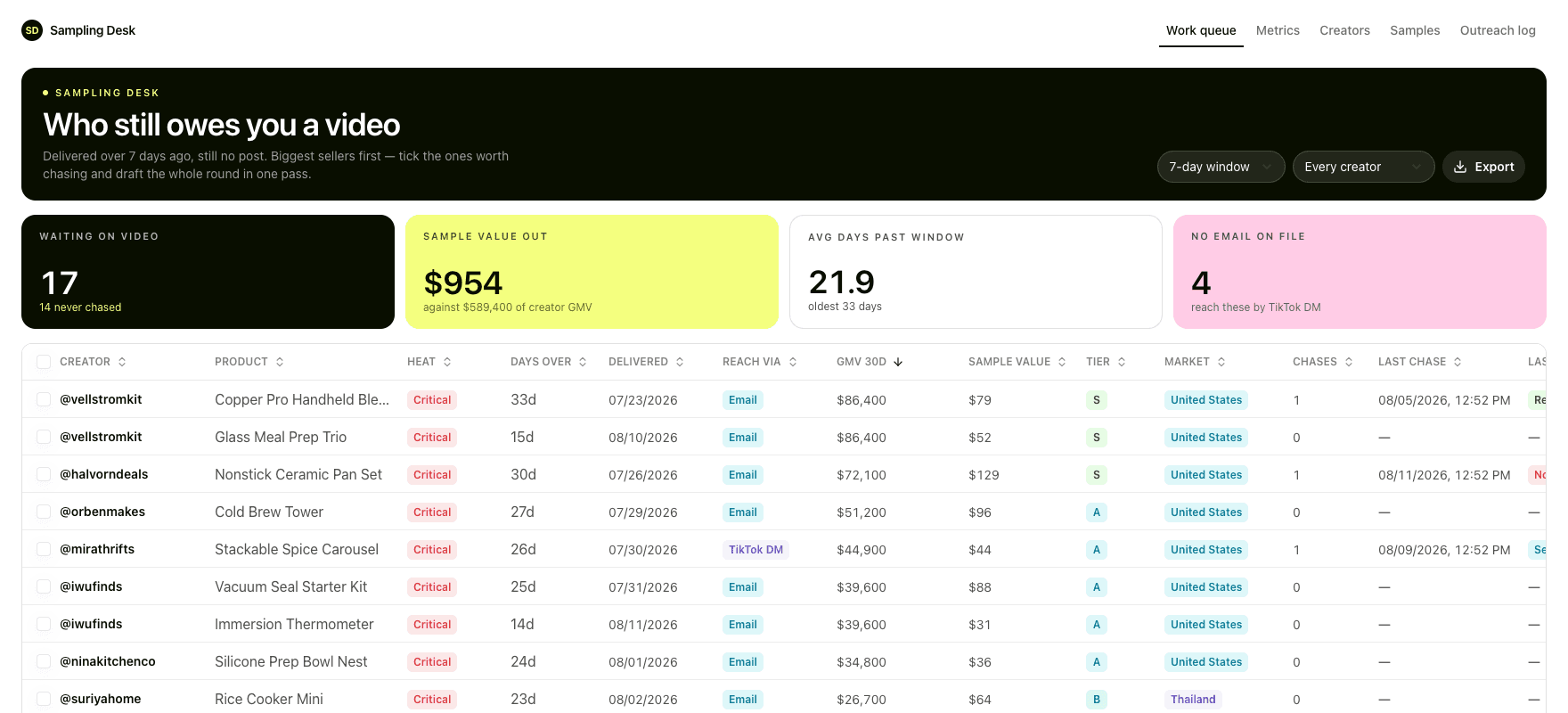
サンプリングデスク
到着済みで、まだ投稿になっていない案件だけを並べた1つの作業キュー。
建設・リフォーム / アプリテンプレート
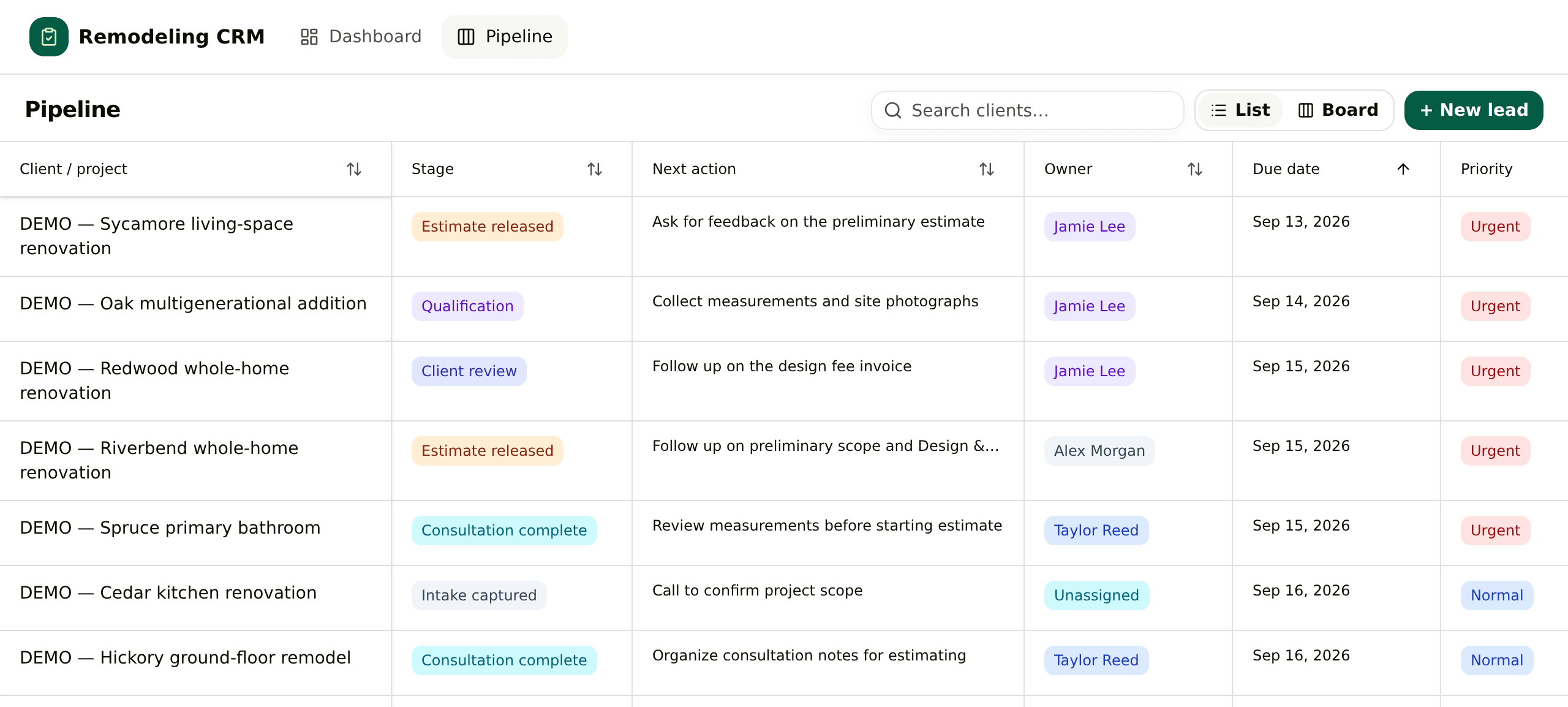
リフォーム営業CRM
住宅リフォーム営業のための1つのボード。条件確認、現地相談、見積、そして設計・調査料の回収まで。
採用 / アプリテンプレート
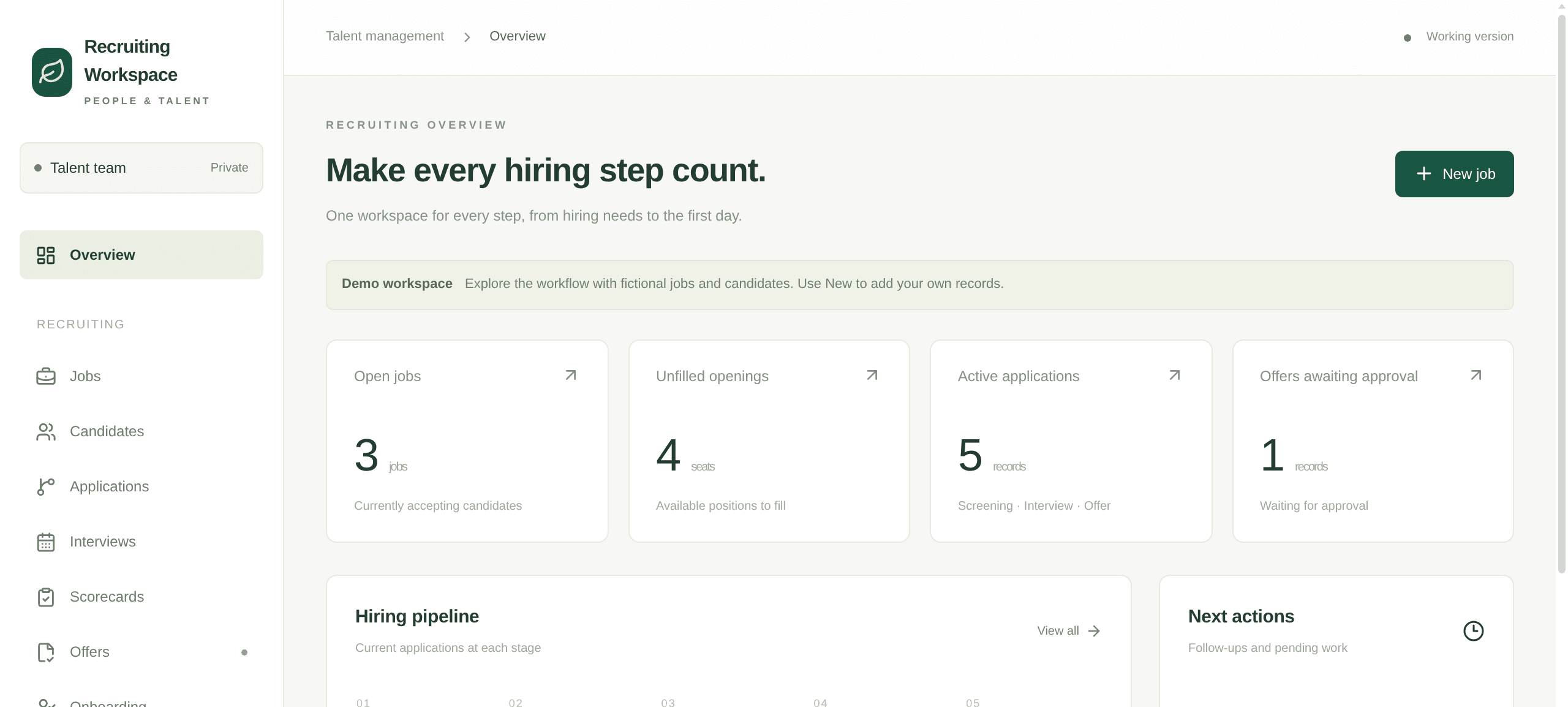
採用ワークスペース
自社採用の記録を1つのアプリにまとめます。求人と募集枠、選考段階ごとの応募、評価シート付きの面接、オファーの承認、入社手続きの引き継ぎまでを同じ場所で扱います。
Travel / App template
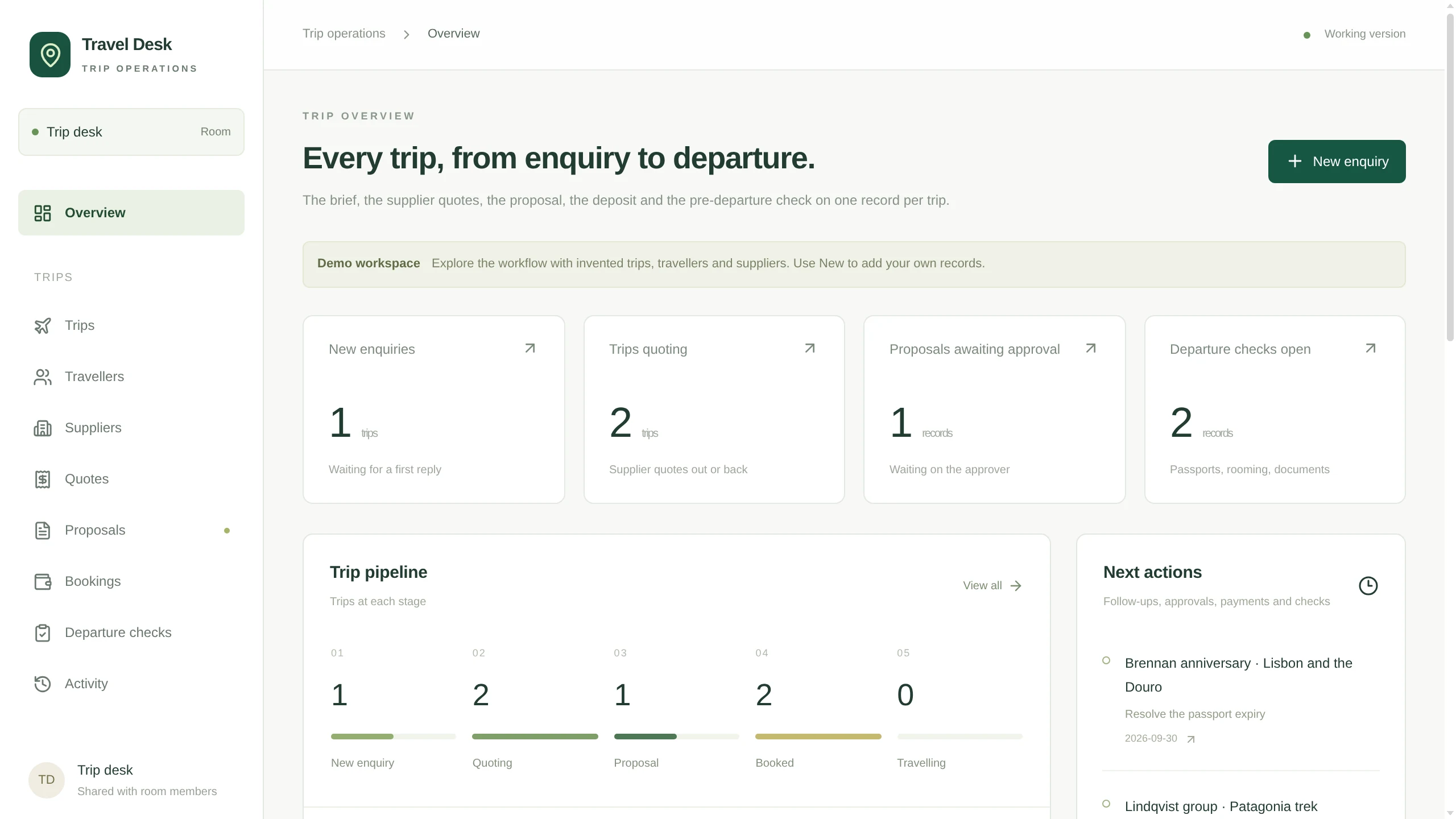
Travel Desk
A trip desk for a travel agency: enquiries with the brief in fields, travellers, supplier quotes per trip, proposals with versions and an approver, then bookings and the pre-departure check.