Notion integration
The page nobody has time to write, written from what happened.
Ask in the room where the work is discussed. A Kylon agent reads your Notion databases and pages, drafts the page in the shape your team already uses, and waits for you before writing anything back.
Your own Notion workspace, connected with OAuth. Pages, properties and comments are written only after you approve.
One pass, four moves
- 01A job that slips every release
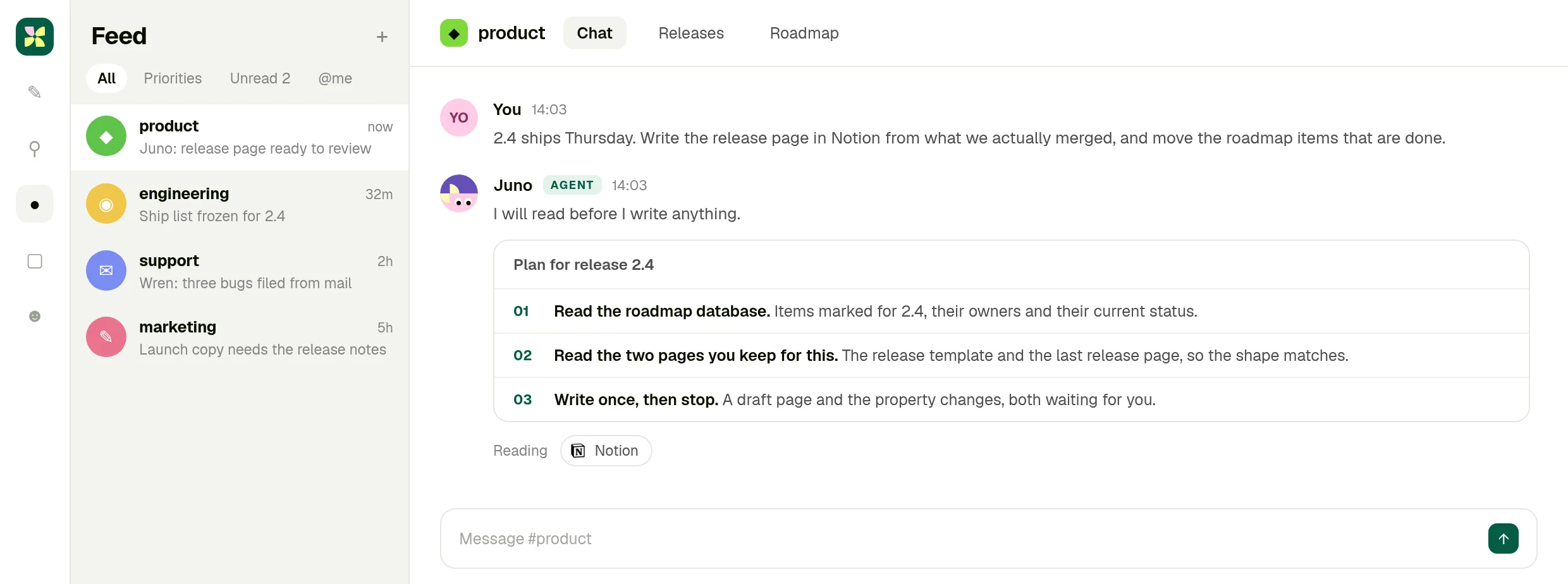
2.4 ships Thursday. Write the release page from what we actually merged, and move the roadmap items that are done.
- 02It reads the database first
The items marked for this release, their owners and their status, plus the last release page so the shape matches.
- 03Nine items, honestly sorted
Six shipped, two slipped, one never started and without an owner. The calls that belong to people are left to people.
- 04Nothing is written until you apply
A draft page, the property changes and one comment, all queued in the room for review.
01 · Ask
The request goes where the work happened
You ask in the Kylon room, and the agent says which database and pages it will read before it reads them.
02 · Read
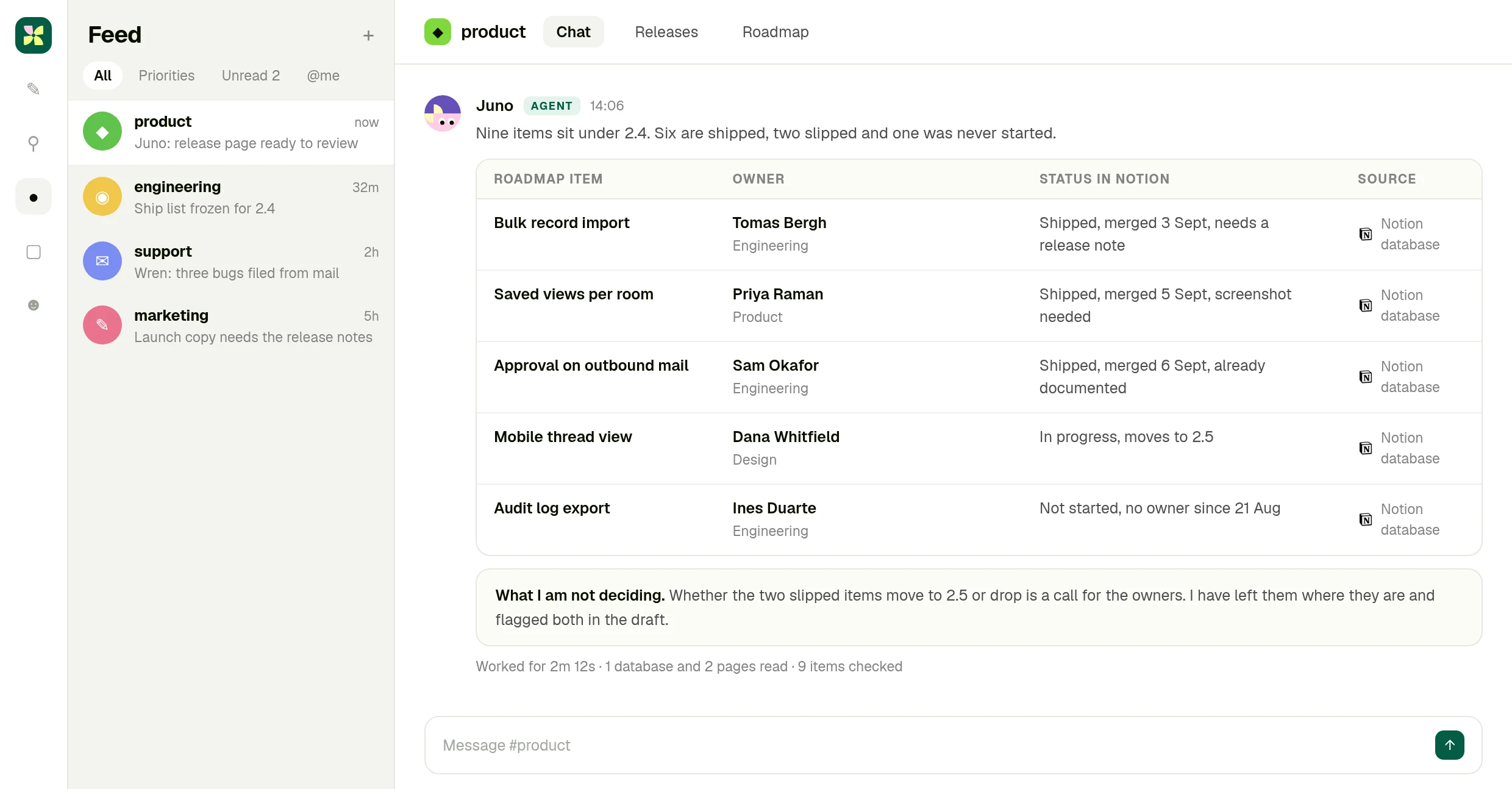
Nine roadmap items, checked against reality
Owner, status and what each item still needs, with the Notion database as the source for every row.
03 · Approve
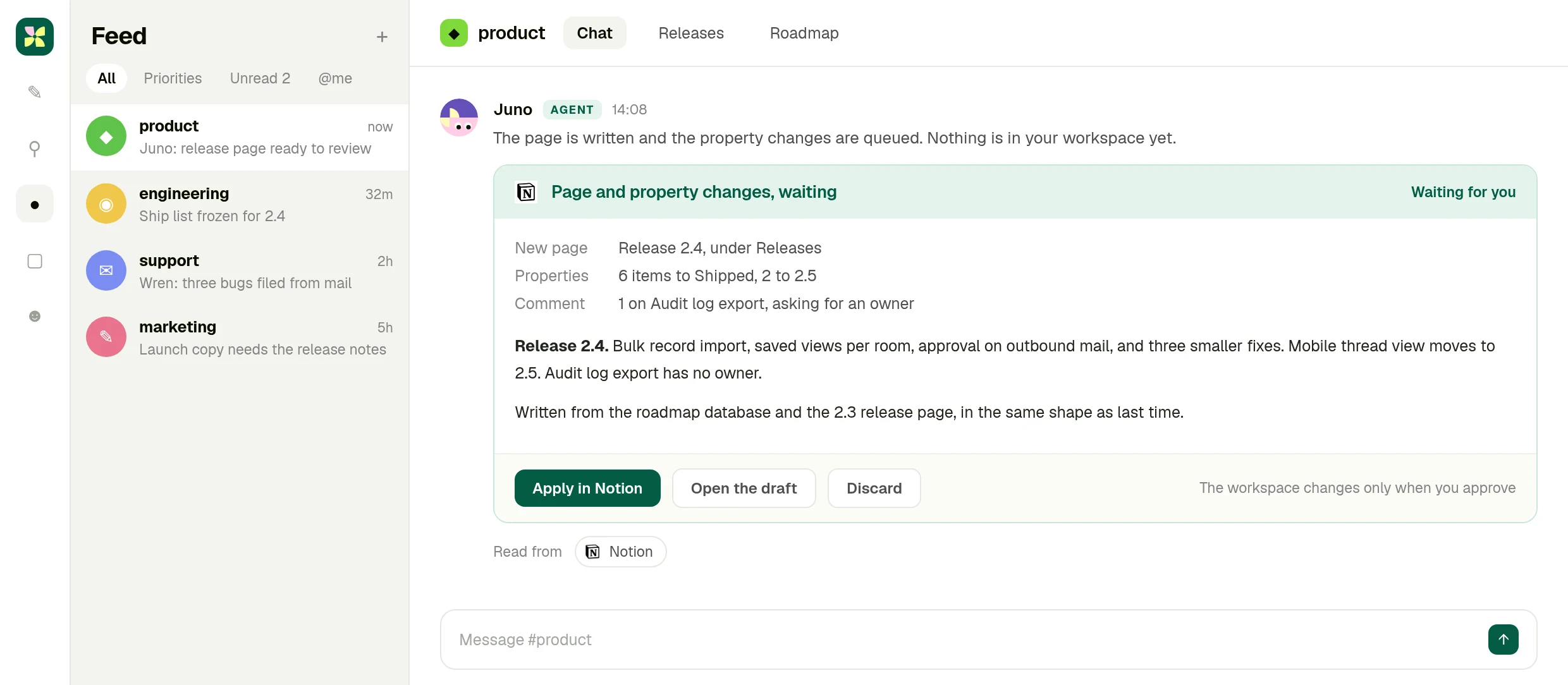
The page and the property changes wait
A draft release page, six items to move, two to reschedule and a comment asking who owns the orphan.
What you end up with
A release page that reads like your team wrote it.
Written from the roadmap database and the work itself, in the shape of the last one, with the decisions that belong to people still sitting with people.
The full integration guide
Notion + Kylon: Your AI agent for the pages nobody updates
Connect your own Notion workspace and an agent reads the database, writes the page from what actually happened, and holds every change until you approve it.
Notion is where a team's decisions are supposed to live. In practice the release page is written the morning it ships, the roadmap database drifts a week behind reality, and the person who knows what changed is the person with no time to write it down.
A Kylon agent can read that database, write the page from what actually happened in the work, and hold both until a person approves them.
What the connection can do
Notion is connected with OAuth from your own workspace. Once it is, an agent in a room can:
- Search pages and data sources across the workspace you shared with it
- Fetch a page by ID, including its content as markdown
- Read databases, their rows and their properties
- Create pages, update properties, archive and comment, after a person approves
This is your own account, not a shared one. You connect Notion from your workspace with OAuth, you choose which rooms and which agents can use it, and you can revoke it at any time. The agent works inside the permissions your Notion account already has, nothing wider.
It reads the shape you already use
The reason generated documents get deleted is that they do not look like the ones the team writes. So the agent reads the last release page and the template you keep, and writes the new one in the same shape, with the same headings and the same level of detail.
What a release week looks like
Someone asks in the room: 2.4 ships Thursday, write the release page and move the roadmap items that are done.
The agent reads the roadmap database, finds the nine items marked for 2.4, and checks each one against what actually merged. Six shipped, two slipped, one was never started and has no owner. It writes the page, queues the property changes, and adds a comment asking who owns the item nobody picked up.
Then it stops. Nothing is in your Notion workspace until you press apply. Whether the two slipped items move to the next release or get dropped is a decision for their owners, and the agent says so rather than deciding for them.
Why a room and not a Notion sidebar
Because the material for the page is not in Notion. It is in the threads where the work happened, the records the team keeps, and the tools the work ran through. An agent in a Kylon room reads those, and writes to Notion as the last step.
Getting started
Connect Notion from your workspace, share the pages and databases the agent should see, and ask it to write the thing nobody has time to write. Review the draft, apply it, and keep it as a workflow if it repeats.
The wiki is only as good as the last person with time.
Connect your Notion workspace, put an agent in the room where the work happens, and let it draft the page you keep postponing.
More Integrations
View allApollo + Kylon: Your AI-Powered Revenue Engine
Your Kylon agent looks up any person or company, LinkedIn profiles, emails, job titles and org charts, just by asking. No Apollo account, no API key, no credits to manage.
Give Your Content a Voice: Kylon's ElevenLabs Integration
Turn any document into natural-sounding audio. Clone a voice. Dub a video into 29 languages. Your Kylon agent handles all of it, with no ElevenLabs subscription required.