Slack integration
Find the decision that was made in Slack and never written down.
Ask in the room where the work is discussed. A Kylon agent searches your Slack channels, reads around the message, and tells you who decided what, with the message behind it.
Your own Slack account, connected with OAuth. Messages the agent writes wait for a person to approve.
One pass, four moves
- 01A question your team keeps re-asking
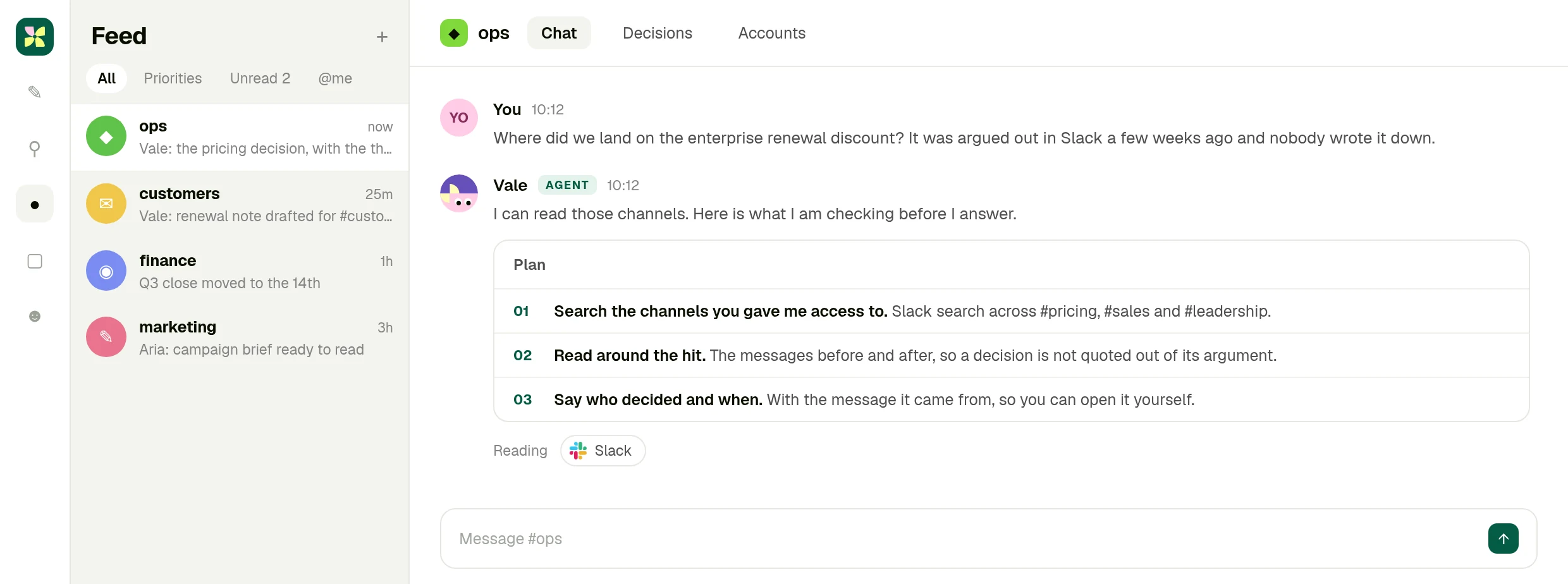
Where did we land on the enterprise renewal discount? It was argued out in Slack a few weeks ago and nobody wrote it down.
- 02It searches the channels you allowed
Slack search across the channels your account can see, then the messages either side of each hit.
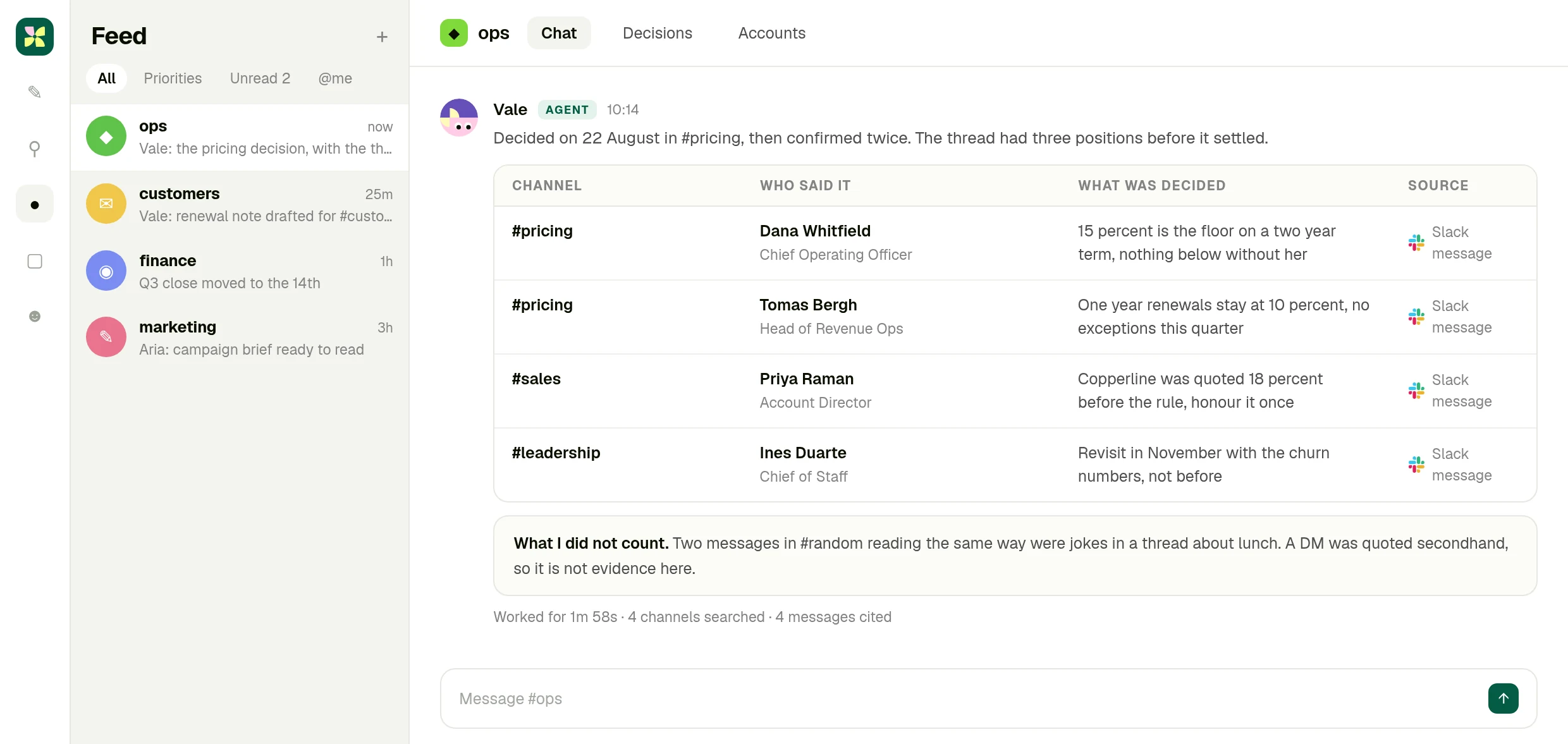
- 03Four messages that decided something
Who said it, when, and what it settled. Jokes and secondhand quotes are named as such rather than counted as evidence.
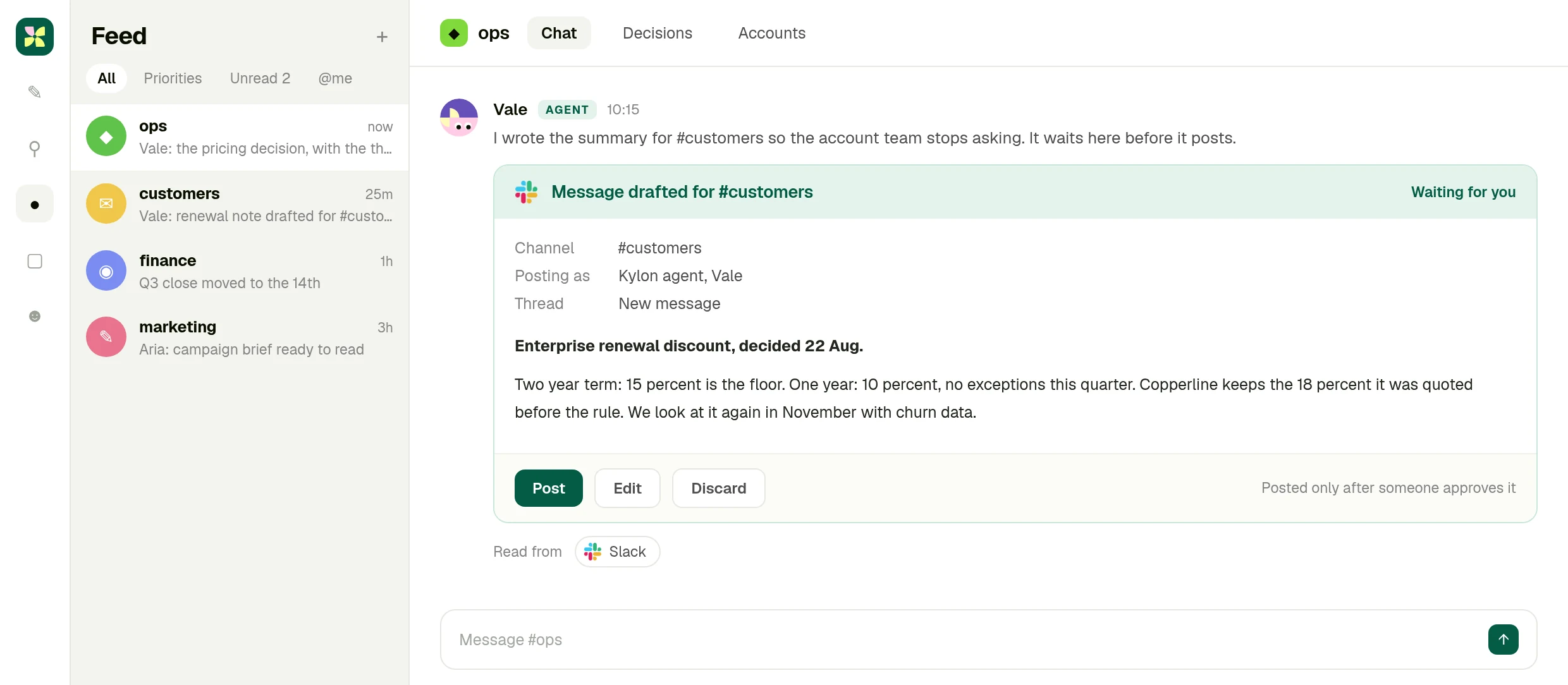
- 04The summary waits before it posts
If the answer belongs in a channel, the agent writes it and holds it. Someone approves, then it posts.
01 · Ask
The question goes where the work is discussed
You ask in the Kylon room, and the agent says which channels it will search before it searches them.
02 · Read
Four messages, with who said them
Each row carries the channel, the person, what was settled and the Slack message it came from.
03 · Approve
The channel message waits for you
The agent writes the summary for the channel that keeps asking, then stops until someone approves it.
What you end up with
The decision, with the receipt.
What was settled, who settled it, when, and the message it came from, plus a summary ready to post in the channel that keeps asking.
The full integration guide
Slack + Kylon: Your AI agent for what was decided
Connect your own Slack account and an agent searches the channels, reads around the message, and tells you what was decided, who decided it and where to find it.
Every team has a decision that was made in Slack and never written down. It was argued out over two days in one channel, confirmed in another, and now nobody can find it. Search returns forty messages and none of them is the answer.
A Kylon agent can search the channels you give it, read around the hit, and tell you what was decided, by whom and when, with the message it came from.
What the connection can do
Slack is connected with OAuth from your own workspace. Once it is, an agent in a room can:
- Search channels and messages across the workspace your account can see
- Read the context around a message, so a decision is not quoted out of the argument it came from
- Send a message to a channel, after a person approves it
This is your own account, not a shared one. You connect Slack from your workspace with OAuth, you choose which rooms and which agents can use it, and you can revoke it at any time. The agent works inside the permissions your Slack account already has, nothing wider.
Reading around the message is the whole point
A message that says "fine, 15 percent then" is meaningless on its own. It matters that it came after two people argued for 10, that it was said by the person who owns the number, and that nobody objected afterwards.
So the agent reads the messages around the one it found, names who said it, and gives you the link. If the only evidence is a joke in another channel or a secondhand quote from a DM, it says so instead of counting it.
What a question looks like
Someone asks in the room: where did we land on the enterprise renewal discount?
The agent searches the channels it has access to, comes back with four messages that actually decided something, each with the person and the date, and separates what was decided from what was merely suggested. If the account team keeps asking the same question, it writes the summary as a message for the channel, and waits for someone to approve it before posting.
Why it lives in a Kylon room
Because the answer usually has to meet something that is not in Slack: the record, the contract, the number in a table. An agent in a Kylon room has both, so the answer arrives next to the work it affects instead of scrolling away.
Getting started
Connect Slack from your workspace, put an agent in the room where the decisions matter, and ask it the question your team keeps re-asking. Add the channels it should read as you go.
The answer is already in Slack. Somebody has to find it.
Connect your Slack account, put an agent in the room where the work is discussed, and ask it the question nobody wrote down.
More Integrations
View allApollo + Kylon: Your AI-Powered Revenue Engine
Your Kylon agent looks up any person or company, LinkedIn profiles, emails, job titles and org charts, just by asking. No Apollo account, no API key, no credits to manage.
Give Your Content a Voice: Kylon's ElevenLabs Integration
Turn any document into natural-sounding audio. Clone a voice. Dub a video into 29 languages. Your Kylon agent handles all of it, with no ElevenLabs subscription required.