Linear integration
Customer bug reports become Linear issues with the customer attached.
Reports arrive in the support inbox and in chat. A Kylon agent checks Linear for the same problem, files or updates the issue with who reported it and what the account is worth, and tells the account owner when the fix ships.
Your own Linear workspace, connected from Kylon. Issues are created or changed only after a person approves.
One pass, four moves
- 01A report comes in
A customer writes that exports time out. It lands in the support inbox or a shared channel.
- 02Checked against Linear first
The agent searches open issues for the same problem, so the report joins the issue that exists instead of starting a new one.
- 03Filed with the customer attached
Who reported it, their plan and seats, and the clearest steps to reproduce, on the issue the PM triages.
- 04Back to the customer
When the issue is done, each account owner gets a drafted reply for the customer who reported it.
01 · Ask
Reports go where support and product meet
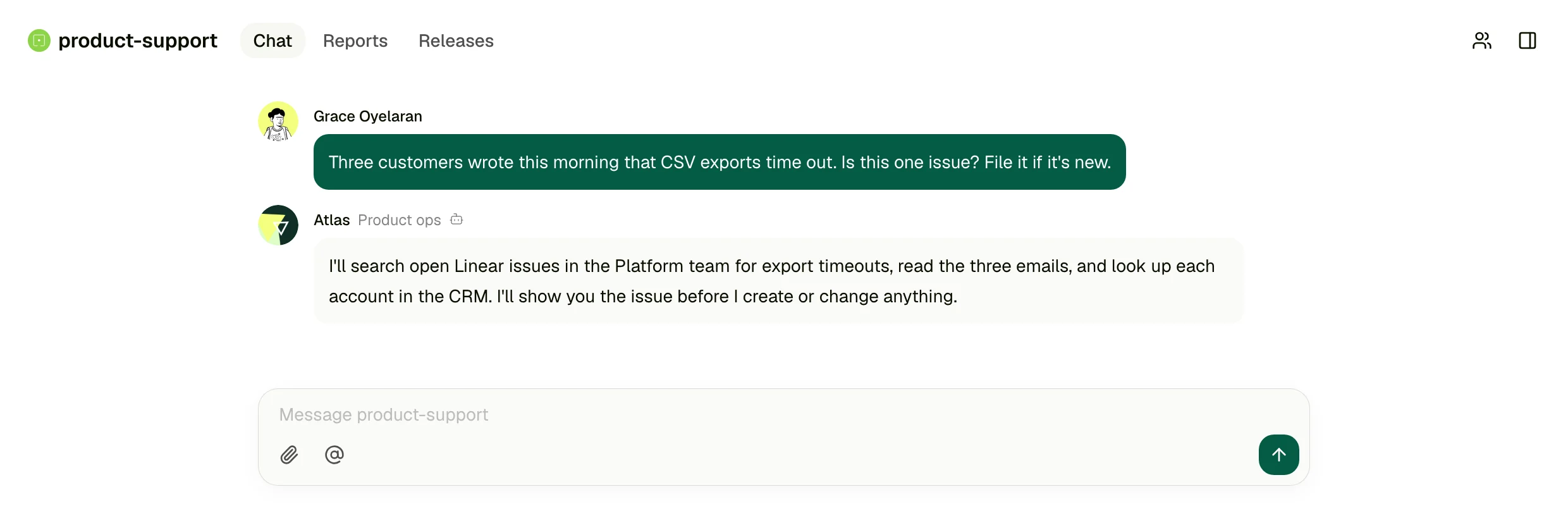
You ask in the Kylon room. The agent says which Linear team it will search and what it will read.
02 · Read
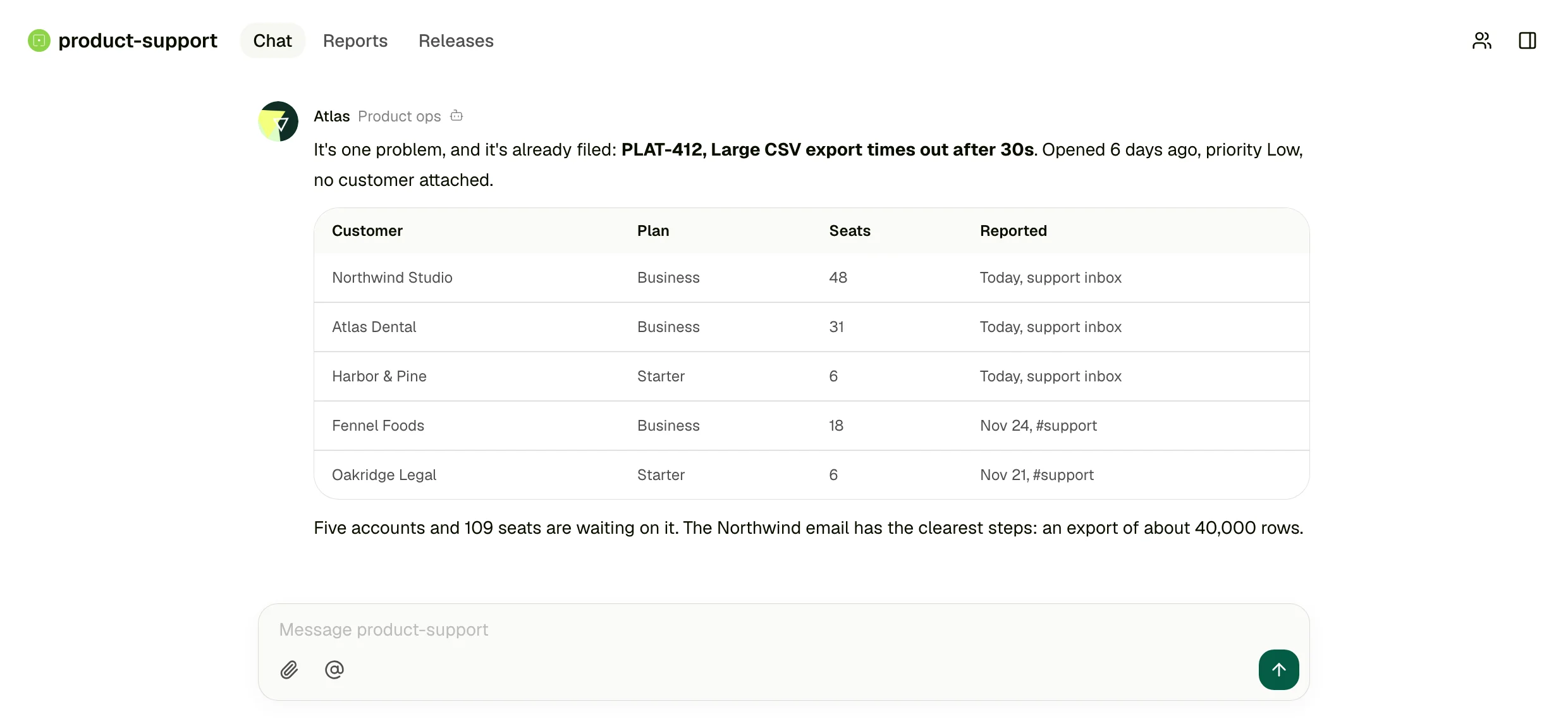
Five reports, one issue that already exists
The issue was filed six days ago at Low priority with no customer on it. Now it has five accounts and 109 seats.
03 · Approve
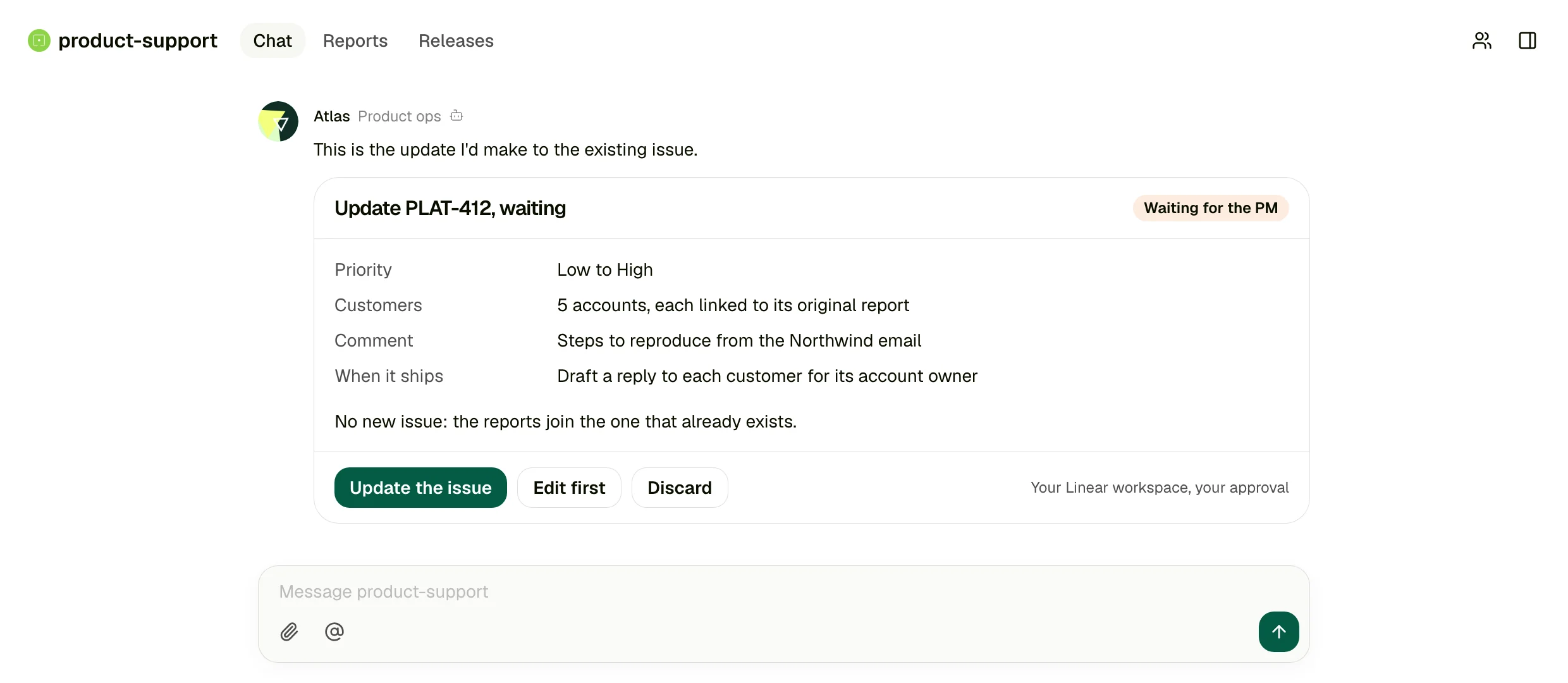
The issue update waits for the PM
Priority, customers and steps to reproduce, listed as one update. Nothing changes in Linear until the PM approves.
What you end up with
Product sees who is waiting. Support sees what is shipping.
One issue with every customer who reported it, a priority that reflects them, and a drafted reply ready for each account owner when the fix ships.
The full integration guide
Linear + Kylon: Customer bug reports become Linear issues with the customer attached
An agent matches customer bug reports to open Linear issues and puts the customer on the issue.
Bug reports arrive where customers are: the support inbox, a shared channel, a sales call. By the time one reaches Linear it has usually lost the customer. The issue says exports time out. It does not say that five accounts are waiting on it, or which of them renews next month.
A Kylon agent reads the report where it arrived, checks Linear for the same problem, and puts the customer on the issue before the PM triages it.
What the connection can do
You connect your Linear workspace from Kylon and choose which rooms and agents can use it. An agent can:
- Search and read issues, projects, cycles and comments across the teams you shared
- Create and update issues, set priority, labels and relations, after a person approves
- Comment on an issue with the steps and the customers who reported it
- Post project updates and milestones for the release the fix goes into
The agent works inside the access of the account you connected, and you can revoke it at any time.
Linear's agent, and an agent beside your support inbox
Linear has its own Linear Agent, an MCP server for AI tools, and lets teams assign issues to agents. That is the right place for work that starts and ends in Linear. A customer report starts in your inbox and ends with a reply to that customer. A Kylon agent reads the inbox, the CRM and the chat where the report arrived, writes to Linear in the middle, and comes back to the account owner when the issue is done.
What a morning of bug reports looks like
Three customers write before ten that CSV exports time out. Someone asks in the room: is this one issue, and is it filed?
The agent searches open issues in the Platform team and finds it: filed six days ago, priority Low, no customer attached. Two more reports of the same problem sit in the support channel from last week. Five accounts, 109 seats.
It proposes one update instead of a new issue: priority raised, the five accounts linked to their original reports, and the clearest steps to reproduce from one of the emails. The PM approves it. When the issue moves to Done, each account owner gets a drafted reply for their customer.
Getting started
Connect Linear from your workspace, add an agent to the room where support and product meet, and ask it to check the next bug report against Linear before anyone files it.
The customer who reported it belongs on the issue.
Connect Linear, add an agent to the room where support and product meet, and ask it to check the next report before anyone files it.
More Integrations
View allApollo + Kylon: Your AI-Powered Revenue Engine
Your Kylon agent looks up any person or company, LinkedIn profiles, emails, job titles and org charts, just by asking. No Apollo account, no API key, no credits to manage.
Give Your Content a Voice: Kylon's ElevenLabs Integration
Turn any document into natural-sounding audio. Clone a voice. Dub a video into 29 languages. Your Kylon agent handles all of it, with no ElevenLabs subscription required.
Questions
Is there a Linear MCP server, and how does Kylon fit with it?
Linear runs its own MCP server and has its own agent inside Linear. Kylon connects to your Linear workspace so an agent in a Kylon room can read and update issues while it also reads your support inbox, CRM and chat.
Will it create duplicate issues?
It searches open issues first and adds a new report to the issue that already exists. New issues and changes are made only after a person approves them.
What can the agent do in Linear?
Search and read issues, projects, cycles and comments, and create or update issues, labels, relations, comments and project updates, within the access of the account you connected.
Who can use the Linear workspace I connect?
You connect it from your Kylon workspace, then choose which rooms and which agents can use it. You can revoke the connection at any time.