AI for real estate agents and teams.
Kylon answers new leads, writes the listing, runs the showings and chases every deadline to closing day, then keeps in touch after. Agents and coordinators approve what goes out. Property managers use it for maintenance requests and vendors.
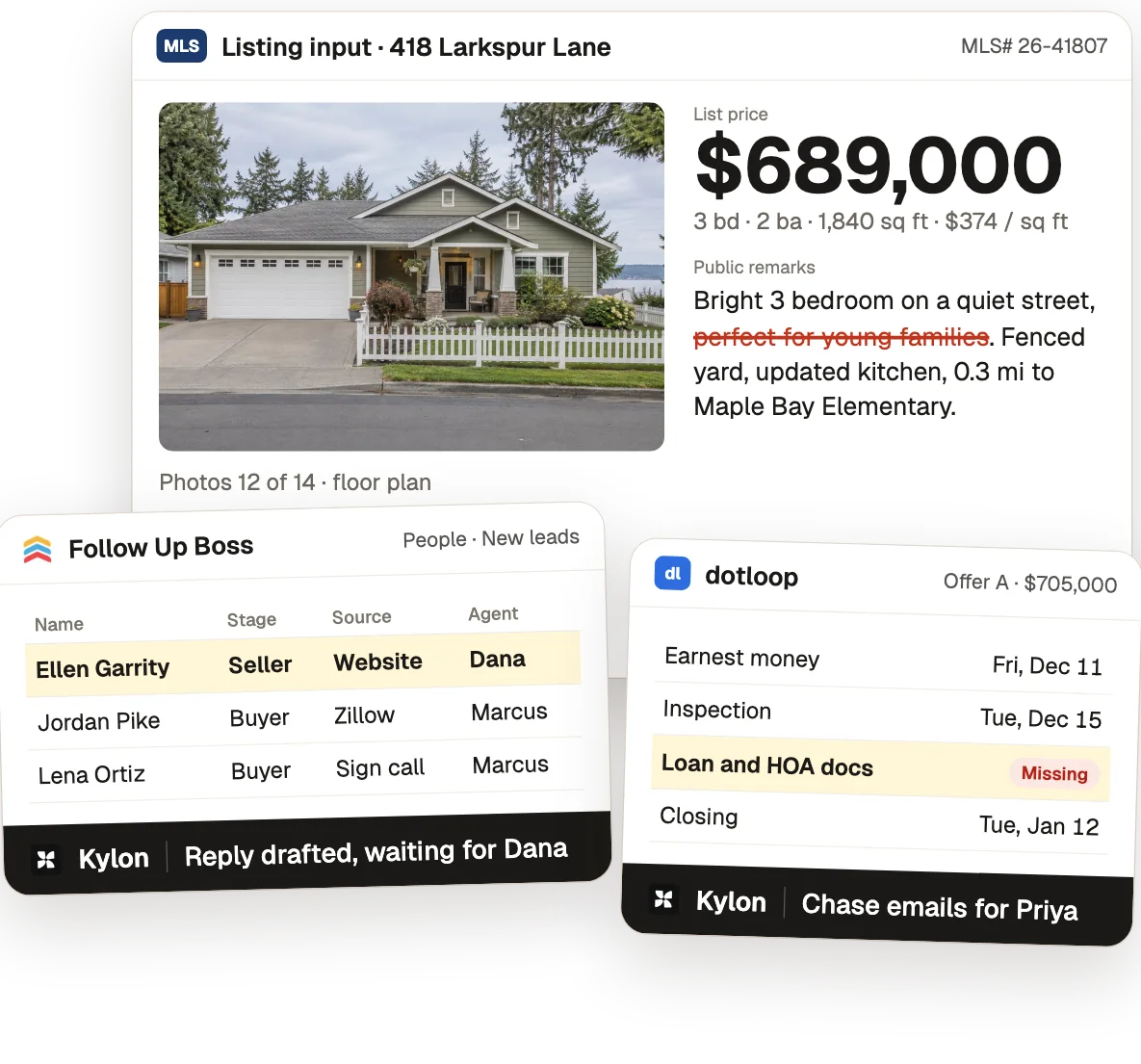
One listing, from the first call to the first check-in.
From the use case Real Estate Teams: From First Call to Closing Day.
- 01
Answer the seller first
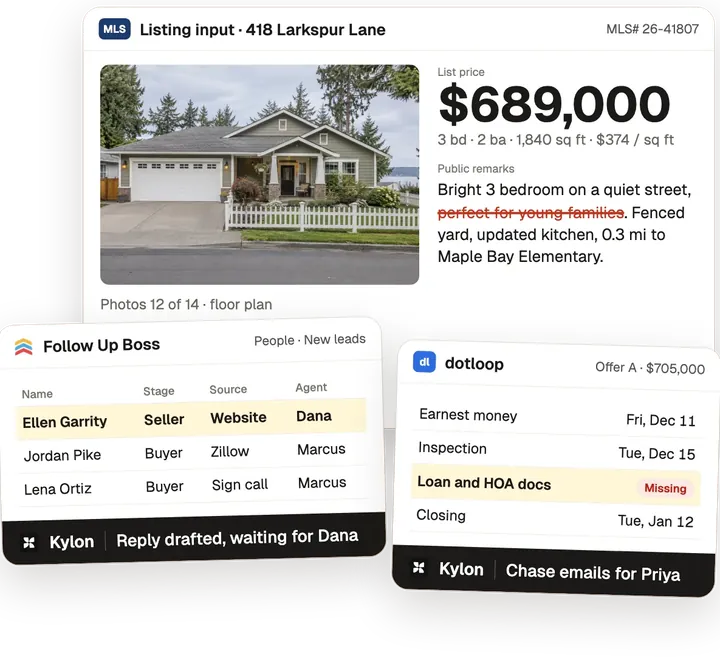
A new seller lead comes in from the website at 7:42 AM. Juniper drafts the reply to Ellen Garrity with two listing appointment times from Dana's Google Calendar and tags two buyer leads for Marcus.
Who decidesDana sends the reply. The appointment is Wed, Nov 18 at 4 PM.
- 02
Set the list price
Dana drops in the comps export from the MLS. Juniper builds the CMA from 5 sold comps, adjusted $672K to $701K, average $371 per sq ft, and suggests $689,000.
Who decidesDana sets the price at $689,000 with Ellen.
- 03
Write the listing
Juniper drafts the public remarks, 12 of 14 photos and the floor plan. Dana asks to take out "perfect for young families", and Juniper saves it as a listing rule: describe the home, not who should live there.
Who decidesDana approves the copy and pastes it into the MLS herself.
- 04
Run the showings
Marcus drops in the showing requests export. Juniper puts 9 weekend showings on Dana's calendar, collects 6 feedback forms and drafts the open house flyer with the listing rule applied.
Who decidesDana prints the flyer and hosts the open house on Sat, Dec 5, 1 to 3 PM.
- 05
Compare the offers
Juniper reads 3 offers from Gmail into one comparison: A $705,000 conventional, B $712,000 FHA, C $698,000 cash. It drafts the recap to Ellen from Dana's Gmail.
Who decidesDana sends the recap. Ellen decides with Dana.
- 06
Get to closing day
Priya drops in the dotloop checklist export after Offer A is signed. Juniper tracks every date to close on Tue, Jan 12 and drafts two chase emails for the missing loan and HOA docs.
Who decidesPriya sends both emails. Ellen and the buyers sign in dotloop.
- 07
Stay in touch
The sale closes at $705,000, 102.3% of list. Juniper moves Ellen to past clients and drafts her first check-in for Mon, Apr 12.
Who decidesDana sends each touch herself.
What Kylon runs for real estate
5 use cases, each with the steps, the tools and a set-up prompt.
Whole-team films
Real estate teams
Every new lead gets a reply, every closing deadline gets chased.
Before: WO-125 canceled?, 2 vendors at 9am, Tenant: still leaks, vendor rate?, who has the key?. With Kylon: 6 repairs closed this week. Refilled the canceled slot. Workflow tools: Attio, ClickUp, Gmail, Google Calendar, Google Drive, Slack.
 Atlas
Facilities Work Orders: A Dispatch Week With No Stale Visits or Double-Booked Slots
Work orders get a vendor, slot and visit, updated as reports come in.
Before: notice_scan_0412.pdf, comps v2 (Elena), filed? maybe, deadline is Friday??, Marlowe_parcels_old. With Kylon: Lower tax bills on 11 parcels. Triaged 28 parcels by median. Workflow tools: Airtable, Box, Google Docs, Google Drive, Slack.
 Iris
Property Tax Appeals: The Right Parcels Filed Within Each County's Capacity
Parcels triaged and appeal letters drafted within county capacity.
Before: Re: bill 202 dispute, meter_swap_scan.pdf, tariff col blank, who checked Oct?, Harborview: revised. With Kylon: Only correct bills get paid. Re-ran bill 202 on new reads. Workflow tools: Airtable, Box, Gmail, Google Drive, Outlook, Slack.
 Orla
Utility Bill Validation: Every Bill Checked Against Tariff, Meter and Period Days
Bills checked against tariff, meter and period days, replies drafted.
The tools you already use.
Each use case here connects some of these. Anything with an API can be connected the same way.
 Gmail
 Slack
 Google Drive
 Google Calendar
 Google Sheets
 Airtable
 Box
 QuickBooks
 Outlook
 ClickUp
 Attio
 Google Docs
 Excel
 AppFolio
 Twilio
Common questions3
Can AI answer real estate leads?
It drafts the reply with showing times, and the agent on the lead sends it. Every lead gets a reply, and nothing goes out without a person.
Can it keep a deal on track to closing?
Yes. The agent tracks each date in the contract, chases missing documents and tells the coordinator what is due this week.
Does it help property managers?
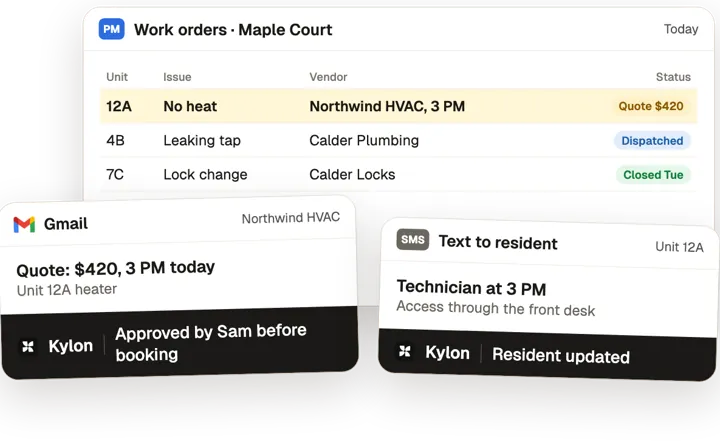
Yes. The agent takes in each maintenance request, finds the vendor, asks for approval on the quote and updates the resident.
Other jobs, other teams.
Start with one workflow this week.
Open a Room, connect the tools above and paste the set-up prompt from any use case on this page. Kylon builds it with you one step at a time.