AI for recruiting and staffing firms.
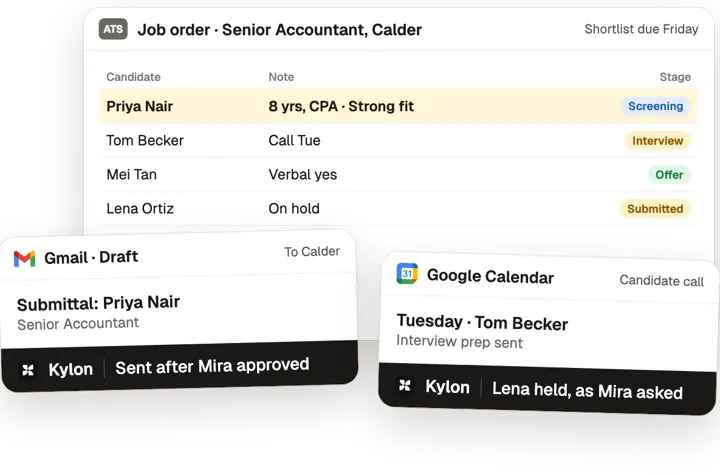
Kylon keeps every job order moving: candidates screened against the brief, submittals drafted for the recruiter to approve, interviews booked and the client kept up to date.
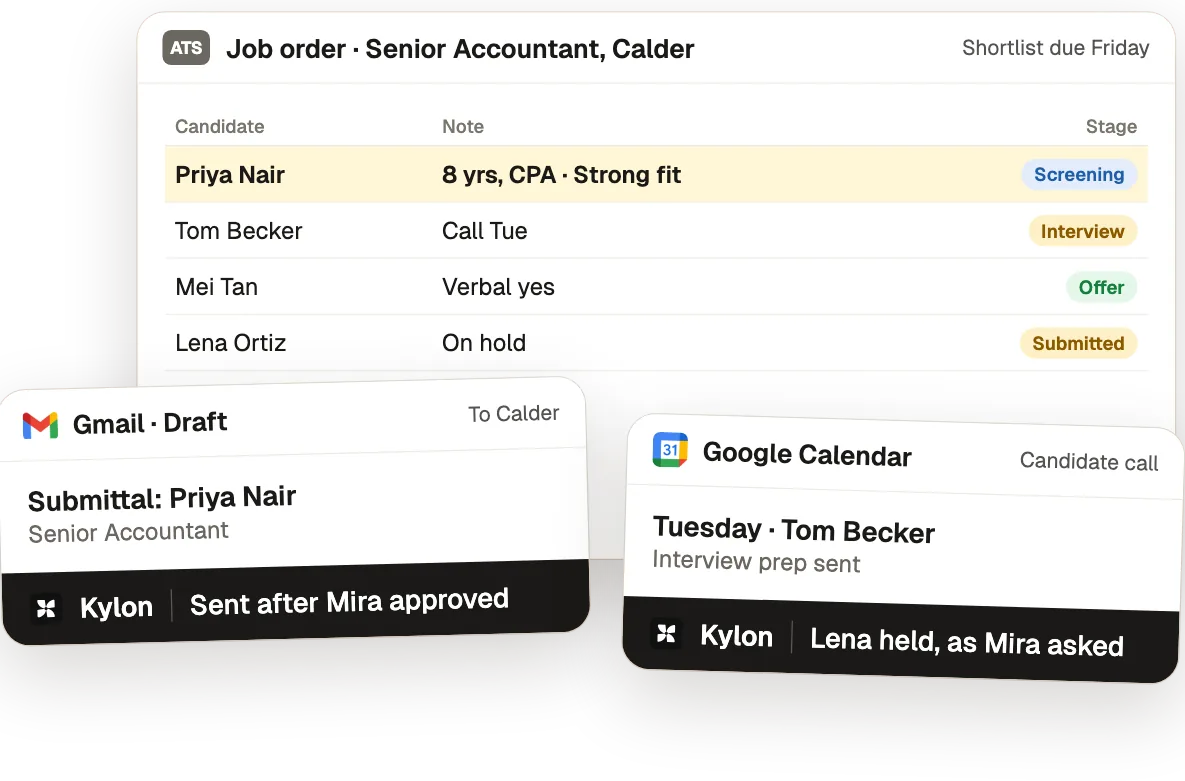
One job order, from brief to placement.
From the use case Recruiting Firms: Less Admin Between the Job Order and the Placement.
- 01
Turn job orders into records
Each job order becomes a record with requirements, salary band, fee terms and the open questions.
Who decidesThe recruiter decides whether to take the search.
- 02
Screen against the job order
Each candidate is screened against the job order with a short note on matches and gaps.
Who decidesThe recruiter picks who gets a call.
- 03
Draft submittals from screening notes
A submittal per candidate is drafted from the screening notes in the client's format and held until consent is recorded.
Who decidesThe recruiter approves every candidate and every word.
- 04
Schedule and chase feedback
Interview times are proposed from the calendar, with confirmations and late-feedback chases drafted.
Who decidesThe recruiter sends each message or picks up the phone.
What Kylon runs for recruiting firms
1 use case, each with the steps, the tools and a set-up prompt.
The tools you already use.
Each use case here connects some of these. Anything with an API can be connected the same way.
 Lever
 LinkedIn
 Airtable
 Google Calendar
 Outlook
 Gmail
 Google Drive
Common questions3
Can AI write candidate submittals?
Yes. The agent drafts each submittal from the candidate record and the client's brief, and the recruiter approves it before it goes to the client.
Can it keep clients updated?
It drafts the status update for each job order from the pipeline, so the client hears from the recruiter without anyone rebuilding the list.
Where should a firm start?
Start with one open job order that is due this week.
Other jobs, other teams.
Start with one workflow this week.
Open a Room, connect the tools above and paste the set-up prompt from any use case on this page. Kylon builds it with you one step at a time.