Describe the tool, and your team gets an App.
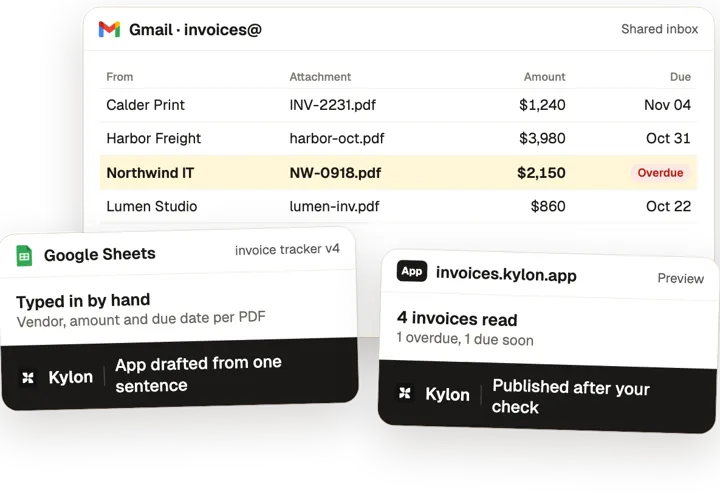
Kylon builds working internal Apps from a sentence, on your own data: an invoice tracker that reads every PDF in the shared inbox, a pipeline board, a review queue. You check the preview before it goes live.
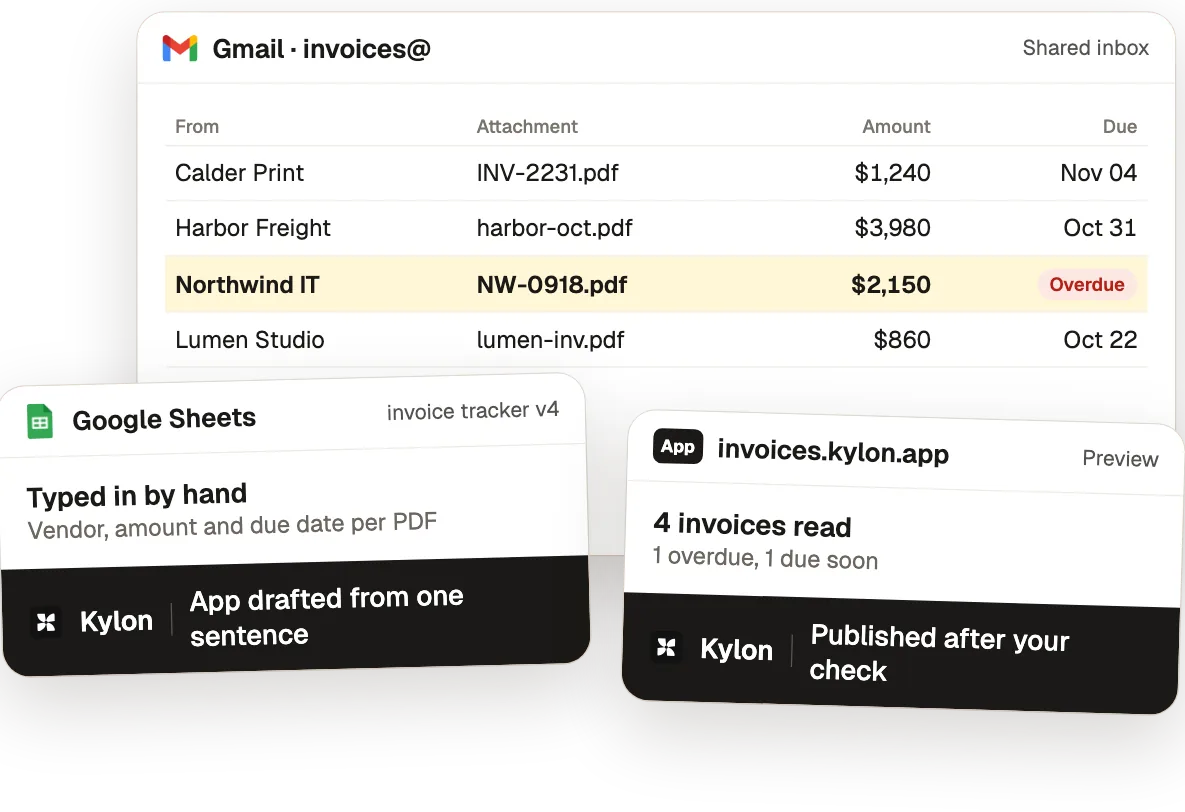
From a description to a published App.
From the use case How a Team Built Two Internal Apps in a Week (Without a Developer).
- 01
Describe the tool
The agent builds the App from a plain description, with its database, fields and views.
Who decidesThe product team confirms the scope before the build.
- 02
Read every invoice
Each uploaded invoice or photo becomes a record with vendor, amount, line items, tax and due date.
Who decidesThe invoice owner checks each extracted record.
- 03
Preview before production
Every change lands in an isolated draft with a live preview and a version in the history.
Who decidesThe requesting teammate tests the draft and publishes it.
- 04
Ask the App questions
Questions about pipeline status or invoice history get structured answers from the App's own data.
Who decidesThe App owner decides what to change next.
Internal apps, team by team
3 use cases, each with the steps, the tools and a set-up prompt.
Any industry
Internal apps
Describe the tool, get an App that reads your own data.
Before: ORD-CTL-03 short, Re: is it shipping?, tier list v2?, cancellation batch, who gets panels?. With Kylon: 2 more orders ship in full. Re-walked 3 short SKUs. Workflow tools: Gmail, Google Drive, Notion, Outlook, Salesforce, Slack.
 Max
Constrained Order Allocation: Short Stock Shared by Priority, Walk After Walk
Short stock shared by priority tier and re-walked after each change.
E-commerce sellers
AI for e-commerce sellers Ada
The tools you already use.
Each use case here connects some of these. Anything with an API can be connected the same way.
 Slack
 Airtable
 Notion
 ShipStation
 Gmail
 QuickBooks
 Google Sheets
 Figma
 Google Drive
 Salesforce
 NetSuite
 Outlook
 Recharge
 Stripe
 Shopify
Common questions3
Can I build an internal tool without a developer?
Yes. Describe it in a Room. The agent drafts the App, reads your real data into it and shows a preview. You publish it once it looks right.
How is this different from a spreadsheet or Retool?
The App lives in the same Room as the people and agents who use it, so the agent keeps the records current from email and files instead of someone typing them in.
What do teams build first?
Usually the spreadsheet someone updates by hand every week: invoices, candidates, quotes or a deal board.
Other jobs, other teams.
Start with one job this week.
Open a Room, connect the tools above and paste the set-up prompt from any use case on this page. Kylon builds it with you one step at a time.