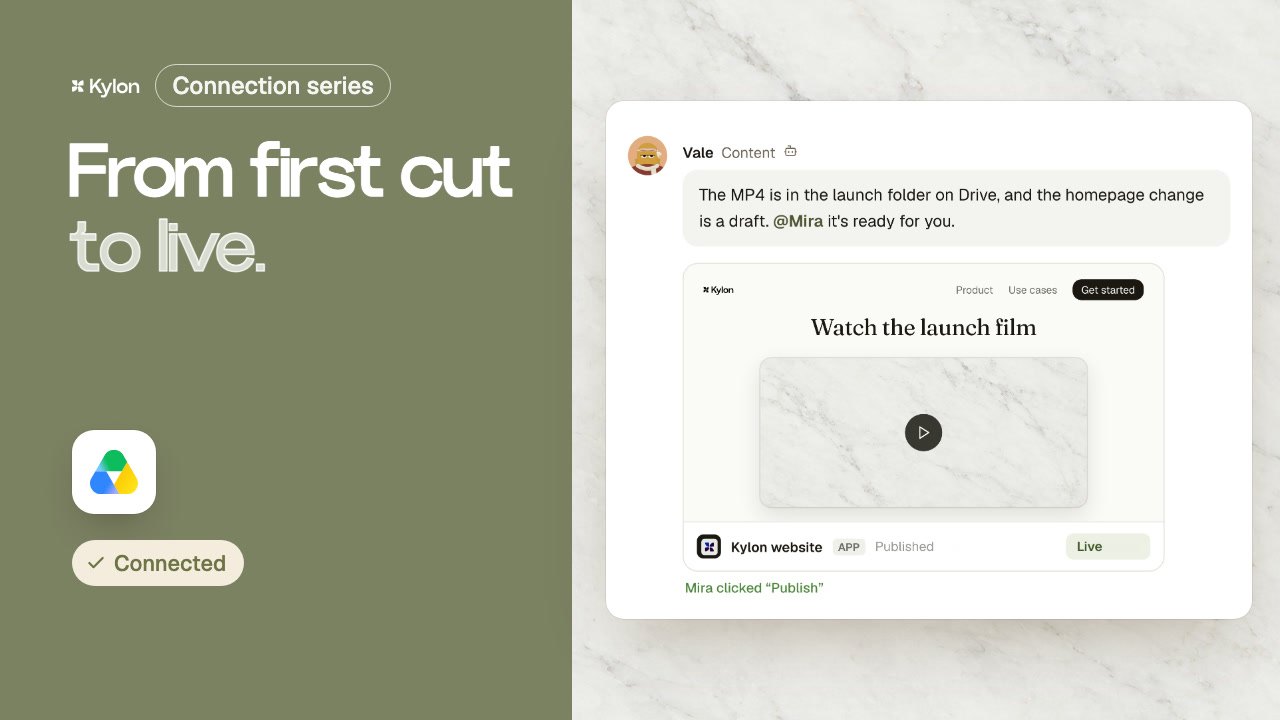
Every booking, from first call to signed deal.
A booking on your website opens a lead in your sales Room. The agent researches the company, drafts the prep note and the proposal, reminds you before the call and writes the recap. Your sales lead reads every email before it goes out.
Fernwood Studio, Northgate Coffee and everyone in the video are fictional, and so are the links and numbers. All six films on YouTube
What each tool does here.
Each person signs in to their own account. The agent works with what that account can already see.
 Step 01
Each new booking opens a lead in the sales Room, with the form answers on it.
 Steps 03 and 06
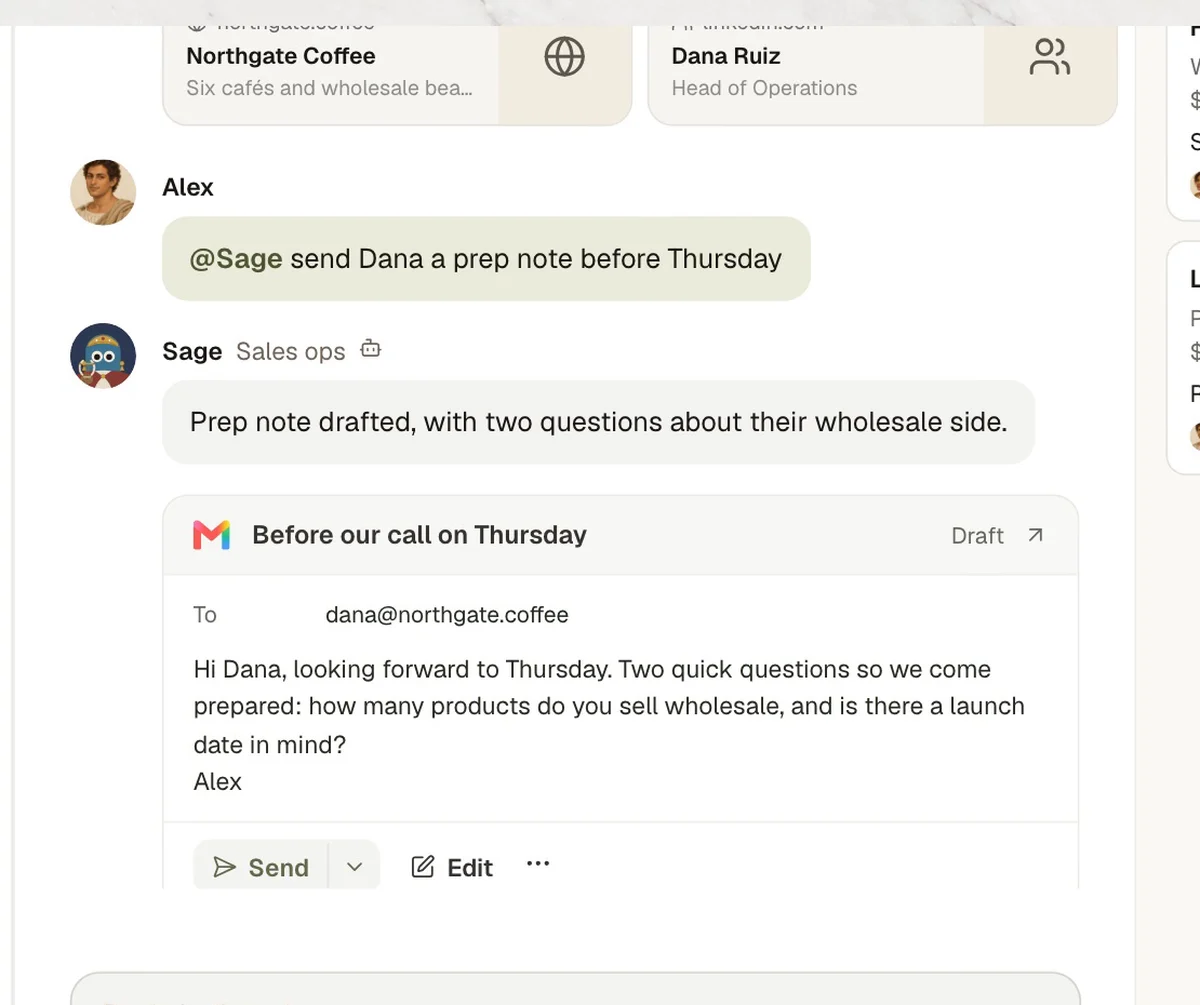
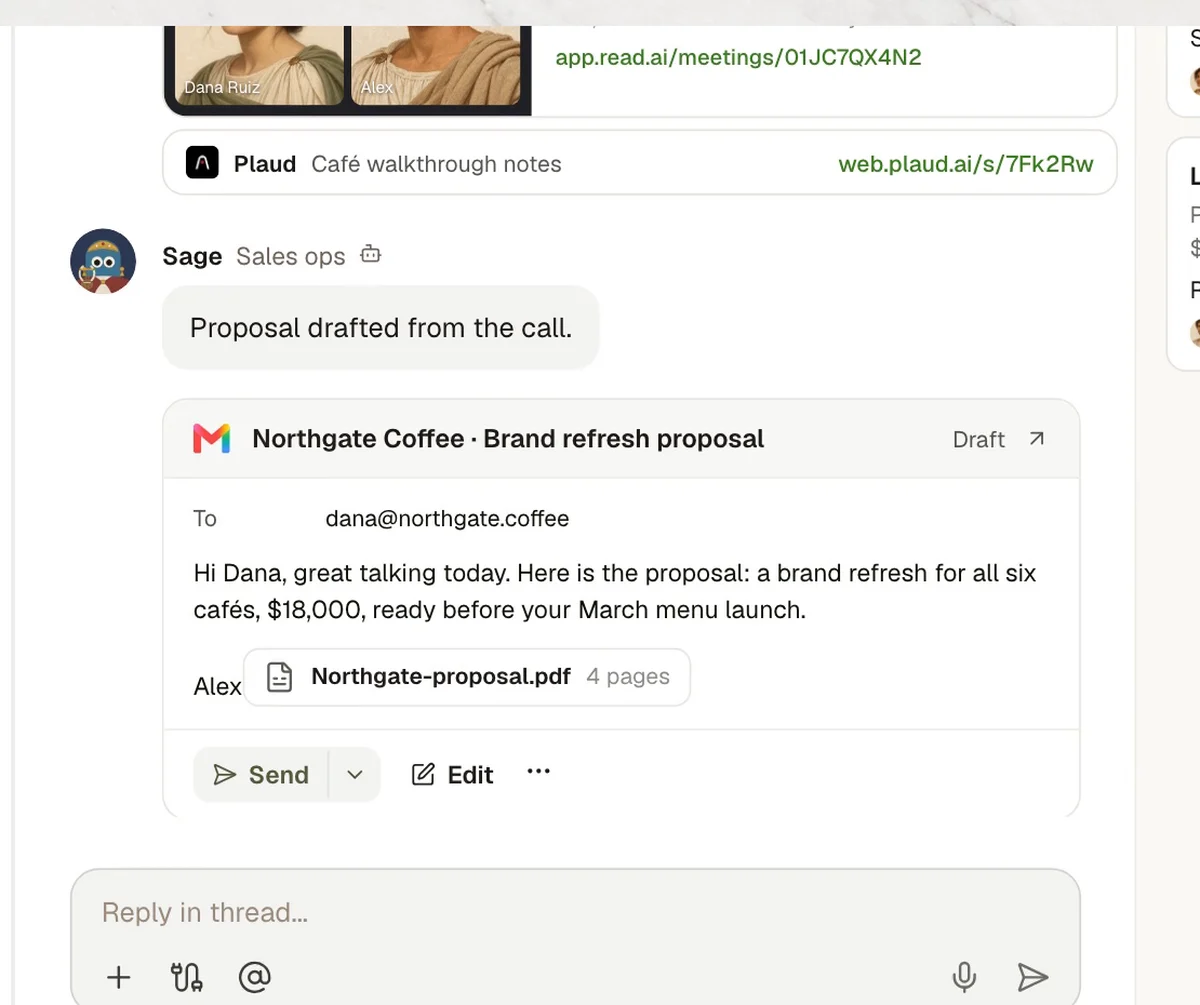
The agent drafts the prep note and the proposal in Gmail. Alex reads each one and sends it.
 Step 04
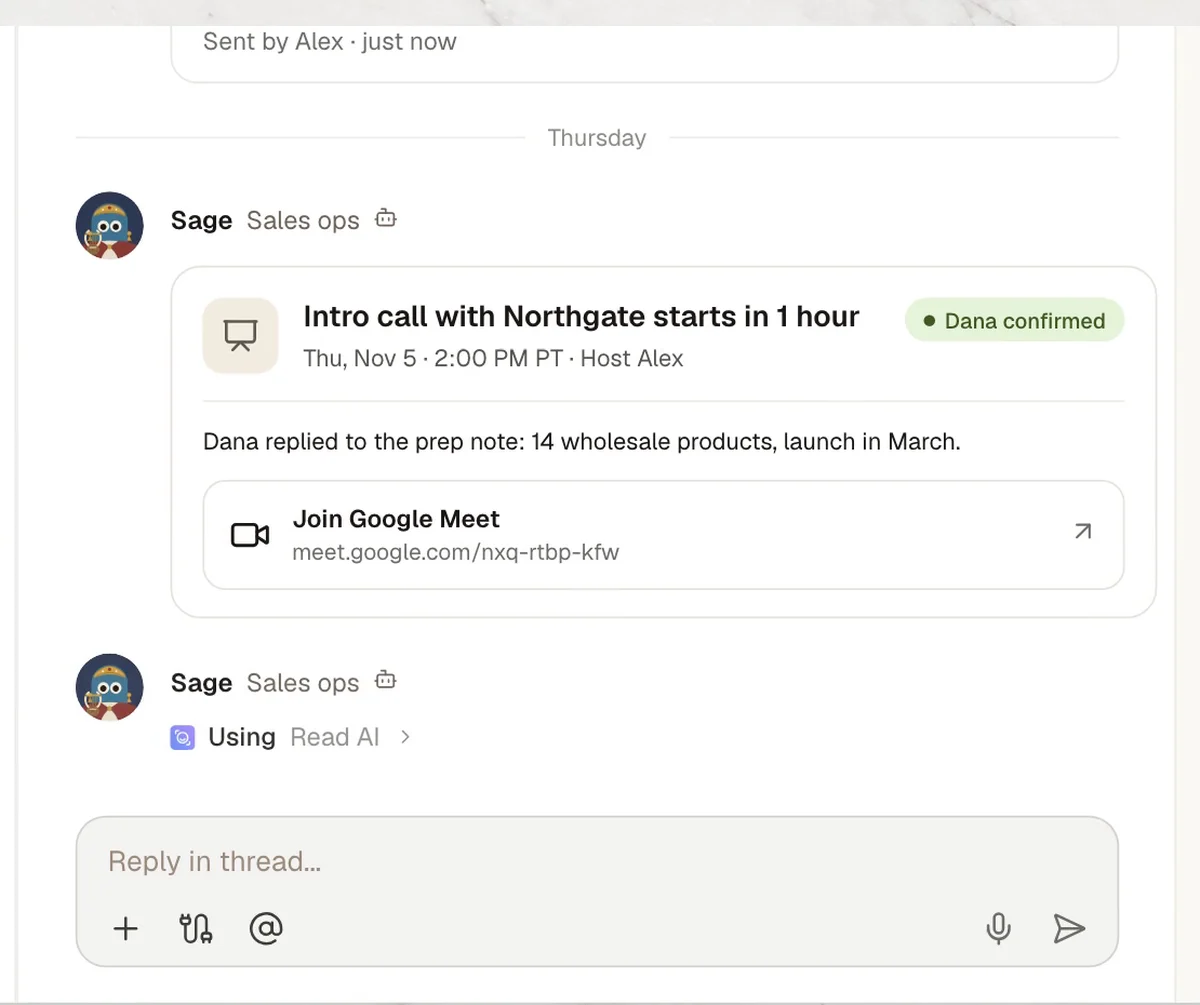
An hour before each call, the agent posts a reminder with the meeting link.
 Step 05
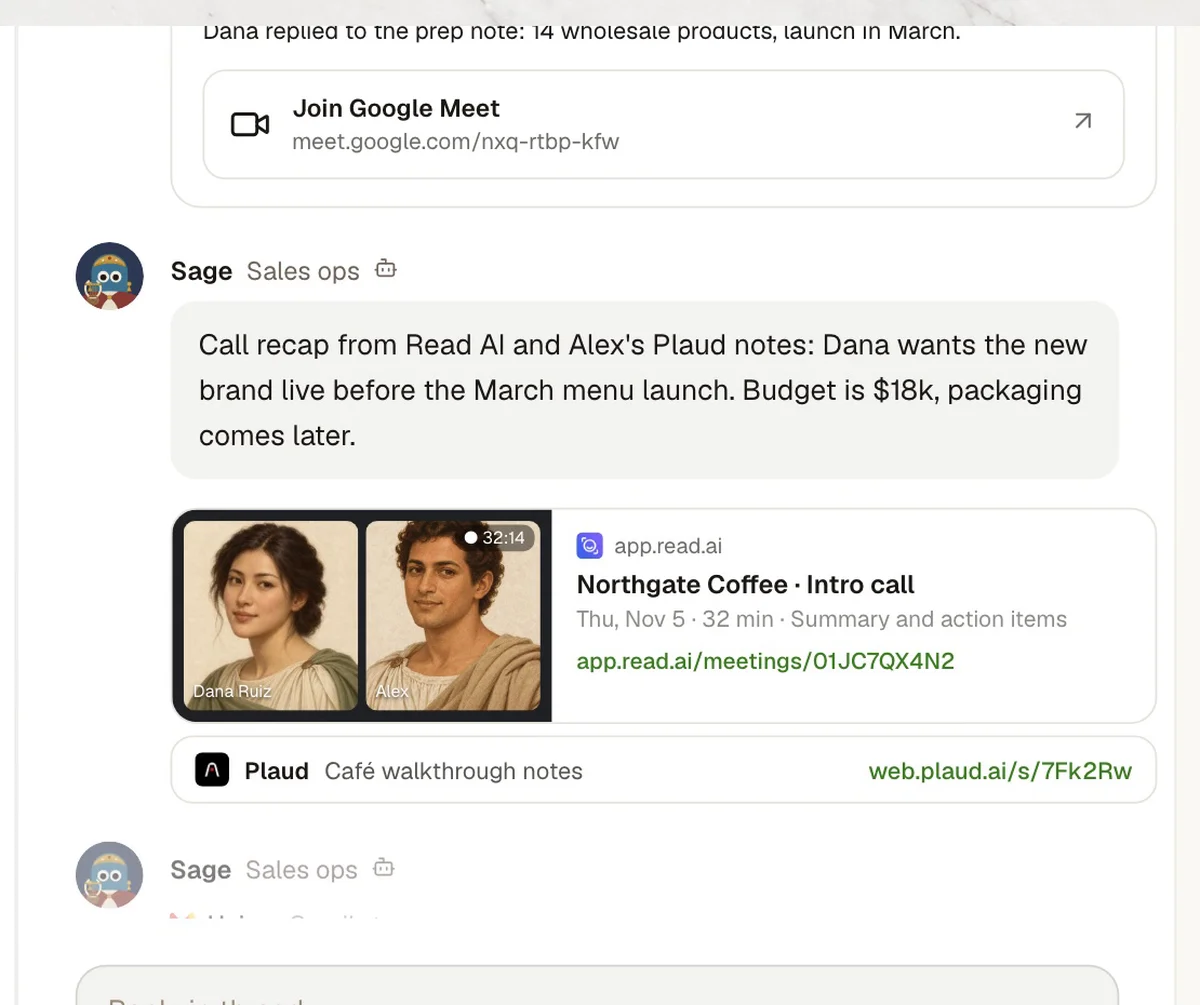
The meeting report and action items become the recap in the lead's thread.
7 steps, one Room.
The same steps as the film. Each one shows what the agent does in the Room and, where it matters, who signs it off.
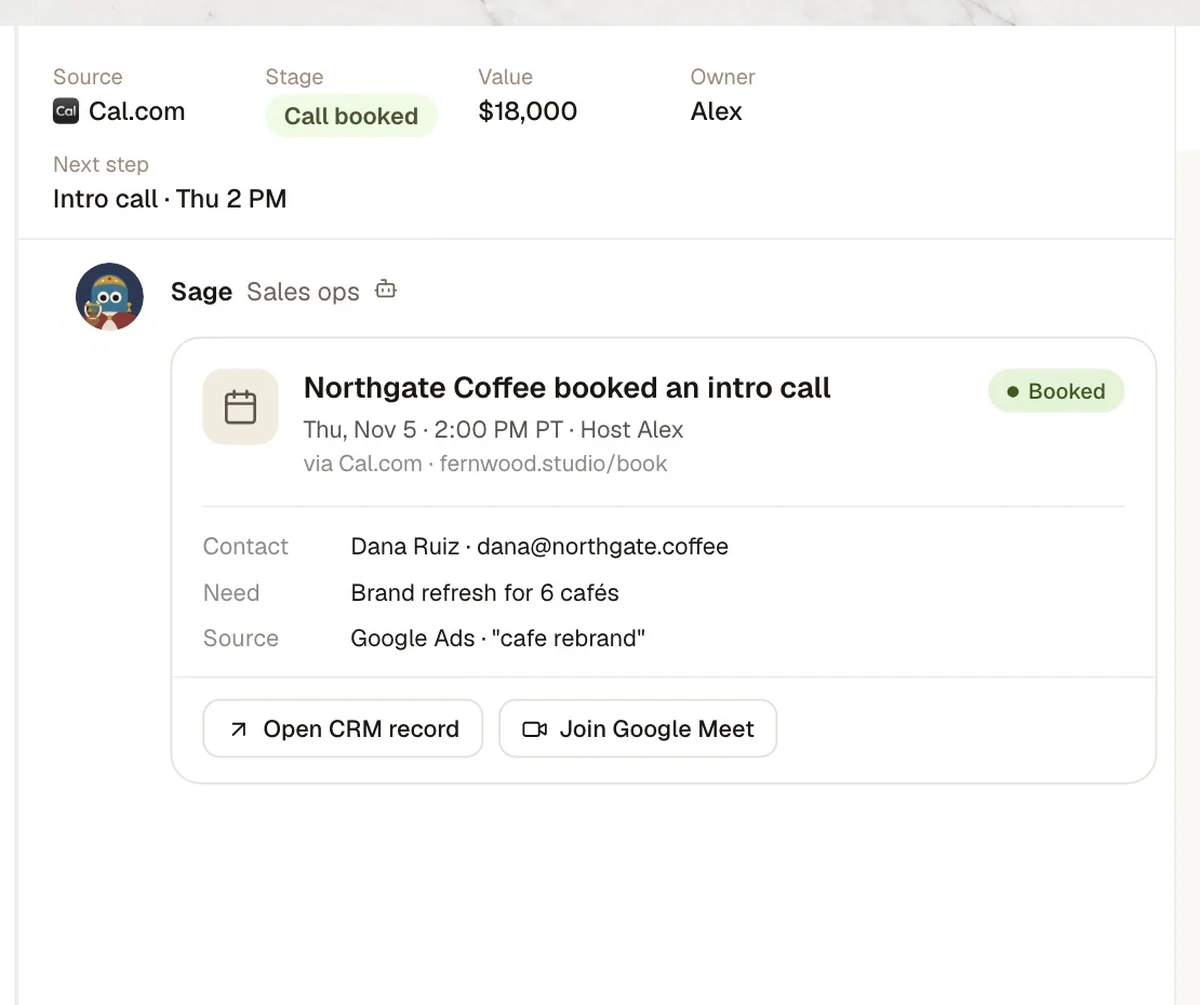
- 01Booked
Booking comes in
- In Kylon
- SageA lead opens in the sales Room with the form answers.
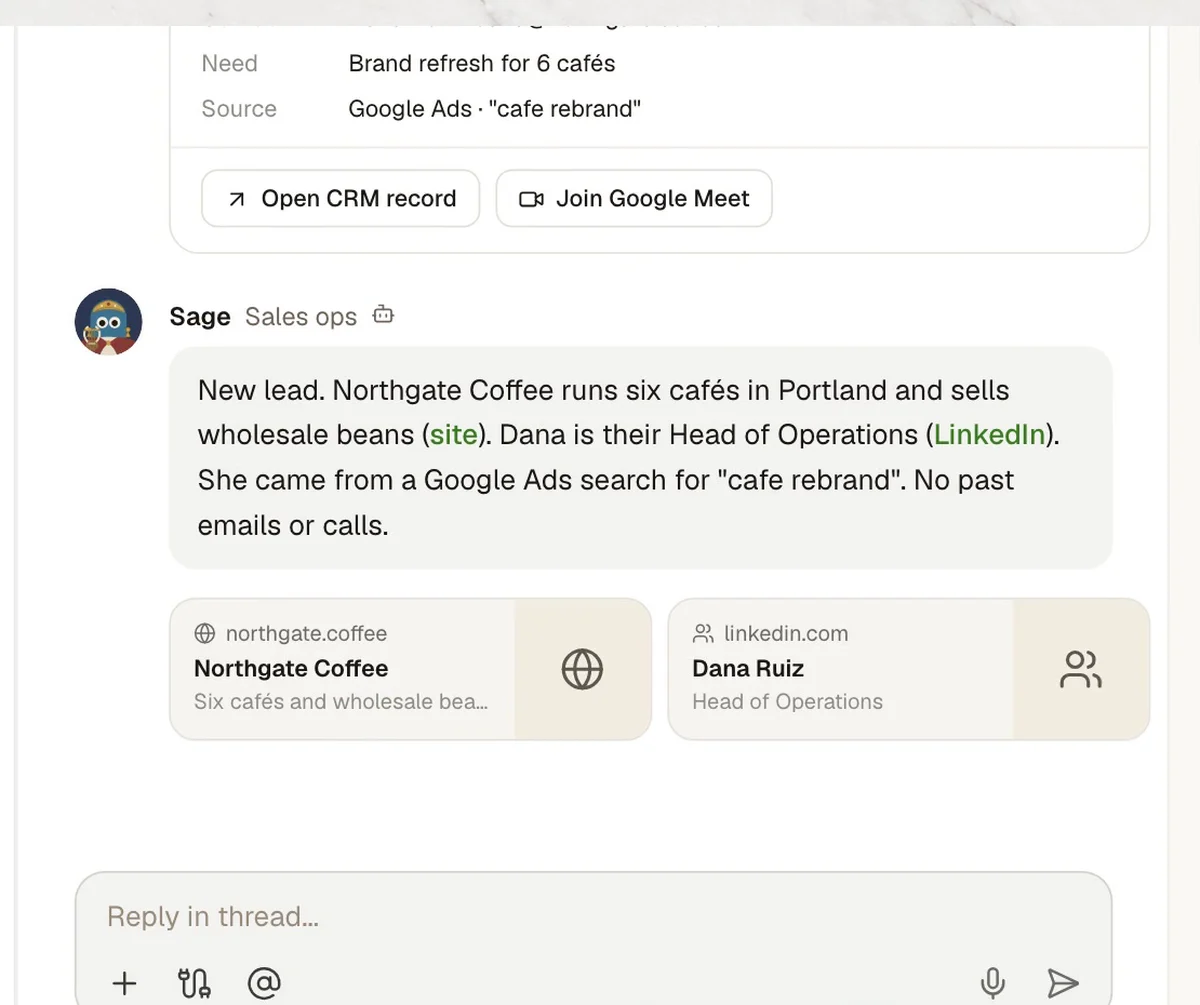
- 02Researched
Company and contact
- In Kylon
- SageWeb research, with a source on every fact.
- 03Prep sent
Prep note
- In Kylon
- SageTwo questions so the call starts prepared.
- Who decides
- Alex reads it. He sends it from Gmail himself.
- 04Call
Call reminder
- In Kylon
- SageMeeting link posted an hour before.
- 05Recap
Call recap
- In Kylon
- Sage
 Read AI report and Plaud notes, in the thread.
- 06Proposal
Proposal drafted
- In Kylon
- SageScope, price and date from the call.
- Who decides
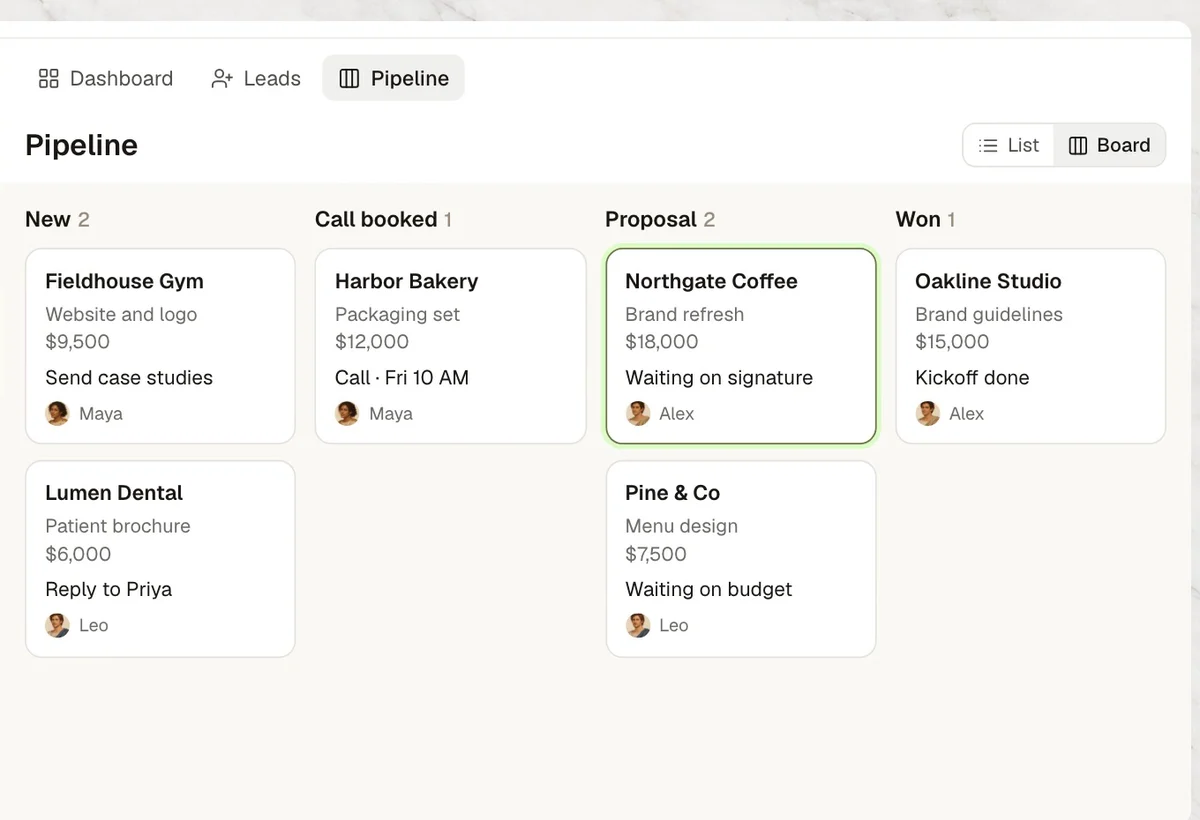
- Alex reviews. The deal moves to Proposal on the board.
- 07Won
Won
- In Kylon
- SageOnboarding gets the notes and the launch date.
Four steps to your own version.
- 1Connect your toolsIn Connections, sign in to Cal.com, Gmail, Google Calendar, Read AI and Plaud.
- 2Open a sales RoomAdd your agent and the people who take sales calls.
- 3Paste the set-up promptThe agent asks for your rules one at a time.
- 4Approve the first draftWhen the next booking comes in, the agent drafts the prep note. You send it.
Set up our sales workflow in this Room. 1. When a new Cal.com booking comes in, open a lead here with the form answers. Research the company and the person, with a source on every fact. 2. Draft a prep note in Gmail before each call. Never send anything without my OK. 3. An hour before each call, post a reminder with the meeting link from Google Calendar. 4. After each call, turn the Read AI report and my Plaud notes into a recap, then draft the proposal in Gmail. Before you start, ask me for our rules one at a time.

Run it in your own workspace.
Connect the tools you already use, add your team, and paste the prompt. Your agent asks before anything goes out.