Consult to sign-off
Record one client conversation with Read AI or Plaud. Turn it into a workflow and a reviewable HTML App design. Build in the client's workspace only after they approve it.
Workflow
- 01
Record the conversation
Record one meeting with the people who actually run the work. Keep the Read AI or Plaud notes as the source.
- 02
Map the workflow
Walk through one real case from start to finish. Mark each handoff, the information used and the exceptions.
- 03
Review the HTML design
Ask the agent to show the proposed business flow, tables, fields and field mapping in one HTML design. Review it with the client.
- 04
Build after OK
Once the client says OK to the design, build the App in their workspace and test it with the people who will use it.
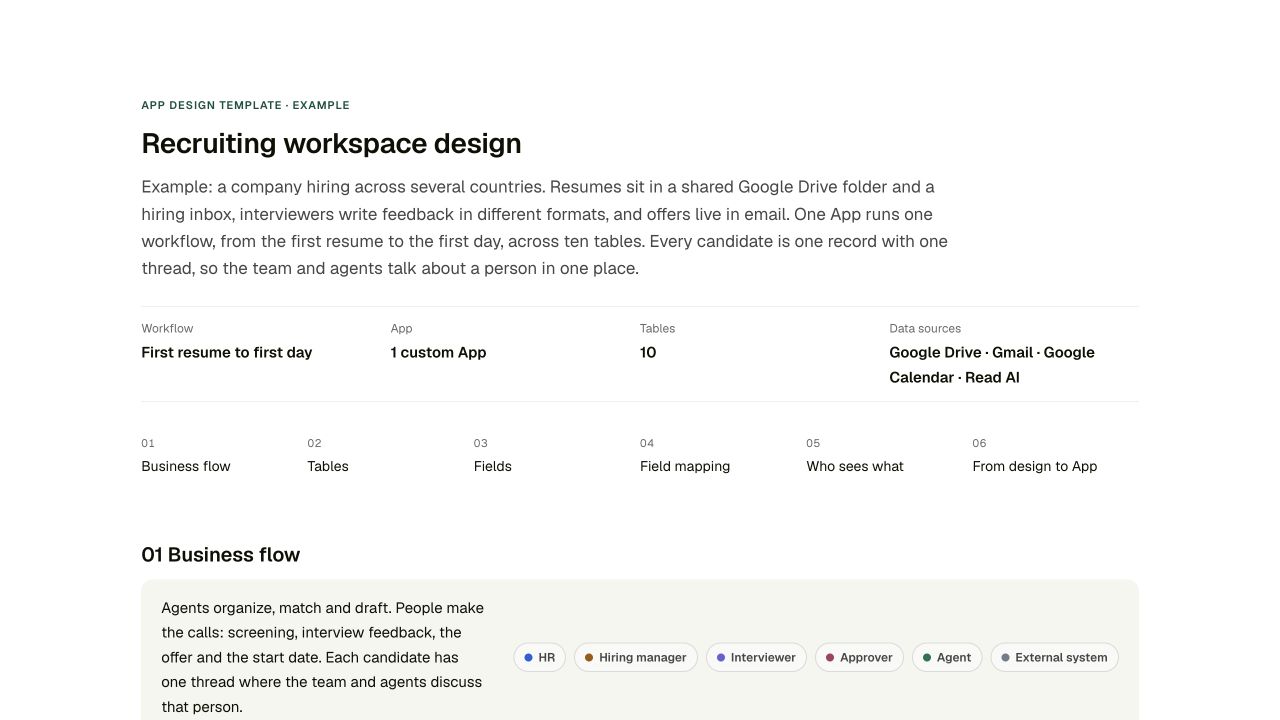 APP DESIGN SAMPLERecruiting workspace designBusiness flow, tables, fields, field mapping and access in one HTML page.
APP SAMPLERecruiting WorkspaceA recruiting App UI. The skill ZIP also includes source for the design sample's App.
Prompt
Install the App design blueprint skill from https://kylon.io/assets/partner/fde/app-design-blueprint.zip: download it, read SKILL.md, add it as a custom skill and install it on yourself. Then design an App for [PROCESS] using the client meeting recorded in Read AI or Plaud [meeting link]. Ask me who is involved, which tools the data comes from today and what each person needs to see. Send me the design page first, with the business flow, tables, fields, field mapping and who sees what. Build nothing until I approve it. Once I approve, build it as a custom App with mock data in the client's workspace and send me the draft link.