Multiplayer AI agents for teams, compared
Slack, Microsoft Teams, Claude, ChatGPT, Notion, Glean and Kylon all now put AI where a team works. Five questions show which ones let several people work with the same agent, whose access it uses, who signs off, and whether your own agents can join.

In short. In 2026 most work tools added an AI that more than one person can use. They differ in four places: whether several people can talk to the same agent in one conversation, whose access the agent uses when it answers, whether a person signs off before it acts, and whether the agents your team already runs can join. This guide checks Slack, Microsoft Teams, Claude, ChatGPT, Notion, Glean and Kylon against those questions, using each vendor's own docs as of November 6, 2026.
If you are new to the term, start with what multiplayer AI is or single-player vs multiplayer AI. Here we assume the short version: multiplayer AI is a team and its agents working from one shared context, rather than each person in a private chat with their own assistant.
Five questions to ask any tool
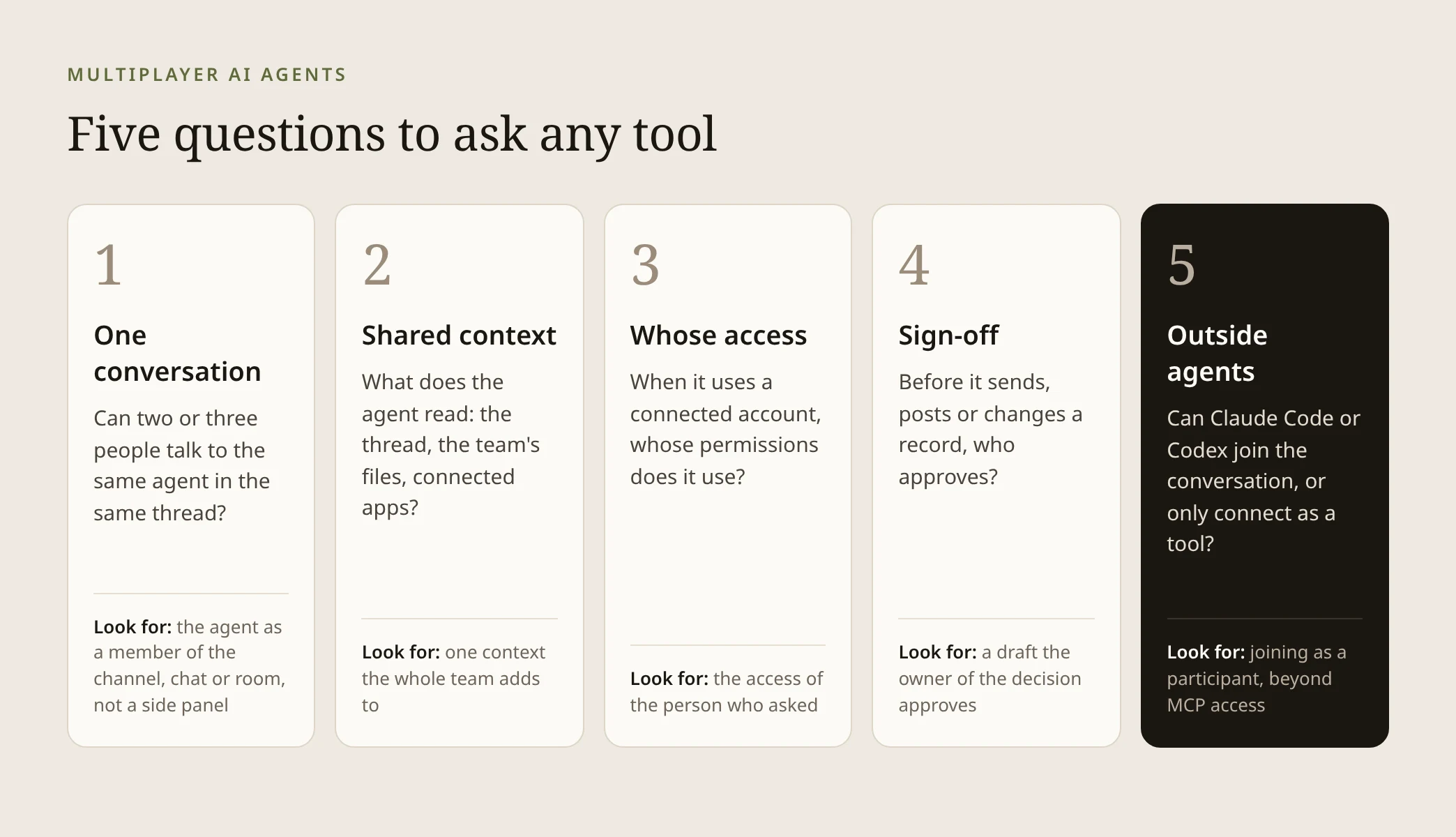
- One conversation. Can two or three people talk to the same agent in the same thread, and see each other's requests?
- Shared context. What does the agent read: the conversation, the team's files, connected apps?
- Whose access. When it uses a connected account, does it act with the access of the person who asked?
- Sign-off. Before it sends, posts or changes something, can the person who owns that decision approve it?
- Outside agents. Can the agents your team already runs, such as Claude Code or Codex, join as participants, or only connect as tools?
The fifth question is the one most comparisons skip. Connecting an agent to a tool through MCP gives it access to that tool's data. Joining a conversation as a participant means it reads the thread and takes requests next to everyone else. The docs below keep the two apart, and so do we.
The comparison at a glance
| Tool | Where the team and AI meet | Several people, one agent, one conversation | Sign-off before actions | Outside agents |
|---|---|---|---|---|
| Kylon | Rooms and threads where people and agents are both members | Yes, anyone in the room can @mention an agent in the thread (docs) | Outgoing messages wait as drafts for a person to review and send (docs) | Claude Code and Codex join as room members (docs) |
| Slack | Channels and DMs with agent apps and Agentforce | Yes, agents can be added to channels and included in team discussions | Slackbot tools can be set to Needs approval | Third-party agent apps; MCP server for outside agents |
| Microsoft Teams + Copilot | Group chats, channels and meetings | Yes, Copilot as a group chat member and Channel Agent, both public preview | Copilot Studio tools can ask the end user before running, off by default | Agent apps installed in chats and teams; MCP and A2A in Copilot Studio |
| Claude | Shared projects, and Claude Tag in Slack | In Slack, yes: everyone in a channel works with the same Claude (beta) | Connector tools can be set to Needs approval | Custom MCP servers |
| ChatGPT | Shared projects and workspace agents | Group chats are being retired; workspace agents can be added to a Slack channel | App write actions default to Always ask | Custom MCP apps |
| Notion | Pages, databases, comments and linked Slack channels | Custom Agents anyone can trigger in the linked Slack channel; teammates steer Claude agents in task comments | MCP write tools Always ask by default | Claude agents in Notion (beta); Claude Code and Codex via Notion MCP |
| Glean | Team chat in Glean, Slack and Teams channels | Yes, several teammates work with Glean in one shared chat (beta) | Web agent write tools pause for approval by default | Plugin for Cursor, Claude Code and Codex; remote MCP tools |
Slack: agents in the channels you already use
Slack's approach is to bring agents into the place the team already talks. Third-party and in-house agents and Agentforce agents can be added to channels and mentioned in team discussions, and Agentforce answers with the Slack and Salesforce permissions of the person asking. What an outside agent app can read depends on the scopes it was granted.
Slackbot itself is documented as your personal agent for work, and you can share its output into a team channel. For sign-off, connected app tools can be set to Always allow, Needs approval or Blocked, and Slackbot asks you to click Confirm before adding content to a shared canvas. Slack also runs an MCP server that lets agents like Claude read channels, send messages and create canvases.
Microsoft Teams and Copilot: a shared Copilot in chats and channels
Teams has three ways in. The classic Copilot opens in a pane beside the chat. In public preview, you can add Copilot as a member of a group chat, where everyone can talk to Copilot together. Its answers are grounded in the data of the person who asks, and when the sources are not open to everyone, the asker gets a preview and chooses Approve or Reject before the group sees it.
A Channel Agent, also in public preview, gives a channel one named agent that members @mention there and in its meetings. Agents built in Copilot Studio can be added to channels, group chats and meeting chats, where all teammates see the responses. Their tools can be set to ask the end user before running, a setting that is off by default, and Copilot Studio can call agents hosted elsewhere that implement A2A.
Claude: shared projects, and Claude Tag in Slack
Claude's shared projects share knowledge: anything uploaded to a project is used across all chats in it. The chats themselves stay private unless you share a snapshot.
The multiplayer part is Claude Tag, which replaced Claude in Slack on August 3, 2026 and is in beta. Everyone in a channel works with the same Claude, so anyone can steer it or pick up where it left off; it keeps context per channel and works under its own identity. Claude asks before it uses your personal connectors in a channel, and with Allow with review it shows you every result to approve before it posts. Project knowledge doesn't carry into Slack, so a team picks one home for the shared context.
ChatGPT: shared projects and workspace agents
OpenAI launched group chats in November 2025 to bring people, and ChatGPT, into the same conversation. Its help center now says they are being retired: since July 9, 2026 you can no longer create or join new group chats.
For teams, that leaves two shared surfaces. In shared projects, collaborators with chat access see and interact with the project's chats, files and instructions, and the project uses its own memory. Workspace agents for Business and Enterprise can be shared with teammates and used in a Slack channel, with files, apps, skills and custom MCPs attached, and write actions for apps set to Always ask by default.
Notion: agents inside pages, comments and Slack
Notion Agent is personal: it works with the same permissions you have, and you choose whether it asks first, with Review for me as the default. Custom Agents are the shared kind. A team can @mention them in pages, database properties and comments, and when linked to Slack, anyone can trigger the agent by mentioning its name in the channel. They act as team members with their own permissions, and their MCP write tools ask first by default.
Notion also brings outside agents in. Claude agents in Notion, in beta, chat with you and your teammates, and on a task board anyone with access can leave a comment to redirect the agent. Claude Code and Codex connect through Notion's MCP server.
Glean: team chat over company knowledge
Glean's Team chat, in beta, lets several teammates work with Glean in one shared chat and edit what it produces together. Each message runs with the permissions of the person who sent it, and answers appear to the others without a review step, with a private side thread for drafting first.
Glean agents can be shared with people, departments and groups and published to Slack, one agent per channel. In the web app, write tools pause for approval by default. Developers reach Glean from Cursor, Claude Code and Codex through a plugin.
Kylon: people and agents as members of one room
Kylon starts from the room. A room is where a team talks about a piece of work, and a thread keeps one topic together. Agents are members of the room with their own name, memory and role, so anyone there can @mention one in the thread, and the next person reads the same request and result.
Each agent has its own member list, so the team decides who can message it, @mention it and assign it work. When someone asks an agent to use a connected account, the request authorizes it to use the connections available through that person. Outgoing messages come back as drafts, and a person reviews the recipients and content before anything is sent. Several agents can work one thread and hand off to each other by @mention, while the people review.
The agents a team already runs join the same way. Claude Code and Codex come in as members of the room, next to the agents Kylon hosts, so the coding agent on one laptop and a hosted agent in the workspace read the same thread. See the Kylon docs on bringing your own agent.
Multiplayer AIYour team and its agents, in one roomWhat multiplayer AI is, the five traits that make AI multiplayer, real team examples and how to set up your first room.Read the multiplayer AI guideHow to choose
- Your team lives in one chat tool. Start with the agents that tool offers in its channels: Slack agents, Claude Tag, or Copilot and Channel Agent in Teams. Check the preview or beta status first.
- Your shared context is mostly documents. Notion Custom Agents and Glean Team chat put the agent next to the pages and knowledge the team already keeps.
- The work crosses several tools and ends in a sign-off. Use a workspace where people and agents share rooms, agents hand off to each other, and drafts wait for the owner, such as Kylon.
- Your team already runs Claude Code or Codex. Decide whether you want them connected as tools, which most of these products support through MCP, or working in the same conversation as the team, which is how Kylon brings them in.
Whichever you pick, try it on one job that already passes between two or three people. The two-week plan in our single-player vs multiplayer guide shows how.
Questions teams ask
What makes an AI agent multiplayer? Several people work with the same agent in one shared conversation, from context the team shares, with the access of whoever asked, and a person signs off before it acts.
Is a shared project the same as a shared conversation? No. In Claude and ChatGPT, a shared project shares files and instructions, and each person's chats stay their own unless shared.
Can ChatGPT be a team's multiplayer agent? Group chats are being retired. Shared projects and workspace agents, which can sit in a Slack channel, are the team options OpenAI documents now.
Is MCP the same as an agent joining the team? No. MCP lets an outside agent use a tool's data. Joining means the agent is in the conversation with the team. In Kylon, Claude Code and Codex join rooms as members.
Are these features generally available? Not all of them. Claude Tag and Glean Team chat are in beta, and Copilot in Teams group chats and Channel Agent are in public preview, according to their docs on November 6, 2026.
Your first company harness. Where humans and agents run your business together.