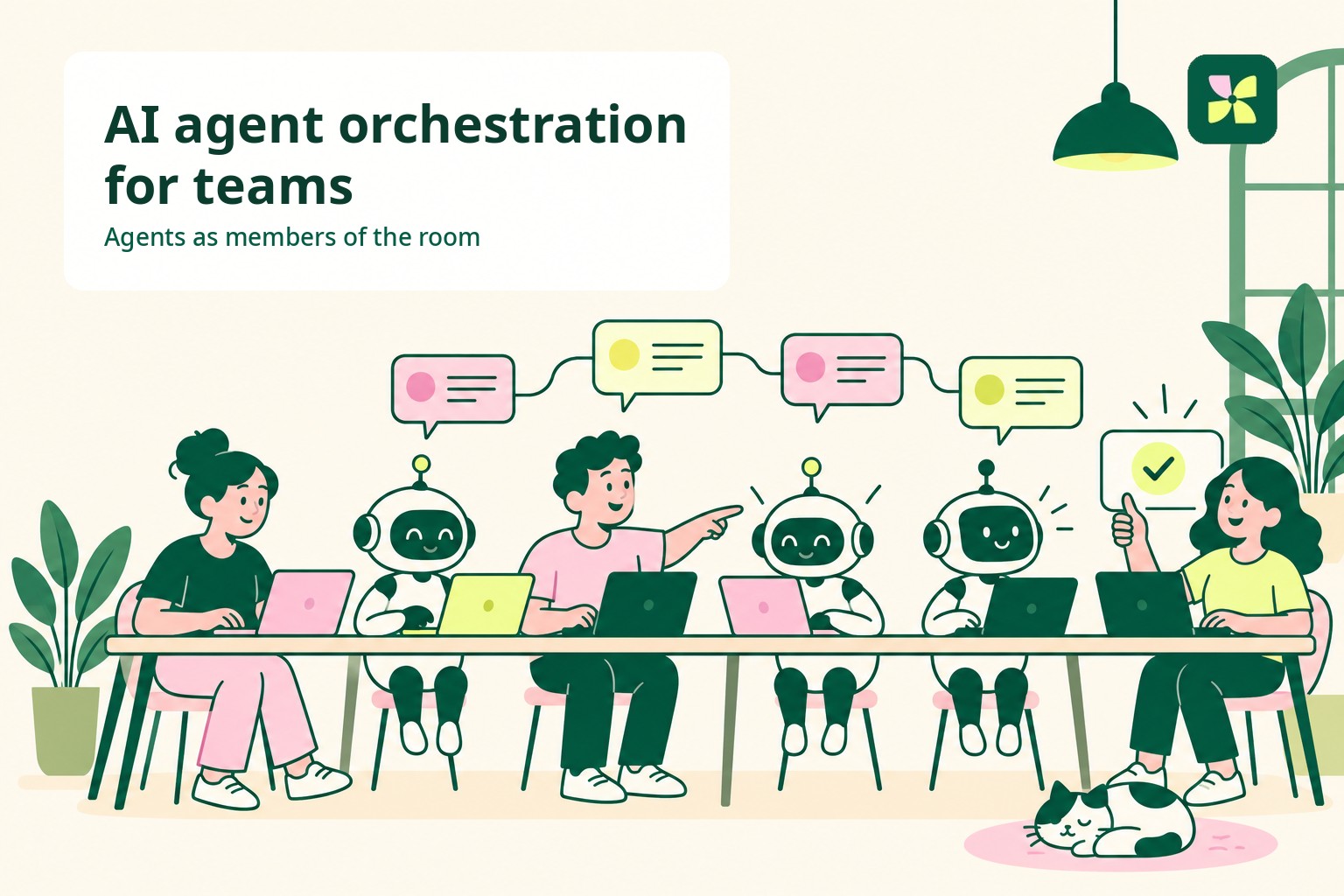
A Home for Codex and Claude Code Agents
Bring the Codex and Claude Code agents your team already uses into the workspace where business information and colleagues are already working together.
In short. Bring the Codex and Claude Code agents your team already uses into Kylon. They can read the customer information, materials, past decisions, and team discussion already in the workspace, then turn that discussion into work and return the result in the same place. How the connection works for each tool: bring your own agent, with setup pages for Claude Code and Codex.
A home for Codex and Claude Code agents
Bring the agents your team already uses into the workspace where business context, records, and decisions already live.
SHARED LAYER
Kylon
The business context your team already keeps in order
Records
Contracts, accounts, and campaigns with clear fields
Threads
Past decisions, definitions, and the discussion around them
Files
Quotes, playbooks, and versioned documents
People and agents in one room. Discuss, prepare, and approve in the same place.
Codex
Runs on the operator's machine and joins through the Kylon CLI.
Billing exports, sensitive data, and raw logs stay on that machine.
Claude Code
Runs on a colleague's machine. Each person brings the agent they use.
Click-level data and customer exports stay on that machine.
HOW IT WORKS
Open the thread
Start with the request, the deadline, and the decision needed.
Agents work locally
Codex or Claude Code reads the files on the operator's machine.
Result in the room
The finding and its source material return to the same thread.
A person decides
A colleague approves, adjusts, or sends, and the decision stays in context.
FOUR BUSINESS SCENES
SALES
The invoice does not match the quote
Codex checks the billing export on a local machine. Claude Code drafts the correction from the signed quote already in the room.
FINANCE
Month-end has two answers
312 invoices against 318 contracts. Codex reconciles from the local export and Claude Code turns the gaps into a decision-ready note.
MARKETING
The campaign report has two numbers
412 against 349. Codex finds a renamed landing page still carrying the old campaign tag. Claude Code prepares the corrected report.
ONBOARDING
A new hire asks what is at risk
The agent reads the team's own definition from a past thread and the pipeline records, then returns the renewals that match it.
Same model. Different room.
The agent does not change. What changes is that it can read what the company has already decided.
Bring your agents into the work your team is already discussing
Codex and Claude Code are often used as personal work agents. But for sales, finance, and marketing teams, time is not spent only on the task itself. Teams also need to check customer context, make decisions together, and leave the next owner enough information to continue.
A request starts with a customer email, a number that does not match, or a renewal due Friday. It ends when someone approves the credit, sends the reply, and can explain the decision next quarter.
Kylon lets teams bring the Codex and Claude Code agents they already use into the place where that work is being discussed. Account history, contract records, past decisions, and the colleague who owns the outcome are already there. The agent does not only support one person’s task. It can read the shared business context and help move the discussion toward a result.
Same model. Different room.
The workspace already holds your team’s business context
Kylon is useful to an agent not because it is a place to store information, but because the team’s memory is kept in order, business records have a clear structure, and people and agents can work in the same room.
- Organized memory. The thread where the team settled a definition last quarter. The note explaining why an exception was approved. Not a chat log someone has to scroll, but context a person and an agent can read back later.
- Structure. Customer, contract, and campaign records have clear fields, so teams can refer to the same information rather than re-enter it. Files have versions and one address rather than five copies. A decision belongs to the thread where it was made.
- People and agents in one room. Colleagues, workspace agents, and invited agents such as Codex and Claude Code can participate in the same room. A person asks, an agent prepares a result, and another person approves it without moving the work between disconnected tools.
Bring the agents your team already uses into the conversation
Used alone, Codex and Claude Code are personal tools. Each person runs an agent on their own machine, and what they learn can stay on that machine. Two people may investigate the same discount problem in the same week without knowing the other already did.
In Kylon, each person can connect the agent they already use as a workspace member. A revenue operations lead may bring Codex from her own machine. A colleague may bring Claude Code from his. The machines and accounts remain separate. What is shared is the business room where the team is already talking.
That changes what a conversation can do. You and a colleague discuss an invoice gap in the thread. The agent reads that conversation, the contract record, and the signed quote, then prepares the answer in the same place. The discussion becomes the brief, and the result appears below it while the discussion is still going.
You keep talking. The work progresses in the same place.
Scene one: the invoice does not match the quote
Monday, 09:40. An account executive opens a customer email. The renewal invoice is 180,000 yen higher than the quote she sent in June. The customer wants an answer before their finance close on Friday.
She drops the email into the account's #sales thread. The room already contains the calls where the discount was discussed. The contract app already contains the plan, term, and renewal date. The signed quote is already attached to the account.
The detailed billing export remains on the revenue operations lead's local machine because it includes every customer on the plan. Codex checks that export against the pricing rules and finds that contracts signed in June received the annual discount twice. Eleven accounts are affected.
Claude Code prepares the correction note and customer reply using the wording from the signed quote. The account executive returns both to the thread. The finance lead approves the credit in the same place.
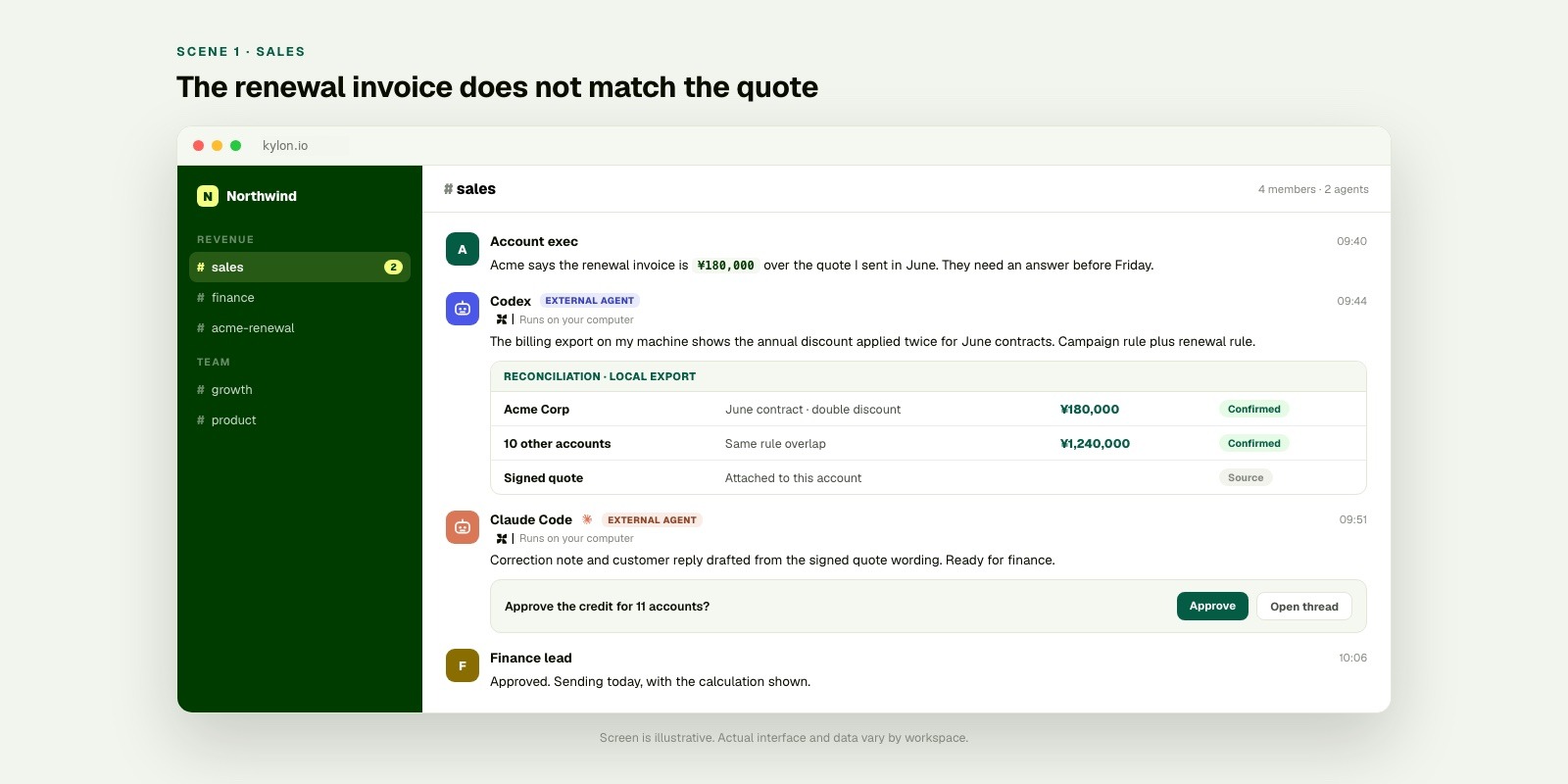
The business context is already in the room. Local agents work on the part that needs their machine, then the human colleague makes the decision in the same thread.
Scene two: month end has two answers
Month end. An accounting export lists 312 invoices. The subscription app lists 318 active contracts. The operations lead needs an explanation before the books close.
She starts a #finance thread with what she has, what does not match, and when it is due. The subscription app is the source, not a copied number. Last month's reconciliation is also in the room, with the decision the team made then.
The accounting export includes names, amounts, and payment methods, so it stays on the operator's machine. Codex reconciles the two sources and returns twelve mismatches with a reason for each. Claude Code turns the list into a decision-ready note: nine need no action, three need a credit note.
The finance lead reads the three in the thread, approves two, and holds one for the customer to confirm. Next month, the thread is a practical starting point instead of an empty page.
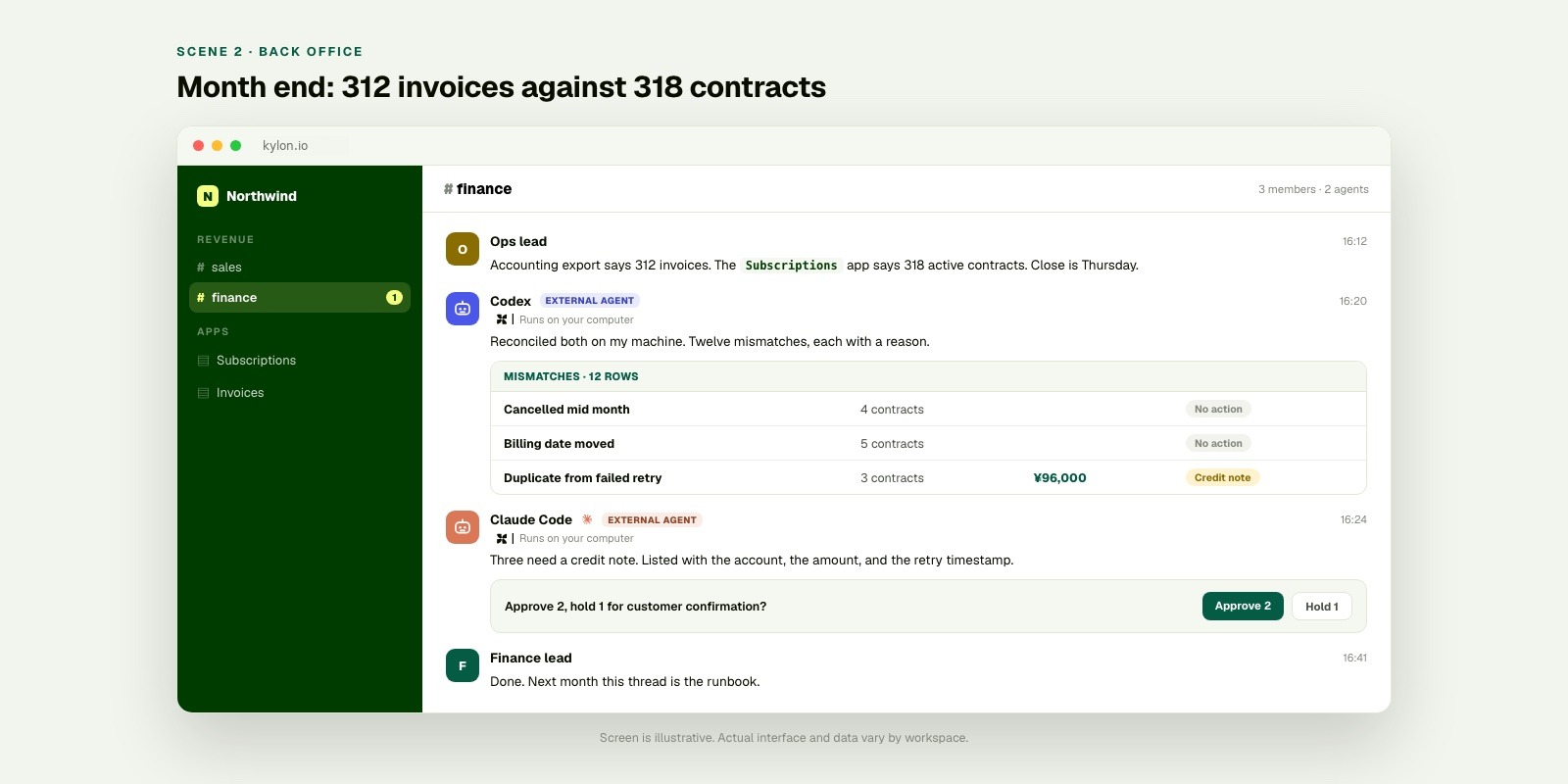
The sensitive export stays on the operator’s machine. The record, the reasoning, and the approval remain understandable to the team in the room.
Scene three: the campaign report has two numbers
Friday. The marketing lead needs the campaign report by 15:00. The ad platform shows 412 conversions. The internal dashboard shows 349.
She posts both screenshots into #growth. The room contains the campaign brief and Tuesday's landing-page rename. The campaign app holds the rows behind the dashboard number.
The raw export with click identifiers remains on the analyst's machine. Codex finds that one landing page continued to use the previous campaign name after the rename. Claude Code prepares the two-line explanation and corrected number. The marketing lead sends the report with the note attached.
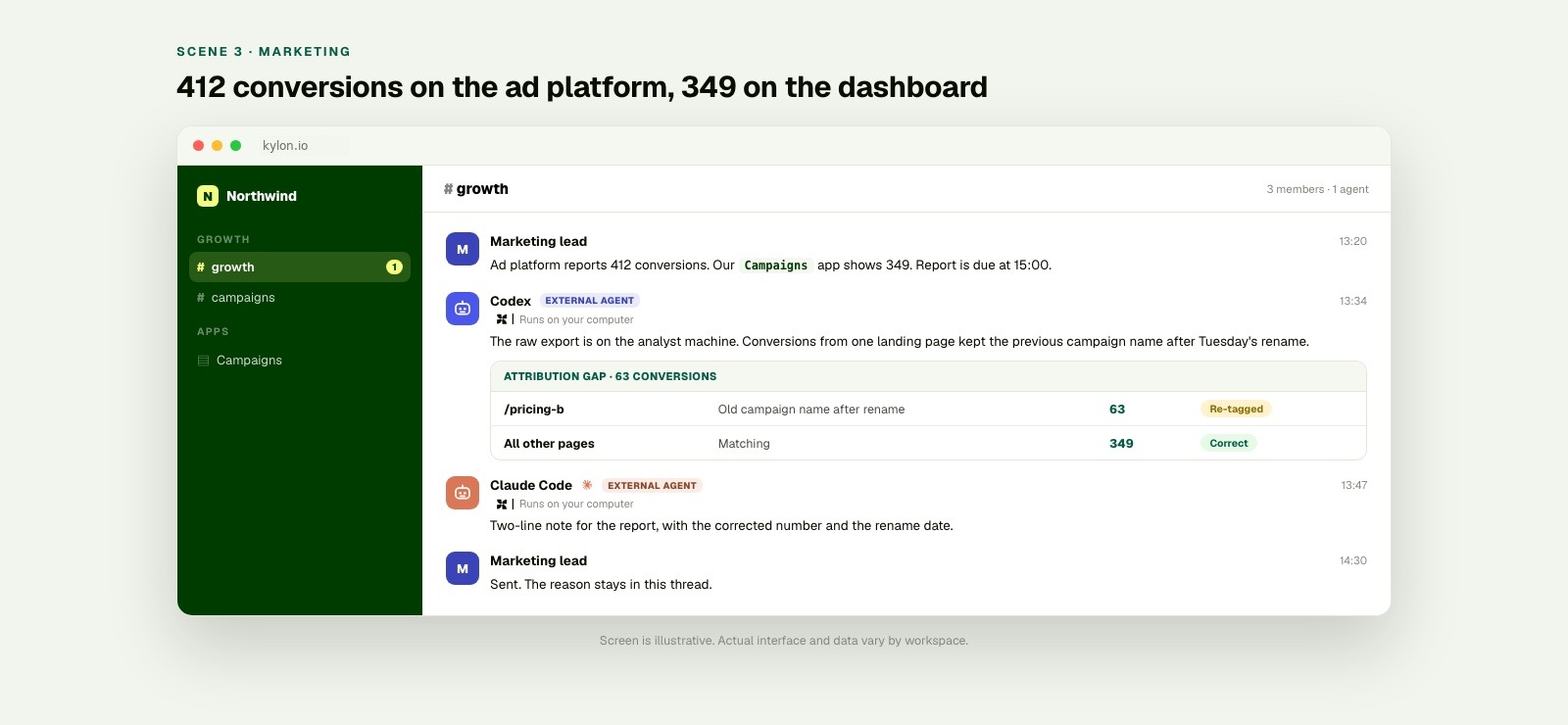
A local data file can stay local while the campaign context, result, and accountable colleague remain together in the room.
Scene four: the agent knows what “at risk” means here
A new account executive joins on Monday. In her second week, she asks her agent for the renewals at risk this month.
On a laptop with no business context, the question has no dependable answer. At risk by whose definition? Which stage counts? Does a renewal in legal review count? An agent with nothing else connected either asks for a definition or silently chooses one.
Her agent is already in the workspace, so it does not have to guess. The pipeline app contains the stages the team uses. The #sales room contains the thread where the team defined at risk last quarter: no meeting booked in twenty-one days, or a stakeholder change. The renewal playbook is attached to the same account.
The agent returns nine renewals and the reason each one qualifies, using the company’s definition rather than a general one. The new colleague receives an action list, not another definition to reconstruct.
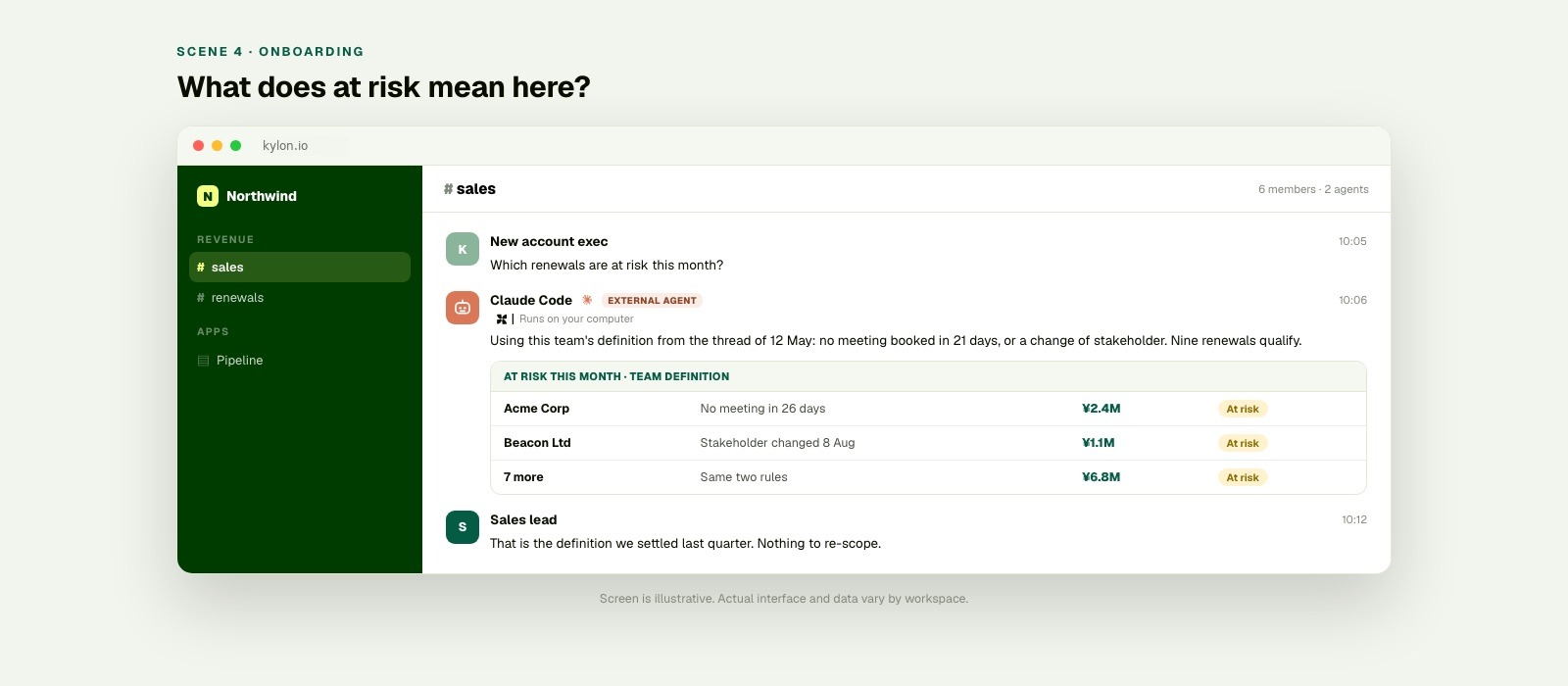
The model is the same. What changes is that it can read what the company has already decided in the room.
Start with one business situation
- Open the thread where the situation is already understood. Add the request, owner, deadline, and the decision needed.
- Invite Codex or Claude Code for the local part. Use the connected machine for files or tools that should remain there.
- Return the useful result to the room. Share the finding, its source material, and the decision a colleague needs to make.
Connecting an agent is the short part. With a short setup and sign-in, Codex or Claude Code can join the workspace as a member. On a machine where one is already running, that step commonly takes a few minutes. Kylon CLI overview.
Sources
- Codex CLI overview
- Codex non-interactive mode
- Claude Code overview
- Claude Code feature overview
- Kylon agents and runtime
- Kylon CLI overview
The amounts, counts, and times in the four scenes are illustrative examples, not customer results.
Your first company harness. Where humans and agents run your business together.