Two Ways Claude Code Works with Kylon: CLI and External Agent
Kylon supports two complementary ways to work with Claude Code: run Kylon from Claude Code through the CLI, or use Claude Code as an invited external agent inside Kylon. Here is when to use each.
Kylon and Claude Code can work together in two distinct directions. The difference is not a technical detail. It determines where the work starts, which context is primary, and how the team stays involved.
The first is Kylon CLI in Claude Code. A developer is already in Claude Code, working in a local project, and uses Kylon to read or update the workspace. In plain terms: use Kylon from Claude Code.
The second is an External Agent in Kylon. The work begins in Kylon, where the team opens a room or thread, and then invites Claude Code into that context to help with a project task. In plain terms: use Claude Code from Kylon.
Both patterns can support the same team. They serve different starting points.
The short version
Choose the direction based on where the task already lives.
| If the task starts here | Use this pattern | What happens |
|---|---|---|
| A developer’s local repository and Claude Code session | Kylon CLI in Claude Code | Claude Code uses Kylon workspace capabilities when the coding task needs team context or a workspace update |
| A Kylon room, thread, or team assignment | External Agent in Kylon | The team invites Claude Code into the workspace task so it can work with the relevant project and report back |
The two patterns are complementary. The first brings the workspace into an active coding session. The second brings a coding agent into an active team workspace.
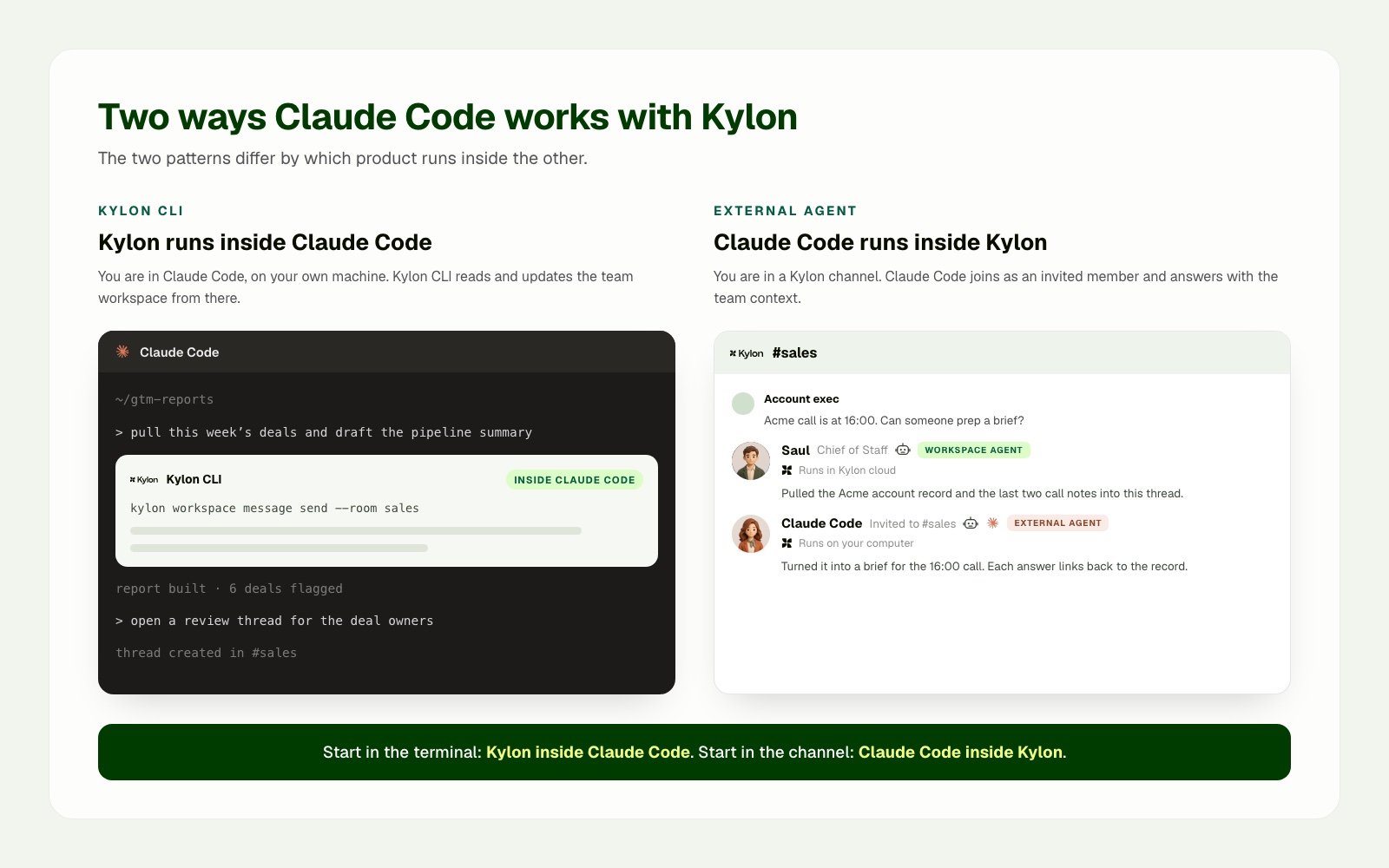
The two patterns differ by which product contains the other. Kylon CLI appears inside a Claude Code session. In Kylon, Claude Code appears as an invited External Agent alongside the workspace's own agents.
Pattern one: use Kylon from Claude Code with Kylon CLI
Use this pattern when the developer is already working in Claude Code. The codebase, terminal, local tools, and project instructions are the natural starting point.
Kylon’s CLI gateway is documented as a way to bridge local agent runtimes, including Claude Code, to a Kylon workspace. Once connected, the local agent can work with workspace resources such as rooms, threads, files, tables, workflows, and web projects, subject to the workspace’s available permissions and connections. Kylon CLI overview and Kylon provider guide.
A practical use case is a revenue operations owner preparing the weekly pipeline report in Claude Code. Kylon CLI can retrieve current deal data from the workspace, while the local project produces the report with the team's own templates and scripts. The finished report is then returned to the sales room where owners make the next decision.
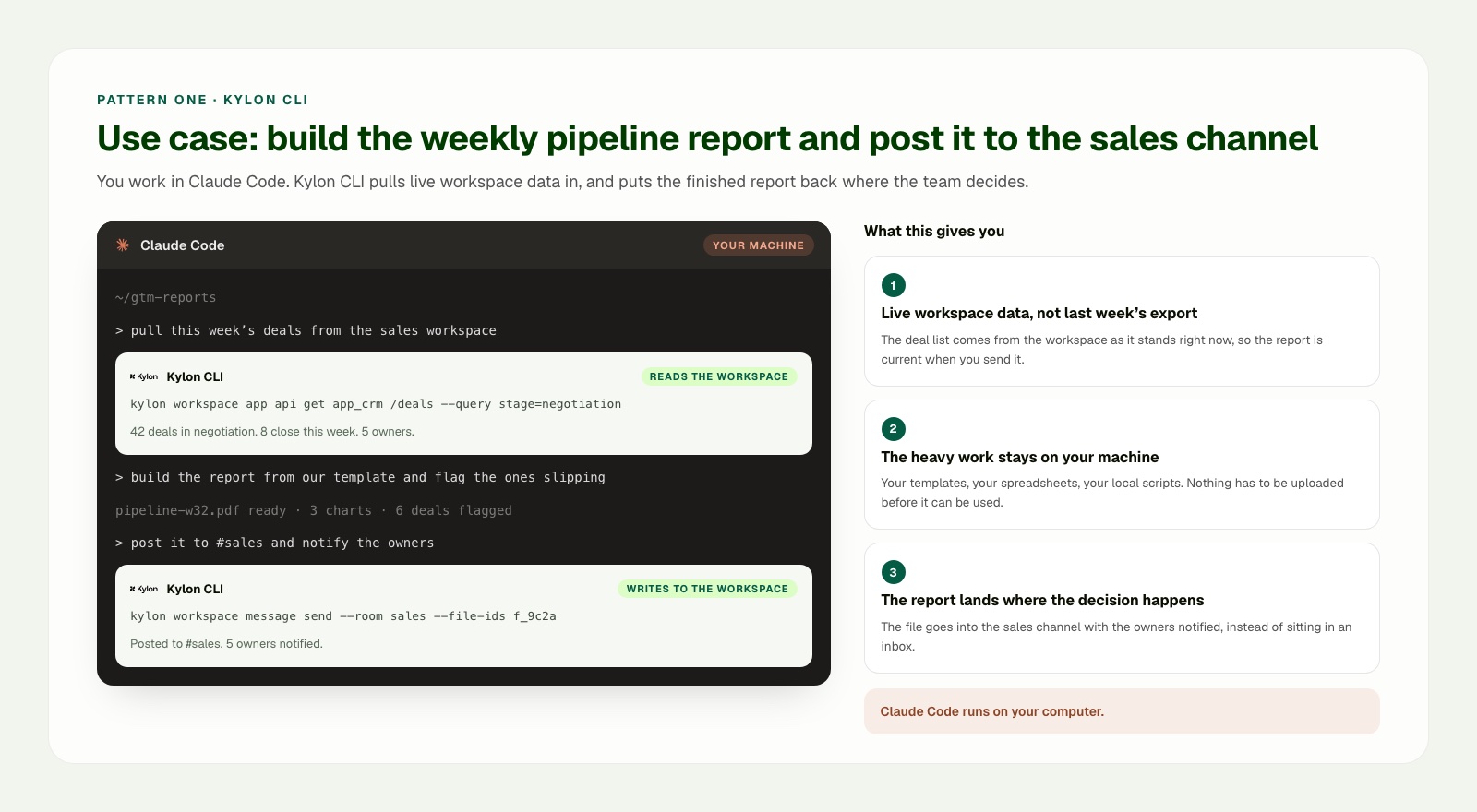
Pattern one use case: stay in Claude Code, retrieve the current pipeline from Kylon, prepare the report locally, then post it to the sales room with the owners notified.
Pattern two: use Claude Code from Kylon as an External Agent
Use this pattern when the work begins with the team. A product request, customer report, launch decision, or cross-functional review already exists in Kylon. The team wants to bring Claude Code into that work without moving the whole conversation into a private development session.
In this model, the team opens or uses a Kylon room or thread, attaches the brief and source material, and invites Claude Code as an External Agent for the task. The workspace remains the coordination surface. Claude Code can use the connected local environment to prepare work that benefits from local project files, scripts, or tools.
The useful mental model is simple: Kylon holds the work context and brings in Claude Code when a coding task is needed. This differs from the CLI pattern, where Claude Code begins the work and reaches into Kylon when the coding session needs workspace context.
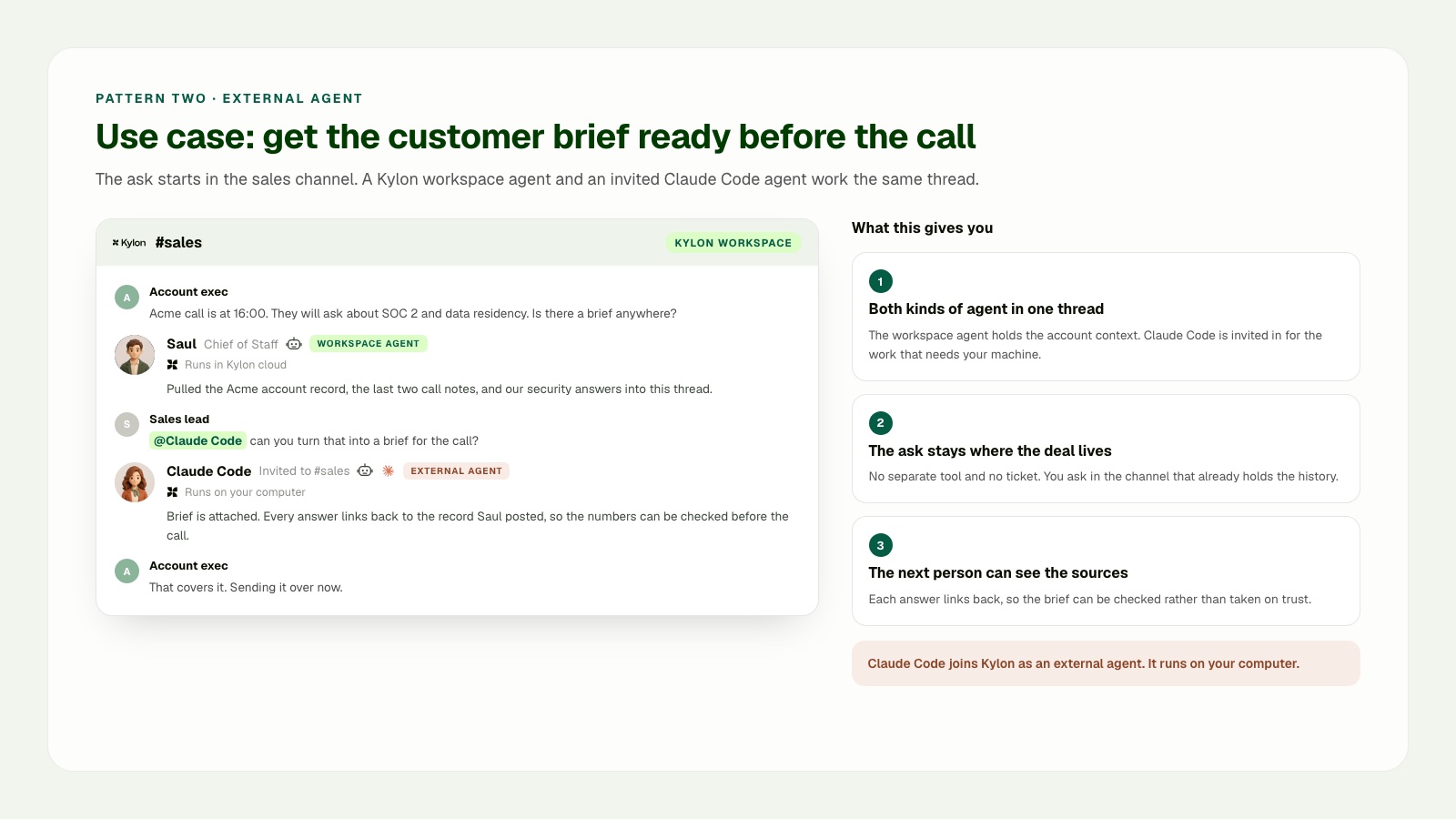
Pattern two use case: a workspace agent first gathers the account record and call notes in the shared sales thread. A sales lead then invites Claude Code as an External Agent to prepare the brief in its connected local environment and post the result and sources back to the same thread.
Where each agent runs
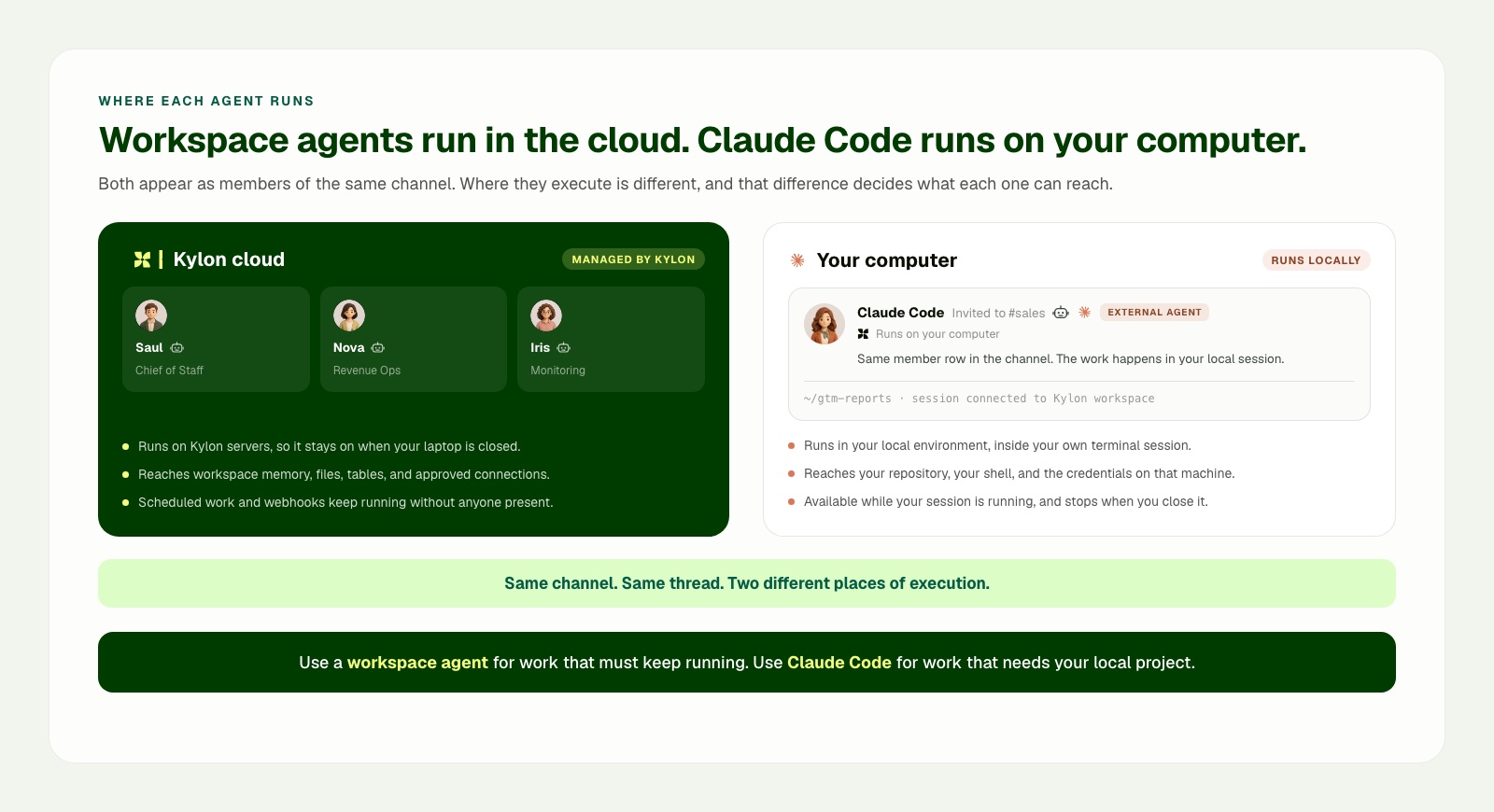
The workspace agent and Claude Code do not need to run in the same environment. Kylon workspace agents run in the cloud workspace environment, so they can continue to work with workspace memory, files, tables, approved connections, scheduled work, and webhook-triggered work without depending on an open laptop. Claude Code runs in the connected local computer and project environment, where it can work with the local repository, shell, and locally available credentials. When that local session stops, its local work stops too.
The shared room and thread connect the work. They do not turn the cloud workspace environment and the local project environment into one runtime.
Sources
- Claude Code overview
- Claude Code extension guide
- Claude Code MCP guide
- Kylon introduction
- Kylon CLI overview
- Kylon provider guide
Your first company harness. Where humans and agents run your business together.