Pay $233K of vendor bills a month without hiring an AP clerk.
Invoices come in a thread. An agent checks the payee and looks for duplicates, your approvers sign by amount, and only a second agent with bank access sends the money. The receipt updates the ledger.
What you'll connect
- Mercuryoptional
- Rampoptional
 Brexoptional
 Gmailoptional
 Outlookoptional
 Google Driveoptional
 Dropboxoptional
 OneDriveoptional
Your agent asks for each one in the Room. Nothing is sent or written until a person approves it.
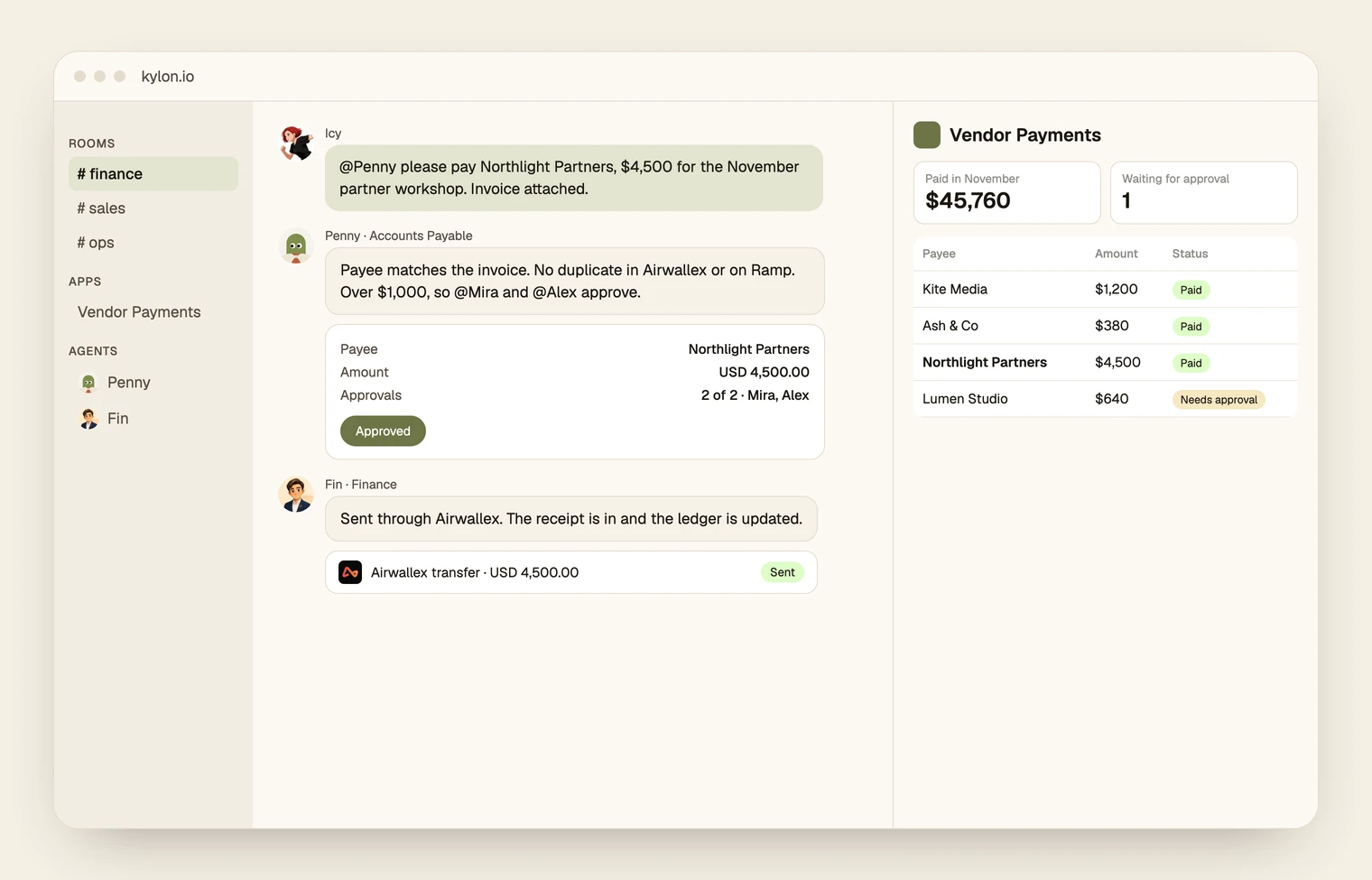
Step by step
From an invoice in a thread to a paid vendor and a closed book.
One card per step. The agent prepares, and a named person decides.
01
Submit an invoice
- Today
- Invoices arrive in email, chat and DMs, and someone copies bank details into a portal.
- In Kylon
- Drop an invoice into the Finance room to start a payment request.
- Who decides
- The requester confirms what the payment is for.
02
Check the details
- Today
- Nobody checks whether the same invoice was already paid by transfer or by card.
- In Kylon
- The Accounting Agent checks the invoice and payee details, flags possible duplicates, and prepares the approval request.
- Who decides
- Anything that does not match goes back to the requester.
03
Get approval
- Today
- Approvals sit in a bank dashboard nobody opens.
- In Kylon
- Below your threshold, one person approves. At or above it, two people approve.
- Who decides
- Every payment waits for a person. There is no automatic payment.
04
Pay through your bank
- Today
- Someone keys the transfer by hand and hopes it was not sent twice.
- In Kylon
- The Payment Agent submits the approved payment through your connected bank. Changes to the payee or amount require new approval.
- Who decides
- Your bank can also ask for its own approval on larger transfers.
05
Track and record
- Today
- Month end means chasing receipts and rebuilding the list.
- In Kylon
- Payment status and bank receipts update in the thread and payment tracker. Your spending dashboard updates automatically.
- Who decides
- Finance reviews the month in one place.
What it works with
The tools you already use.
Optional
Mercury
Sends approved payments and returns each transfer's status to the ledger.
Optional
Ramp
Sends approved payments and returns each transfer's status to the ledger; its card transactions are also checked for duplicates.
Optional
BrexSends approved payments and returns each transfer's status to the ledger.
Optional
GmailWhere invoices arrive; they are forwarded into the payment thread.
Optional
OutlookUse instead of Gmail if invoices arrive in Outlook.
Optional
Google DriveKeeps every invoice and receipt, filed by month.
Optional
DropboxUse instead of Google Drive for invoices and receipts.
Optional
OneDriveUse instead of Google Drive for invoices and receipts.
Set it up
Start with a $1 test that does not move money.
1. Start in Kylon
A new Room opens in your workspace with this prompt.
2. Try it with demo data
Nothing to connect for the first run.
3. Give it your rules
Your agent asks one at a time and writes them into the Room's guideline.
Set up our vendor payments in this Room. Take it one step at a time and wait for my OK before you move on. 1. Ask which bank we pay vendors from (Airwallex, Mercury, Ramp, Brex or another bank with an API) and connect it first. Airwallex isn't in the connection list yet: if we use it, help me add it as an API service with our client ID and an API key from Airwallex's developer settings, and suggest a key that can only create beneficiaries and transfers. Then ask which company cards we use (Ramp, Brex or Airwallex cards), where invoices arrive (Gmail, Outlook or Slack) and where we keep receipts (Google Drive, Dropbox or OneDrive), and connect those. Tell me which ones still need connecting. 2. Every payment needs a human approval, with no exceptions and no automatic payments. Ask me for our approval limit and who approves: below the limit one approver, at or above it two approvers. Copy these rules into this Room's guideline. 3. Set up two agents. An Accounting Agent collects invoices in threads, checks the invoice and payee details, flags possible duplicates in the bank and on company cards, and prepares the approval request. It has no access to the bank. A Payment Agent holds the bank connection and never sends anything without a recorded approval; if the payee or amount changed, it needs a new approval. 4. Build a Vendor Payments App with one record per request: payee, amount, currency, invoice, approvers, status and the bank's receipt. 5. Build a Finance Dashboard App that reads from the Vendor Payments ledger: paid by month as a chart, what is waiting for approval, top payees, and duplicates caught before payment. 6. Run a $1 test that does not move money: draft a request to a test payee, post the approval card, and show me what the Payment Agent would submit. Nothing goes to the bank. 7. After the test, offer an Automation that writes each bank receipt back to the ledger and the request's thread, and every Monday lists what is waiting for approval. Start with step 1.

Rolling this out with a team? Book a demo
Questions about this use case5
Which banks does it work with?
Mercury, Ramp and Brex connect from Kylon's connection list. Airwallex is added as an API service with your client ID and an API key. Any bank with a payments API can be added the same way.
Can a payment go out without a person approving it?
No. Every payment needs a human approval, with no exceptions and no automatic payments. Below your limit one person approves; at or above it, two people approve. The Payment Agent never sends anything without a recorded approval, and the Accounting Agent has no bank access.
What if it pays twice?
Before each payment the agent looks for the same payee and amount in the bank and on company cards, and each transfer is sent with a key that makes a retry safe.
How much has Kylon paid this way?
Our own agent paid about $380,000 to vendors from July to October 2026, $233,000 of it in October. The numbers and the monthly chart are in our post on agent-native banking.
Do I have to move money to try it?
No. Setup ends with a $1 test that drafts a request, posts the approval card and shows what would be sent, without contacting the bank.
More in Internal apps
See the internal apps page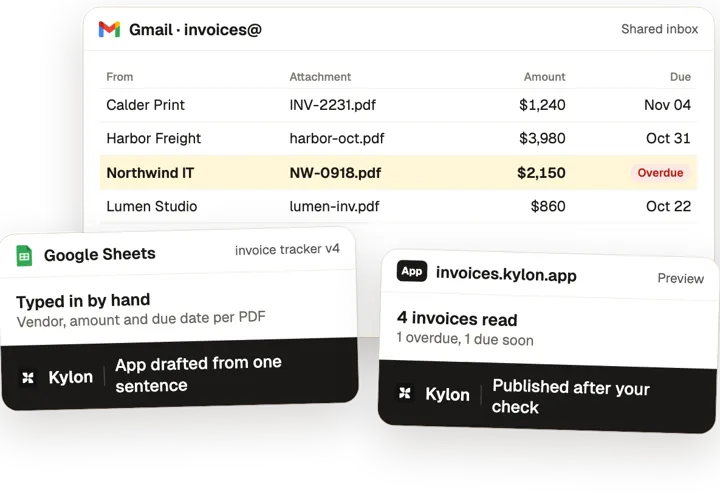
Internal apps
Describe the tool, get an App that reads your own data.







Before: ORD-CTL-03 short, Re: is it shipping?, tier list v2?, cancellation batch, who gets panels?. With Kylon: 2 more orders ship in full. Re-walked 3 short SKUs. Workflow tools: Gmail, Google Drive, Notion, Outlook, Salesforce, Slack.


 Max
Constrained Order Allocation: Short Stock Shared by Priority, Walk After Walk
Short stock shared by priority tier and re-walked after each change.


Before: amber: 0 left?, SUB-2207 paused?, Re: skip December, manifest is wrong, counts_dec_v2.xlsx. With Kylon: 640 boxes packed on time. Pulled 6 skips off manifest. Workflow tools: Airtable, Gmail, Google Drive, Slack, Stripe.

 Ada
Subscription Box Allocation: Scarce Stock Goes to the Right Subscribers, in Order
Scarce stock allocated to subscribers in order before packing.

