Your whole company, inside ChatGPT.
Your brand guide, your team's decisions and every thread already live in Kylon. Add the Kylon plugin in ChatGPT and ask for a poster, a menu or a reply in one line. It reads what your team agreed, so the first draft already looks like your business.


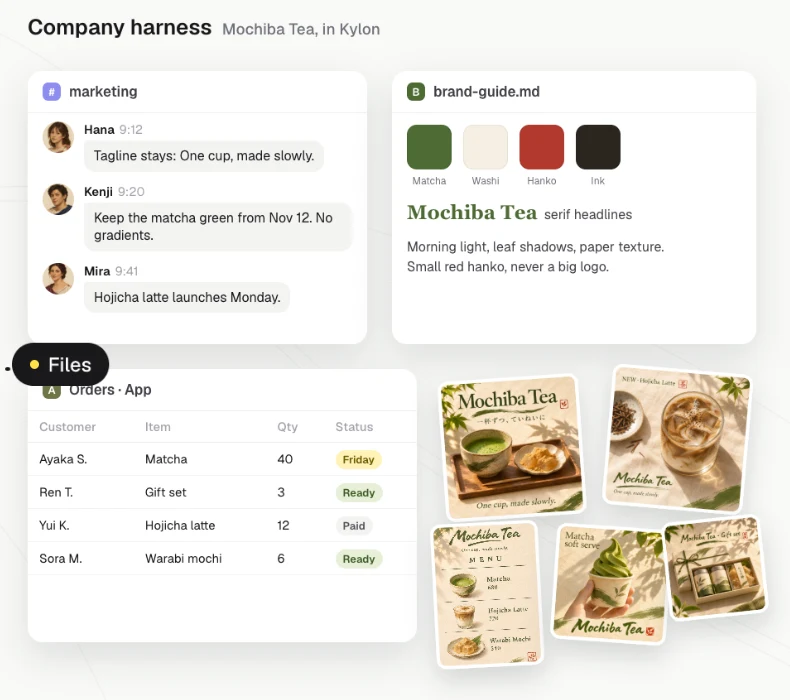
Mochiba Tea, its people, products and orders are fictional.
One line in ChatGPT, everything your team agreed behind it.
The same tea stand as the film. Each step shows where the context comes from and who still makes the call.
- 01Your company
Keep the company in one place
- Today
- The brand guide sits in a doc, decisions are buried in chats and orders live in a spreadsheet.
- In Kylon
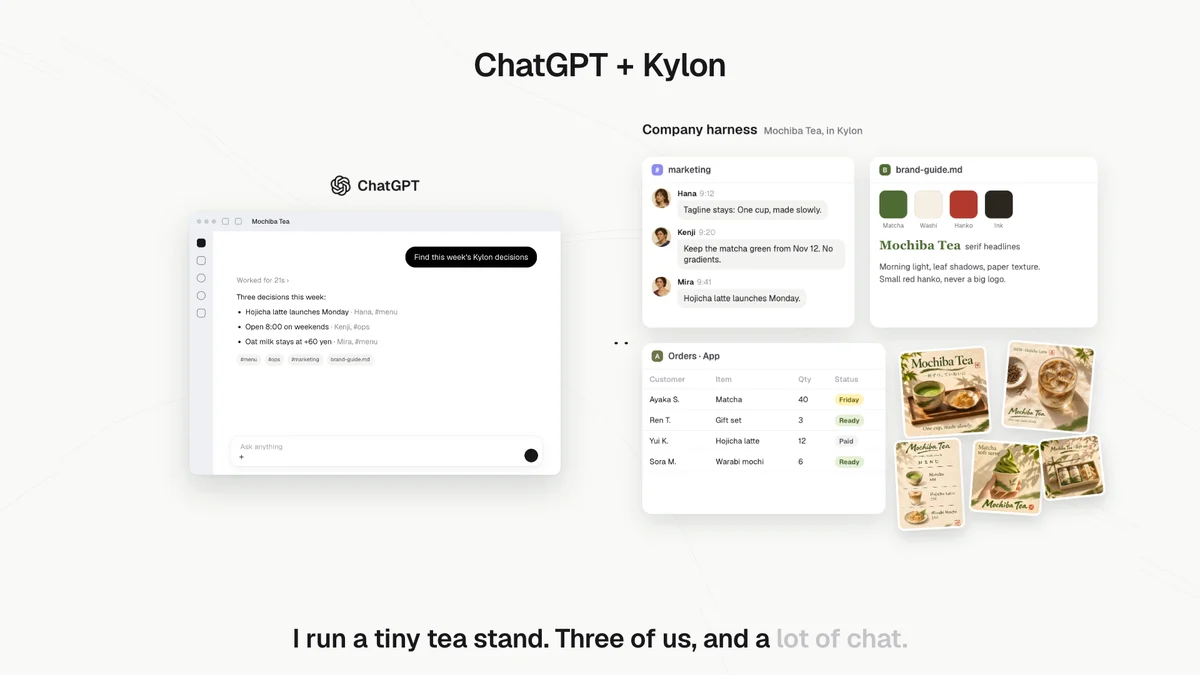
 ChatGPTwith the Kylon pluginThe team works in Kylon. #marketing holds the tagline, brand-guide.md holds the colors and type, and the Orders App tracks every order.
- Who decides
- Nothing to approve. This is where the team already works.
- 02Plugin
Use Kylon inside ChatGPT
- Today
- Every new chat starts from zero. You paste the brand notes in again.
- In Kylon
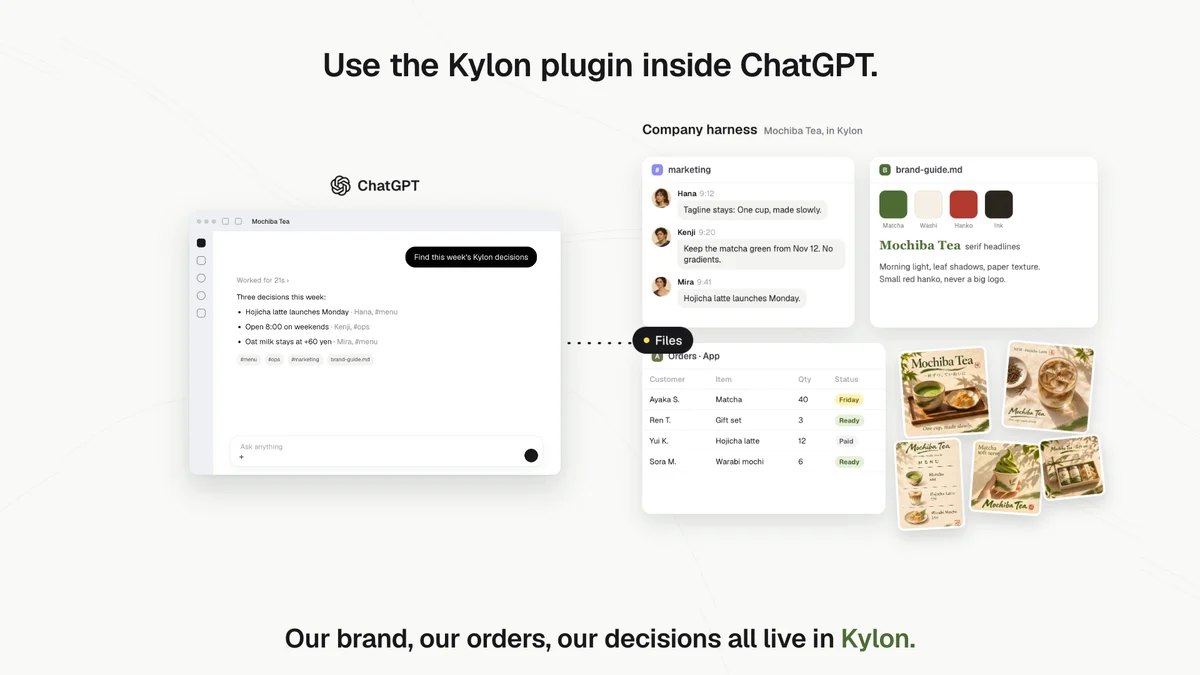
- ChatGPTwith the Kylon pluginWith the Kylon plugin, ChatGPT can read your Rooms, threads and files in Kylon, with the same access your own Kylon account has.
- Who decides
- You choose what the plugin can see by what your Kylon account can see.
- 03Ask
Ask in one line
- Today
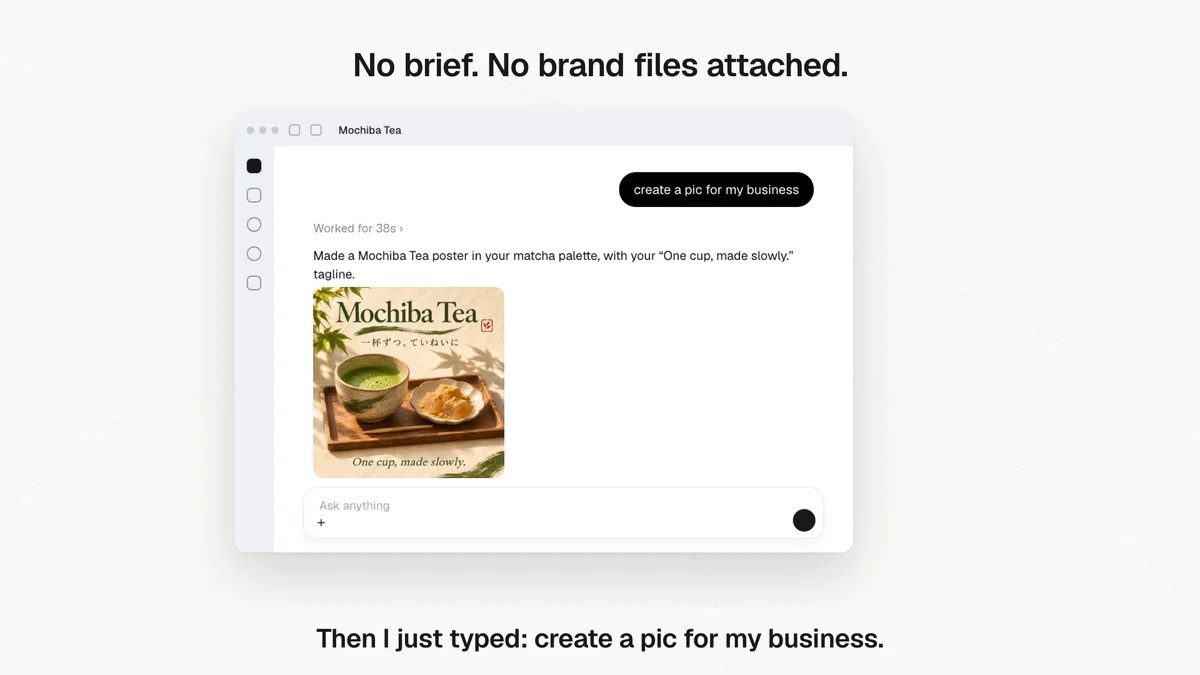
- A poster means writing a long brief, attaching the logo and describing the style again.
- In Kylon
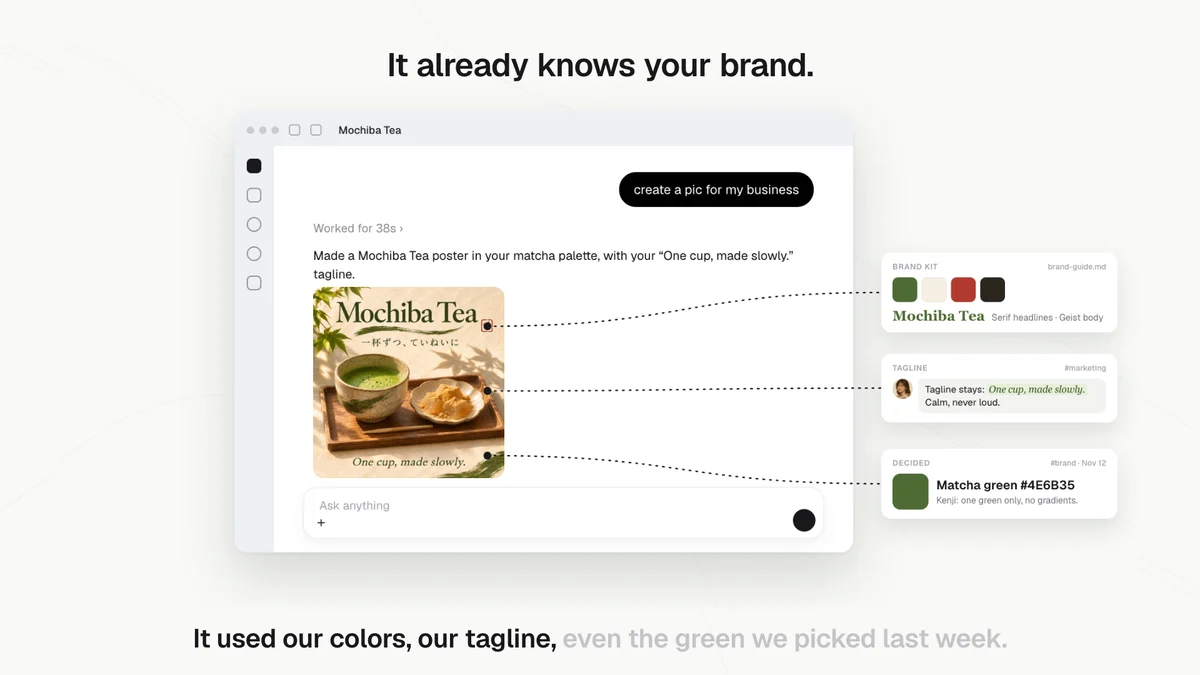
- ChatGPTwith the Kylon pluginHana types "create a pic for my business". No brief, no files attached. ChatGPT comes back with a Mochiba Tea poster.
- Who decides
 HanaHana decides whether the poster goes out.
- 04Sources
See where it came from
- Today
- You cannot tell which colors or words the AI guessed.
- In Kylon
- ChatGPTwith the Kylon pluginThe poster uses the four colors from brand-guide.md, the tagline Hana set in #marketing and the matcha green Kenji agreed on Nov 12.
- Who decides
 KenjiKenji keeps the brand rules in Kylon up to date.
- 05More
Then everything after that
- Today
- Every menu, post and reply starts from a blank page and a different style.
- In Kylon
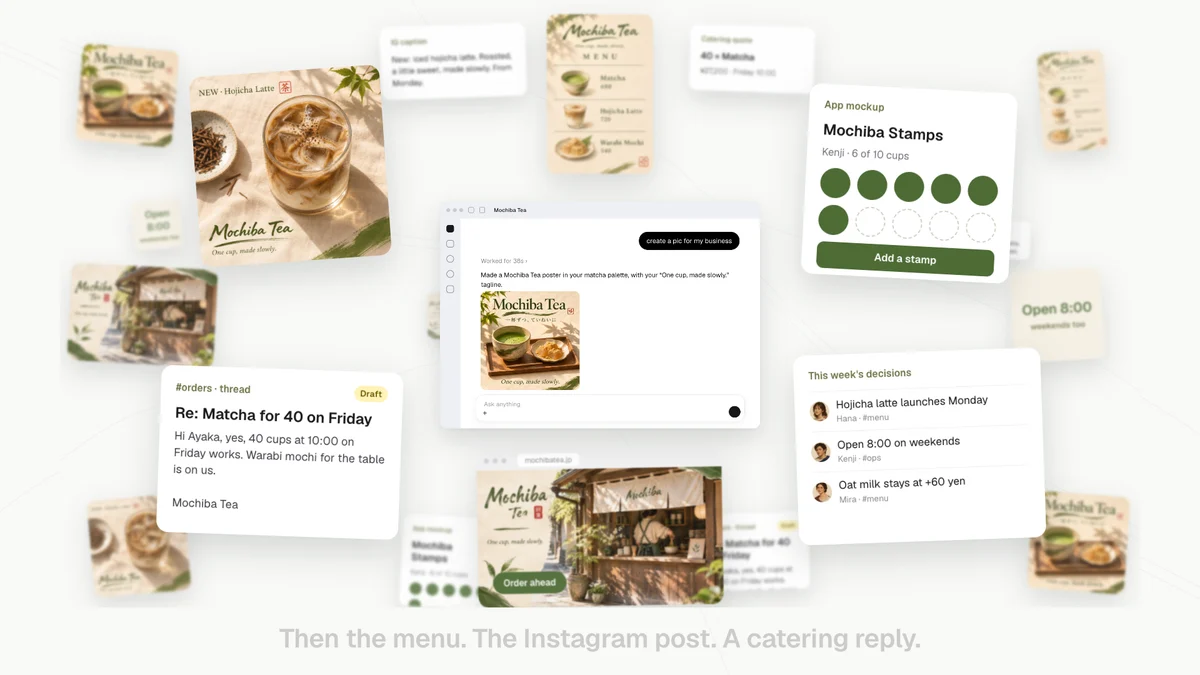
- ChatGPTwith the Kylon pluginThe menu, the Instagram post, the landing page and a reply to a catering order all come out in the same style. The reply is posted to the #orders thread in Kylon as a draft.
- Who decides
 MiraMira reads the catering reply in #orders and sends it herself.
- 06Set up
Add the plugin in a minute
- Today
- Every new tool means another sign-up and another round of copy and paste.
- In Kylon
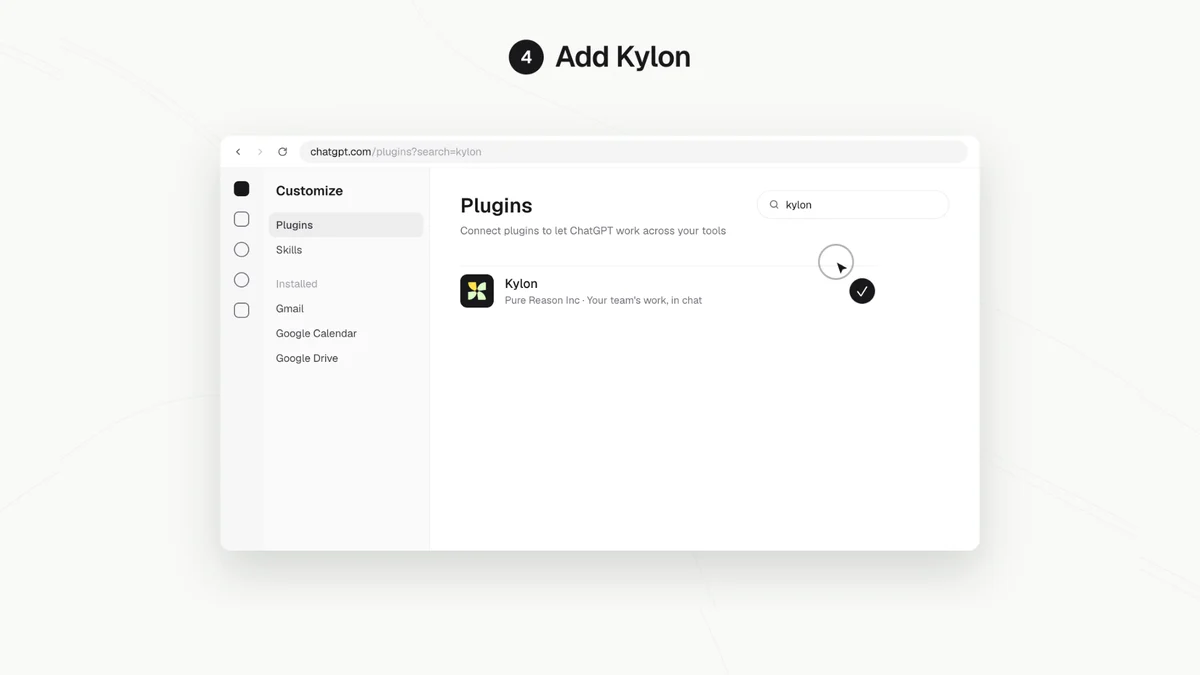
- ChatGPTwith the Kylon pluginOpen chatgpt.com, click Plugins, search "kylon" and add it. Then sign in to your Kylon workspace.
- Who decides
- Each person adds the plugin for their own ChatGPT.
What ChatGPT can reach through Kylon.
The plugin reads and writes through your own Kylon account. It sees only the Rooms and files you can see.
PluginAdd Kylon from the Plugins page. Ask in your own chat, in your own words.
 Kylon
The team's discussions and decisions. ChatGPT can read them and post a reply to a thread.
 Kylon
Brand guides, menus and other files shared in your Rooms.
Sending images or files from a ChatGPT chat into Kylon is not supported yet. Save them and share in Kylon.
Hana owns the brand and approves what goes out, Kenji keeps the brand guide current, and Mira handles orders and catering replies.
Start with the brand guide.
- 1Put your brand in a RoomShare your brand guide, tagline and colors in a Kylon Room your team uses.
- 2Add Kylon in ChatGPTOpen chatgpt.com, click Plugins, search "kylon" and add it.
- 3Ask for one thingA poster, a menu or a reply. Check that it matches what your team agreed.
Using Kylon, read our brand guide and this week's decisions in our Rooms. Then make a poster for our business in our colors and with our tagline, and tell me which file or thread each choice came from.

Questions about this workflow3
How do I add Kylon to ChatGPT?
Open chatgpt.com, click Plugins, search "kylon" and add it. Then sign in to your Kylon workspace.
What can ChatGPT read through the Kylon plugin?
Your Rooms, threads and files in Kylon, with the same access your own Kylon account has. It can also post a reply to a thread.
Can I send images from ChatGPT into Kylon?
Not yet. Uploading images or files from a ChatGPT chat into Kylon is not supported today.
Your team already agreed on it. Let ChatGPT use it.
Add the Kylon plugin in ChatGPT and keep working in the chat you already use.