How we work with creators.
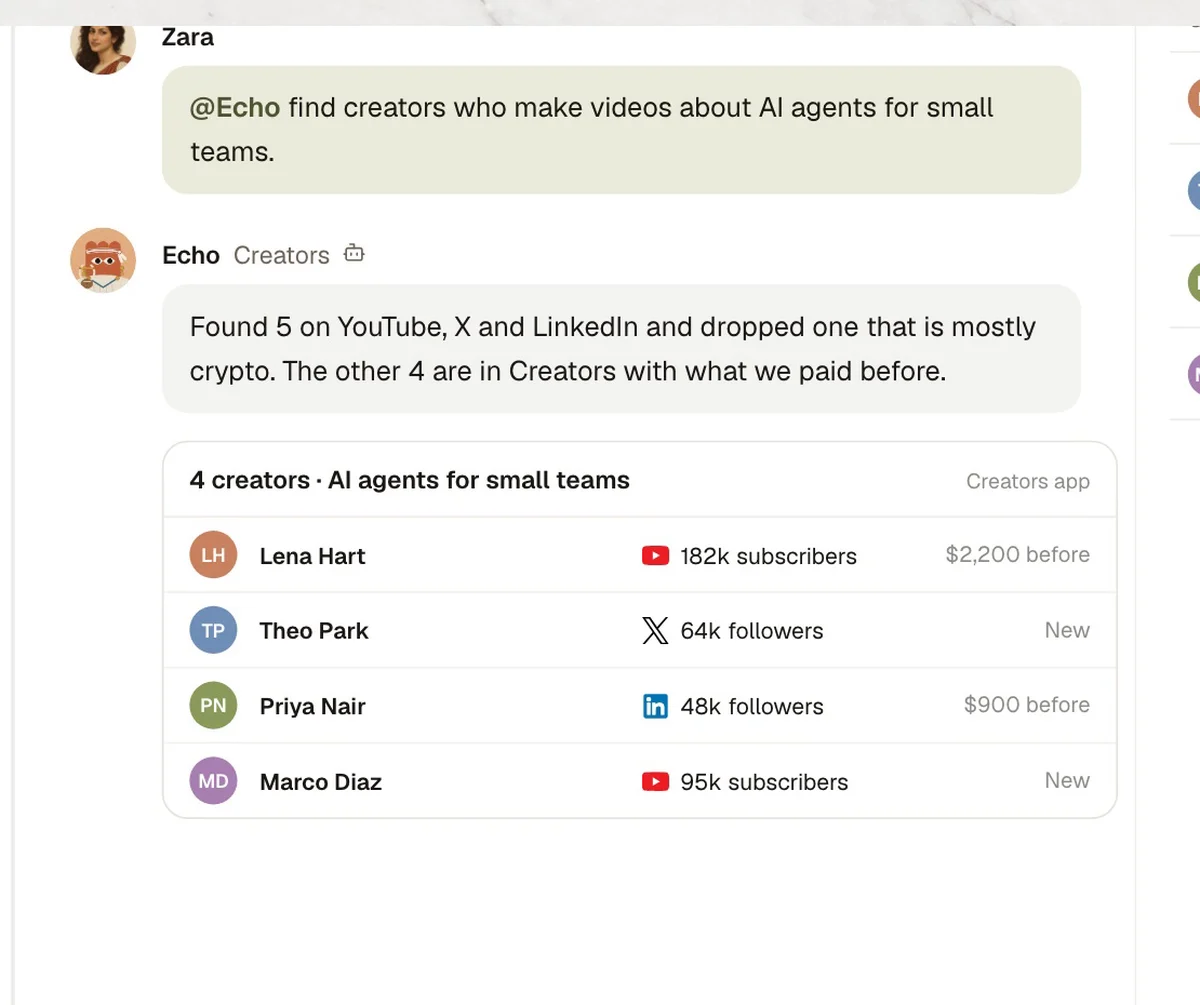
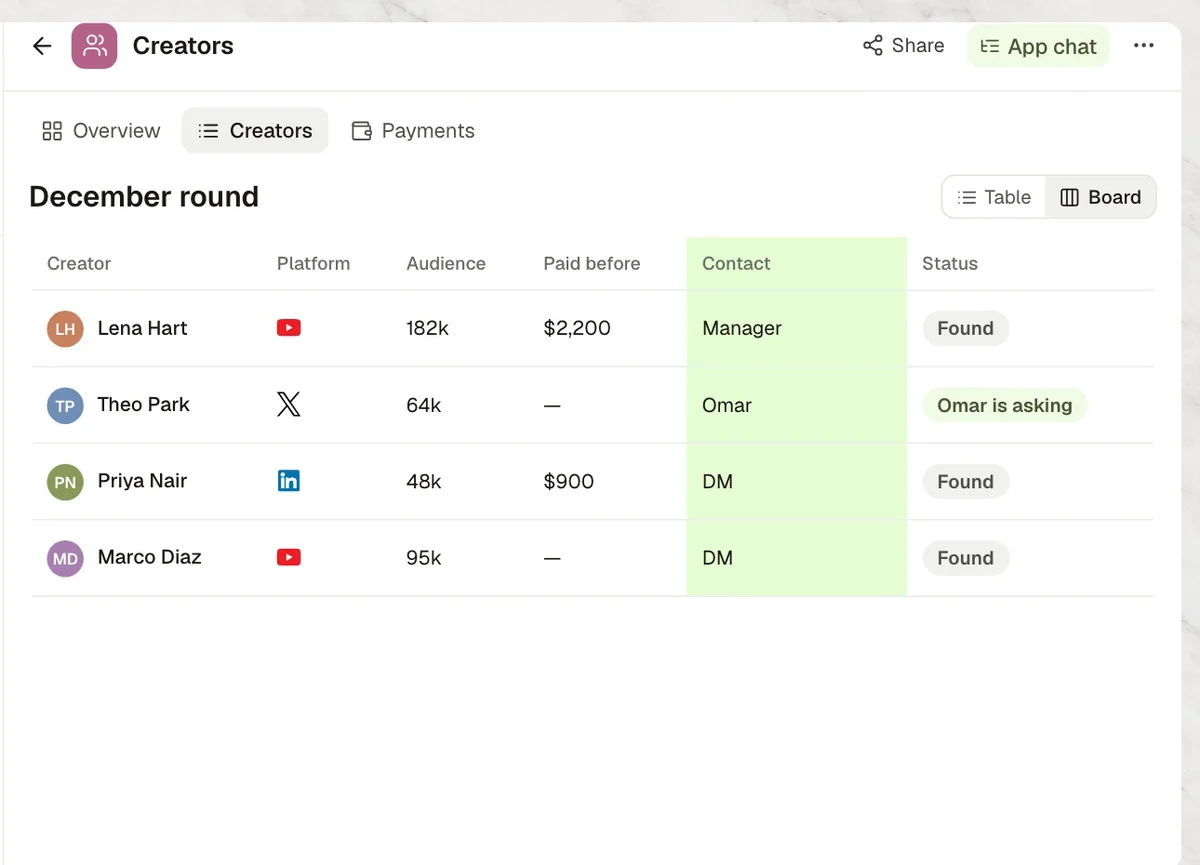
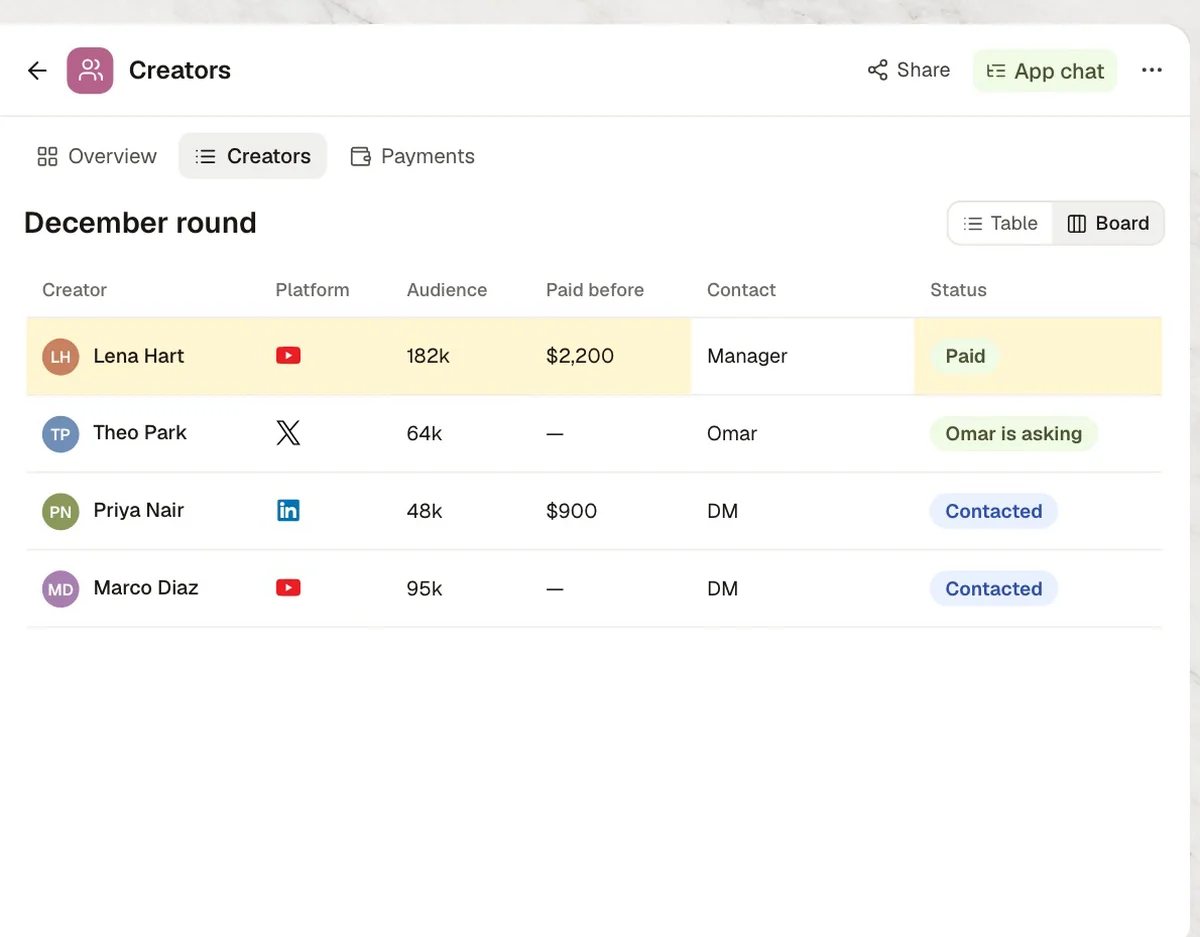
Our creator agent searches YouTube, X and LinkedIn by topic and drops the ones that do not fit. What a teammate knows becomes a rule, first emails wait for a read, prices are checked against what we paid before, and payouts wait for approval.
This is how the Kylon team runs it. The people, creators and numbers in the video are illustrative. All six films on YouTube
What each tool does here.
Each person signs in to their own account. The agent works with what that account can already see.
 Steps 01 and 05
Creators found by topic, and the check that their video is live.
 Step 01
Creators found by topic, with their recent posts.
 Step 01
Creators who post for business audiences.
 Steps 03 and 04
First emails and replies are drafted in Gmail and sent once the team has read them.
6 steps, one Room.
The same steps as the film. Each one shows what the agent does in the Room and, where it matters, who signs it off.
- 01Search
Search by topic
- In Kylon
- EchoOff-topic creators are dropped.
- 02Rule
What Omar knows
- In Kylon
- EchoSaved as a rule, plus a Contact column.
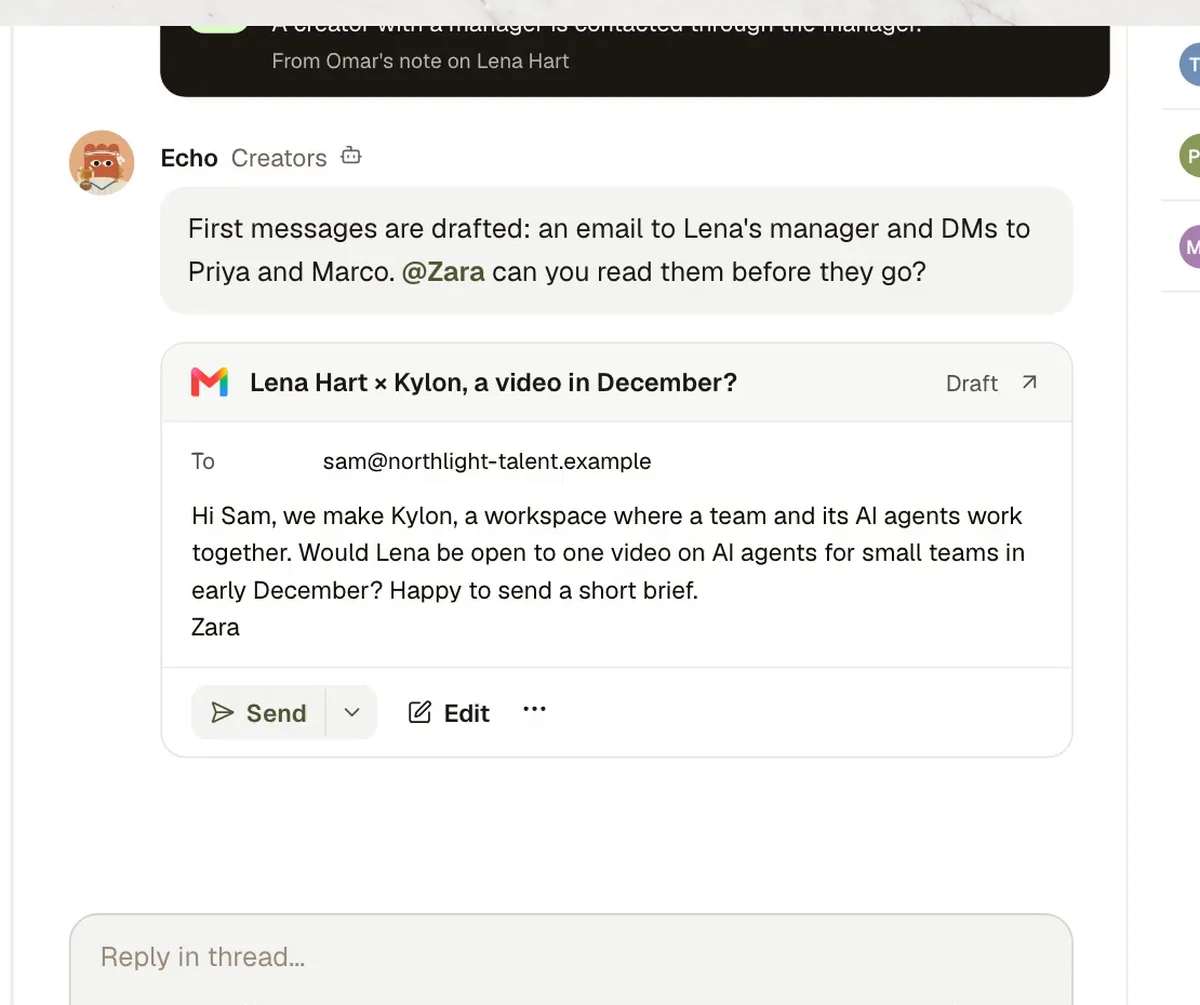
- 03First message
First messages
- In Kylon
- EchoTo the manager when there is one.
- Who decides
- Zara reads them. Then they all go at once.
- 04Price
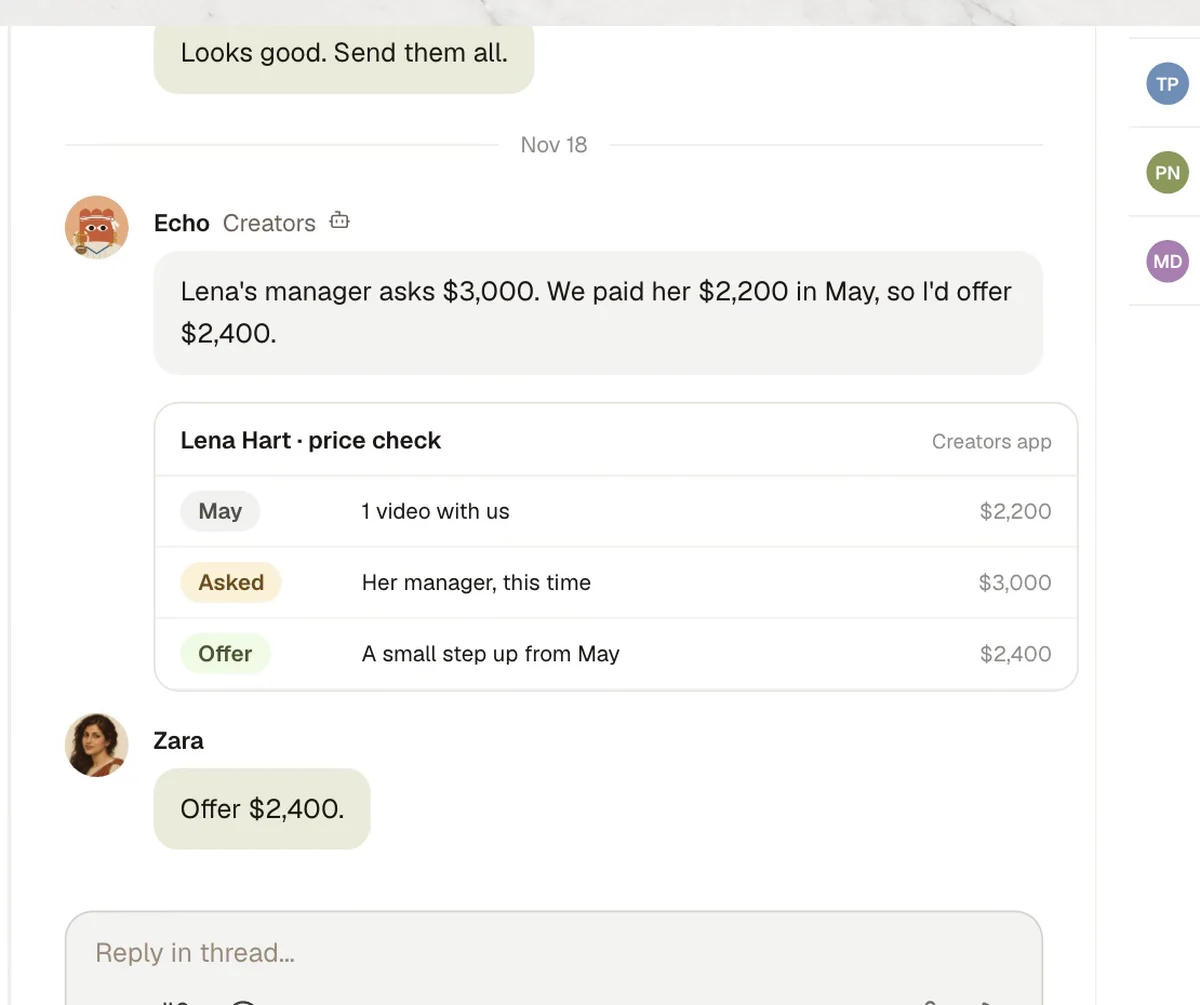
Price check
- In Kylon
- EchoThe quote against what we paid before.
- Who decides
- Zara sets the number. The agent drafts the reply.
- 05Live
Video is live
- In Kylon
- EchoChecked on YouTube.
- 06Paid
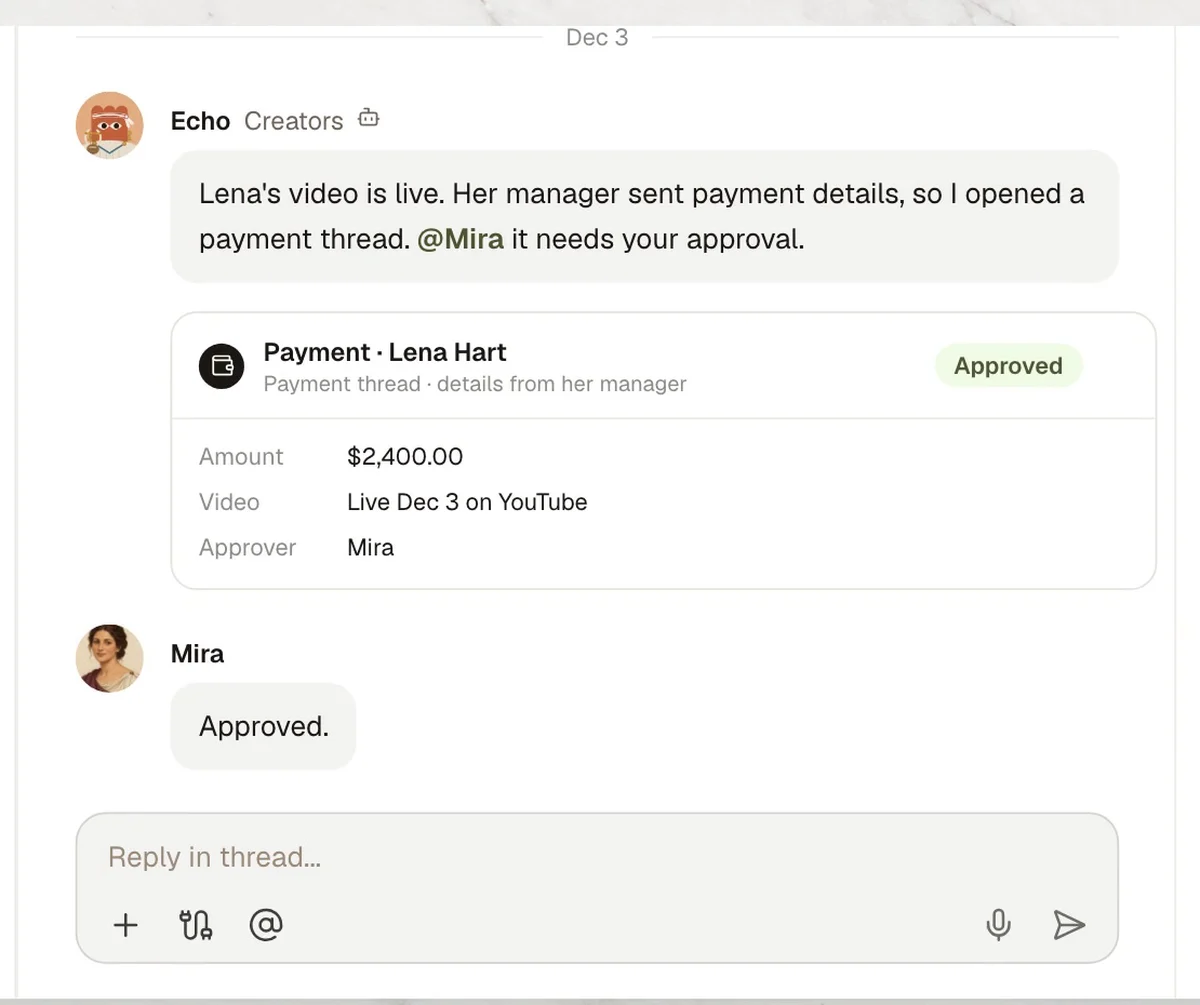
Paid
- In Kylon
- EchoThe payout goes after Mira approves.
Four steps to your own version.
- 1Connect your toolsIn Connections, sign in to YouTube, X, LinkedIn and Gmail.
- 2Open a creators RoomAdd your agent, whoever runs creator deals and whoever approves payouts.
- 3Paste the set-up promptThe agent asks for your rules one at a time.
- 4Read the first messagesThey go out only after your ok.
Set up our creator workflow in this Room. 1. When I give you a topic, search YouTube, X and LinkedIn for creators who fit it, and drop the ones that do not. 2. Show each creator with what we paid them before, if we did. 3. Draft first emails in Gmail, to the manager when there is one. Send nothing until I say ok. 4. When a creator quotes a price, check it against what we paid before. Payouts wait for the approver. Before you start, ask me for our rules one at a time.

Run it in your own workspace.
Connect the tools you already use, add your team, and paste the prompt. Your agent asks before anything goes out.