How we run our own ads.
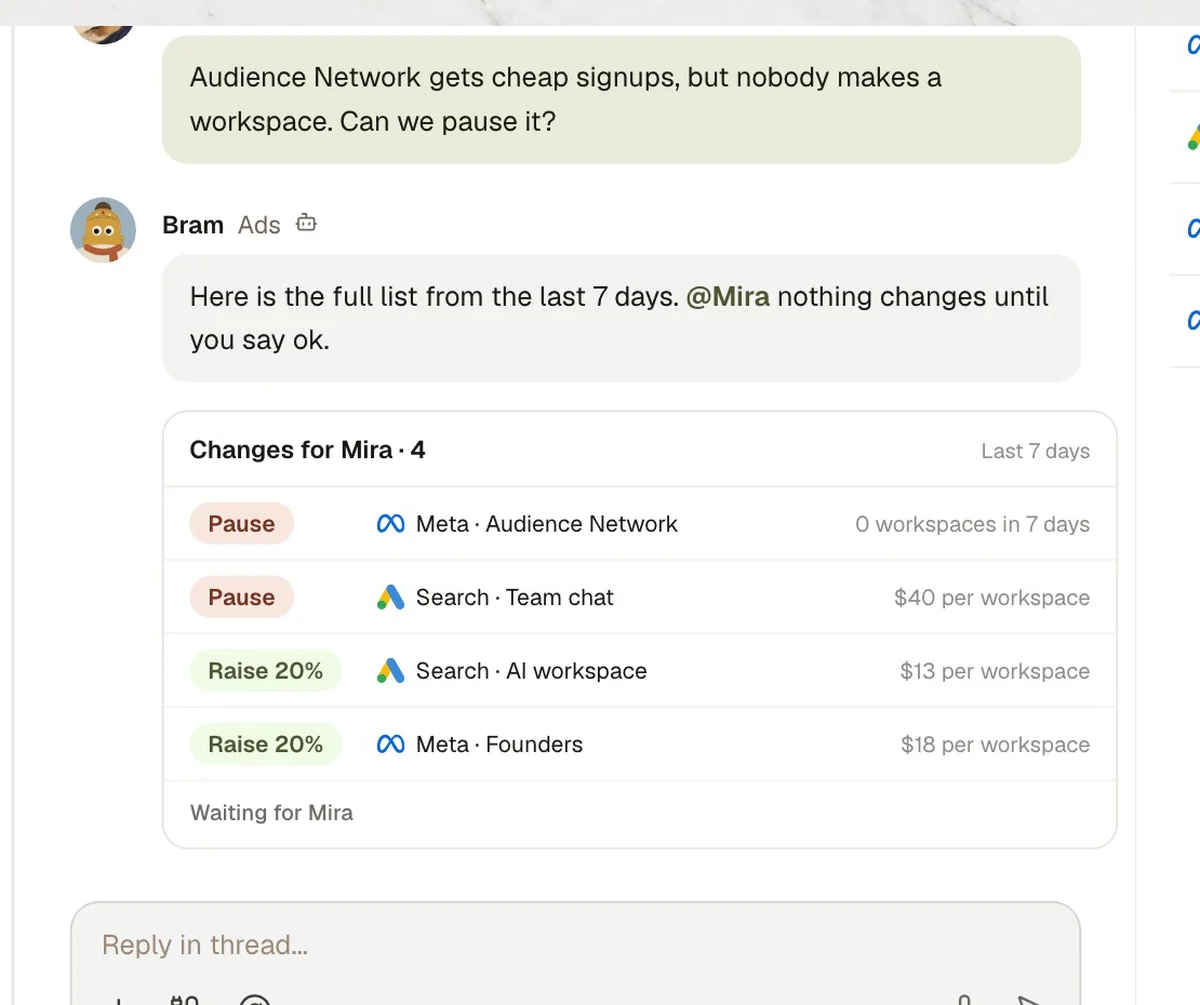
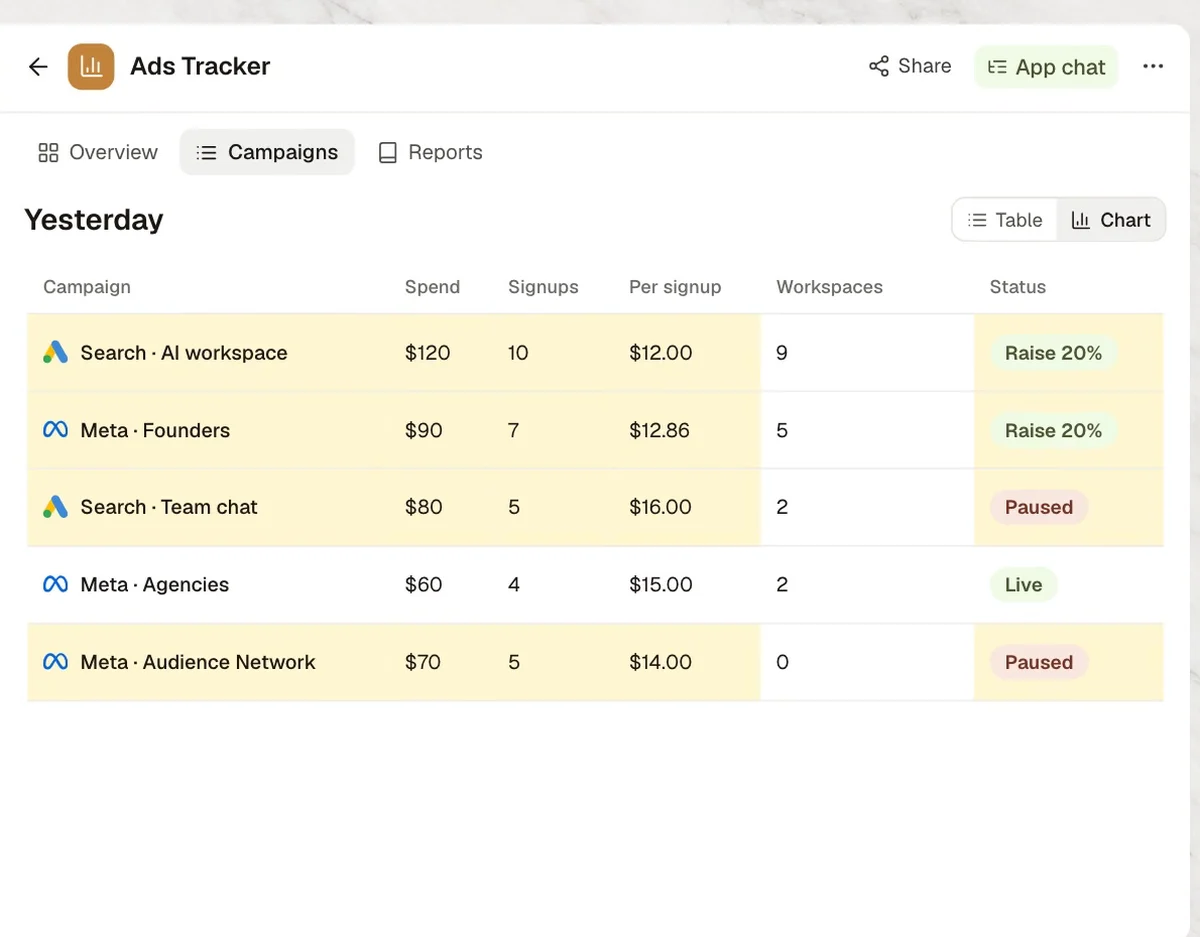
Every morning our ads agent posts yesterday's spend and signups from Google Ads and Meta Ads. A question asked twice becomes a column in our tracker, and no ad changes until the owner has seen the full list.
This is how the Kylon team runs it. The people and numbers in the video are illustrative. All six films on YouTube
What each tool does here.
Each person signs in to their own account. The agent works with what that account can already see.
 Steps 01 and 04
Yesterday's spend and signups for the daily report, and budget changes once Mira says ok.
 Steps 01 and 04
The same numbers from Meta, and pauses once Mira says ok.
 Step 02
Which signups went on to create a workspace.
5 steps, one Room.
The same steps as the film. Each one shows what the agent does in the Room and, where it matters, who signs it off.
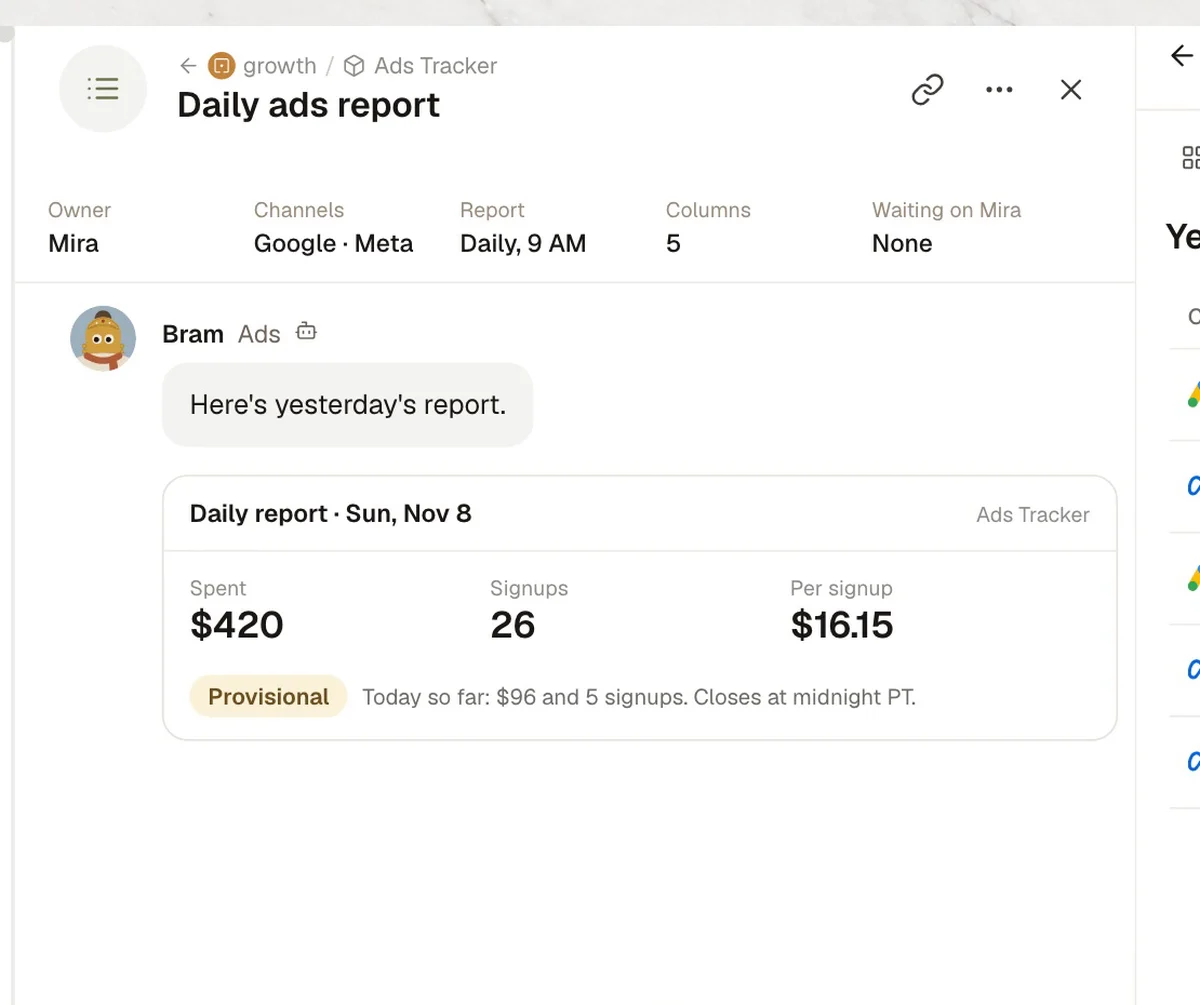
- 01Daily report
Daily report
- In Kylon
- BramYesterday's spend and signups, both accounts.
- 02Question
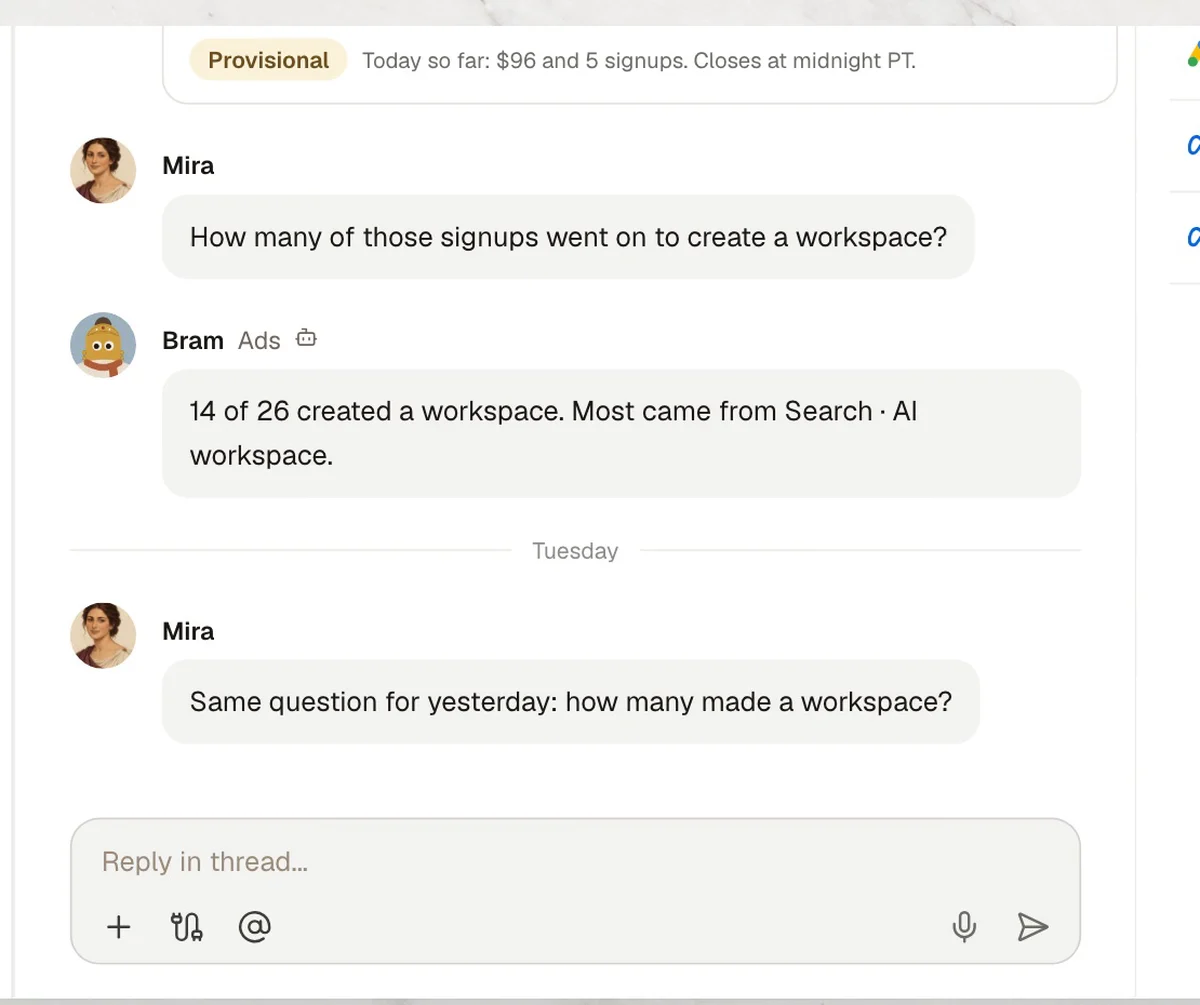
A question about signups
- In Kylon
- BramAnswered from PostHog.
- 03New column
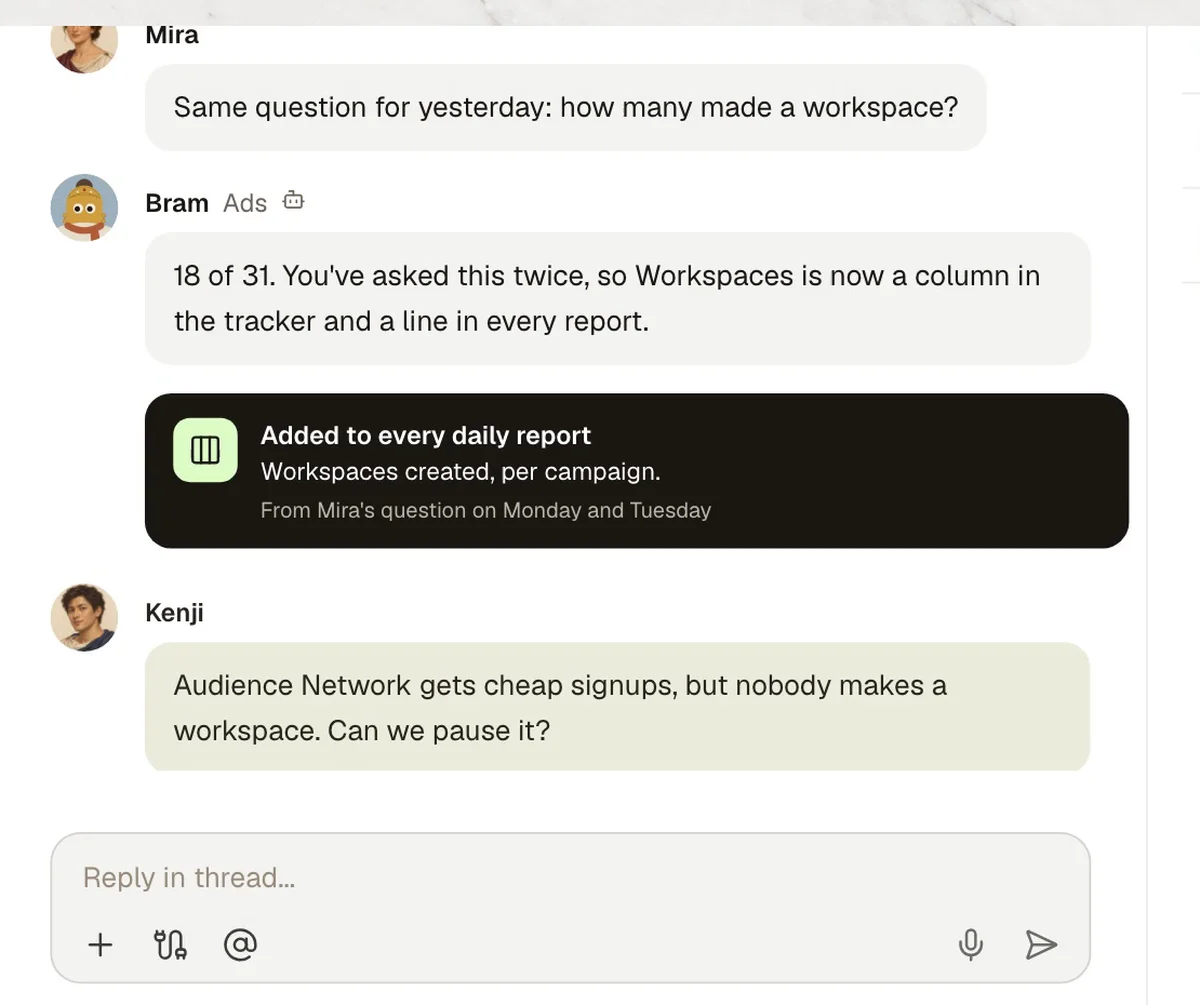
Asked twice, kept
- In Kylon
- BramA column in the tracker and a line in every report.
- 04Full list
Full list of changes
- In Kylon
- BramEvery pause and budget move, with the numbers behind it.
- Who decides
- Mira reads the list. Nothing moves until she says ok.
- 05Approved
Changes made
- In Kylon
- BramEach one logged in the tracker.
Four steps to your own version.
- 1Connect your toolsIn Connections, sign in to Google Ads, Meta Ads and PostHog.
- 2Open an ads RoomAdd your agent and whoever approves ad changes.
- 3Paste the set-up promptThe agent asks for your rules one at a time.
- 4Approve the first listRead the proposed changes. Nothing moves before you say ok.
Set up our ads workflow in this Room. 1. Every morning, post yesterday's spend and signups from Google Ads and Meta Ads. 2. When I ask what happened after signup, answer from PostHog. If I ask the same question twice, add it to every report. 3. When you think an ad should be paused or a budget changed, post the full list with the numbers behind each change. 4. Change nothing in either ad account until I say ok, then log each change. Before you start, ask me for our rules one at a time.

Run it in your own workspace.
Connect the tools you already use, add your team, and paste the prompt. Your agent asks before anything goes out.