Set up your Room and agent, recreate one of the Apps below, then adapt it to your own business.
Apps you talk into being
Say what you need to see and the workspace builds it around your business: your fields, your
numbers, no template to bend yourself into. You keep shaping it by talking to it, so it changes as the business
does. Agents and people work inside it. Define review steps for sensitive actions alongside the applicable platform approval policy.
Worth putting on screen
Ask for one out loud, then open it and change something. A person asks, an agent builds, both
of them keep working in it. The fleet tracker in the scenes below was made exactly that way, from one
sentence in a room. Agents see only what you allow, so shared does not mean open.
Under the hood
Apps and Workflows
An App holds the interface and data. A Workflow starts work from a trigger. They can work together.
01
Two kinds of App
A database App works directly with records. A custom App adds its own interface, Git repository, database, API and deployment. Apps belong to a Room; management access and published visibility are separate.
Database App
Records without custom code, draft previews or a publish step.
Custom App
Change code in a registered draft. Push to build a preview of that exact commit.
Build together
Use separate drafts, combine the latest released changes, then review and publish the selected commit.
Publish
Publishing is subject to the applicable approval policy. Choose the App’s Room, Workspace or public visibility separately.
02
Database and API
An App has its own database. Authorized Agents and Workflows use its registered API to read and update records; a separate database is not a blanket ban on authorized access.
Preview data
Preview and released databases are isolated. Test record changes in the preview.
Schema changes
Declared database migrations and API contracts travel with the release.
Access
Check the App’s visibility and the caller’s permissions before reading or changing data.
03
Trigger → work → result
A Workflow belongs to a Room and has a responsible Agent. It can run a prompt-driven task or code in the Agent’s environment.
Triggers
Manual start, a one-time or recurring schedule, record changes, Connection events or a webhook.
Permissions
Execution checks the Agent’s access and any applicable delegated identity. Configure the required Room and Connection access.
Results
A run can update App records, create files or post a Room message. Posting to the Room depends on the output configuration.
Approvals
Design review steps for sensitive actions. Platform approval applies to supported operations; it is not a universal gate for every external API call.
App and Workflow: how data gets updated
An App lives in the Room where the work actually happens, not in a separate tools area. That placement is the point. When something is decided in the conversation, the outcome becomes a record in the App next to it, rather than a task someone has to re-enter later.
Scheduled tasks belong in the same Room. A workflow that syncs creator replies every morning updates the same Sampling Desk the team is discussing, run by an agent the team can see.
The App and its scheduled tasks sit in the Room where the work is discussed.
Building and updating Apps
Apps come in two forms: a database App for working directly with records, or a custom UI backed by a database. Both can bring workspace information into the work.
Git version and conflict management. Track code changes, review contributions and resolve conflicts when several people work on the same App.
A database management UI. View and edit records, with a record of each change and daily data backups.
Workspace integrations. Build with features that bring workspace information into the App, tailored to the work your team does.
A request in a thread, a change in the App draft, both in the same Room.
That is the same principle as the rest of this page. The work sits where the team can see it, and each layer answers one question.
Apply the concepts
Three ways to put Apps and Workflows to work
Use these examples to plan an App, a scheduled Workflow or a page built together. Each has a result you can check.
01
CRM: one Thread per customer
Situation
Customer agreements get lost across conversations.
Build
Create a database App with company, stage, owner and next step. Keep one Thread per customer in a Room; ask an Agent to update each record after a decision.
Check
For three customers, the Agent can find the last agreement in the right Thread and update the next step in the App.
02
Ads dashboard: App + Workflow
Situation
Daily campaign numbers are scattered across exports.
Build
Store daily metrics in a database App. Schedule a Workflow to read a file or a Connection granted to its Agent, update records and post a short Room summary.
Check
A second run updates existing dates without duplicates; the Room summary and run history show the result.
03
Landing page: build together
Situation
Two people need to change one page at the same time.
Build
Use a custom App. Work in separate drafts, preview each change, then combine and review the latest version.
Check
Both contributions appear in one reviewed preview. Publish it with approval and the intended audience selected.
Material
Read this first
Everything this step is scored against is in the material below. It is public, and there is nothing to unlock.
Choose one example below and give its instruction to the agent in your Room. Add and edit a record in the preview, check that it works, then adapt it to your own business.
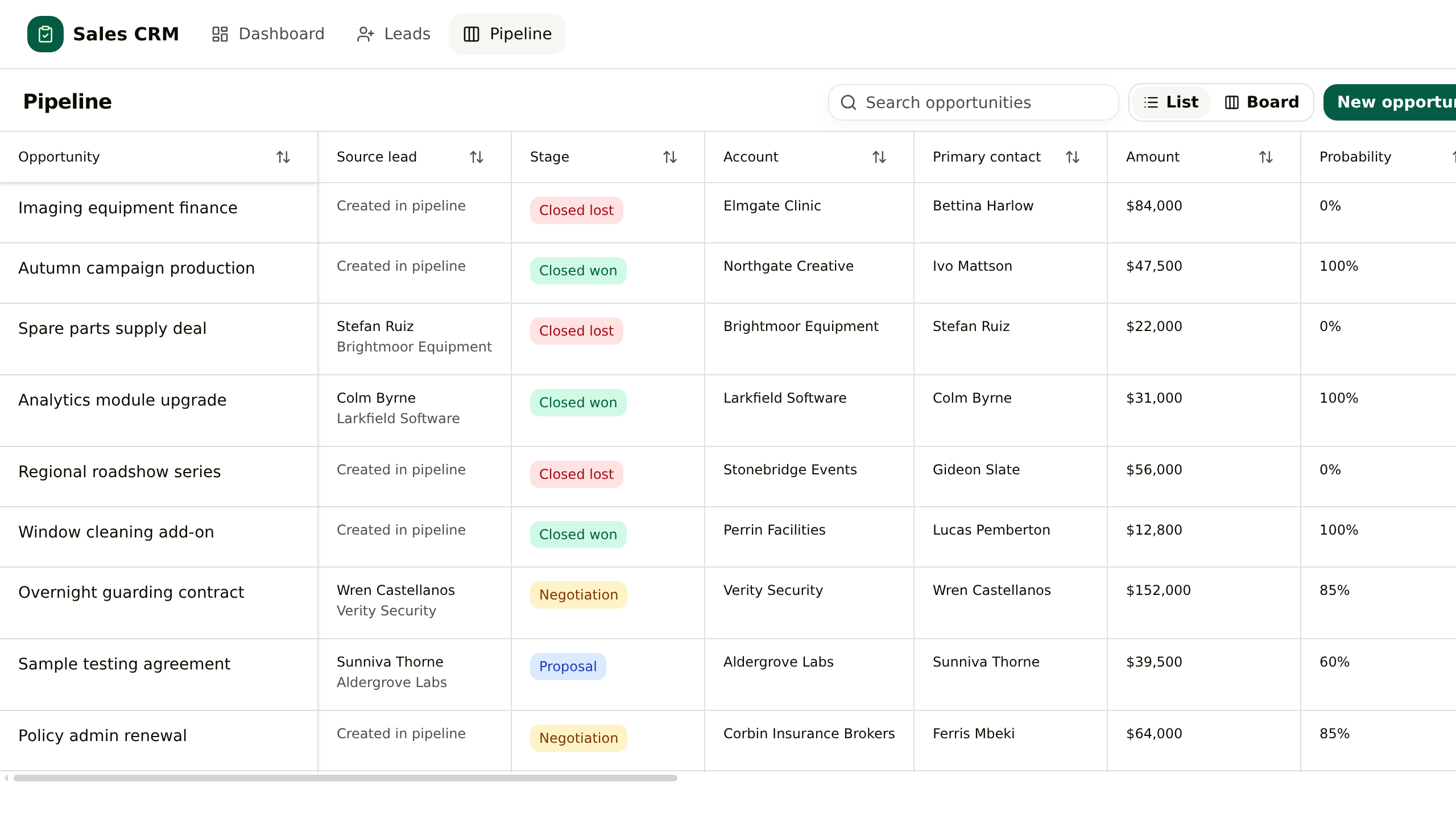
Sales
General CRM
Leads, accounts, contacts and opportunities in one App. Converting a lead writes the account, the contact and the deal together, and the deal keeps reading back to the enquiry.
How you use it
01Apollo leads
02Add contacts
03Agent emails
04Update CRM
05Ask for updates
View the build instruction↗
Build this App
Build an App called General CRM in this Room. Leads, accounts, contacts and opportunities in one App. Converting a lead writes the account, the contact and the deal together, and the deal keeps reading back to the enquiry.

Include these features:
- An enquiry is not a deal yet
- Conversion writes three records at once
- The deal remembers where it came from
- One next step in front of the owner

First propose the data structure and screens. Once confirmed, build a draft with sample records so I can try adding and editing them. Show me the preview before publishing.
Marketing
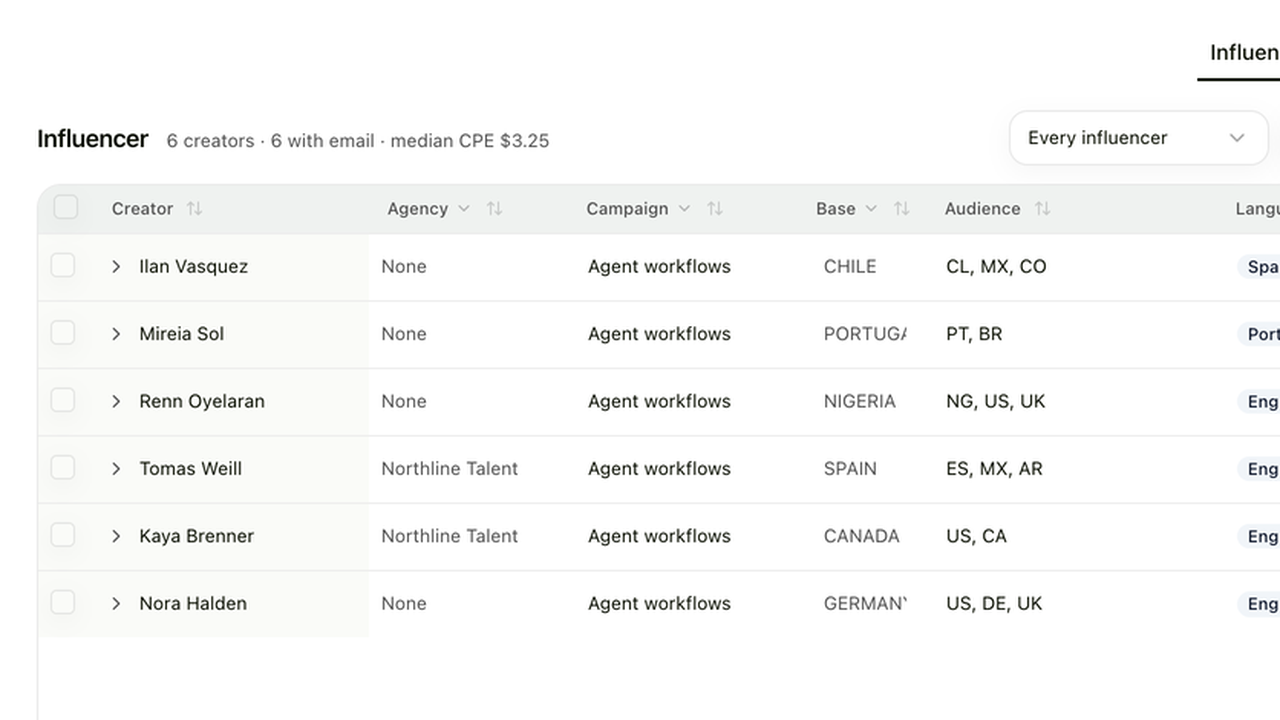
Creator Management
A creator roster priced against the median of each creator's last ten posts, with outreach and posts tracked through to signups.
How you use it
01Add creators
02Draft outreach
03Send message
04Track results
05Ask what worked
View the build instruction↗
Build this App
Build an App called Creator Management in this Room. A creator roster priced against the median of each creator's last ten posts, with outreach and posts tracked through to signups.

Include these features:
- One roster
- Accounts under them
- A real sample
- A price you can defend
- Outreach and posts

First propose the data structure and screens. Once confirmed, build a draft with sample records so I can try adding and editing them. Show me the preview before publishing.
Ecommerce
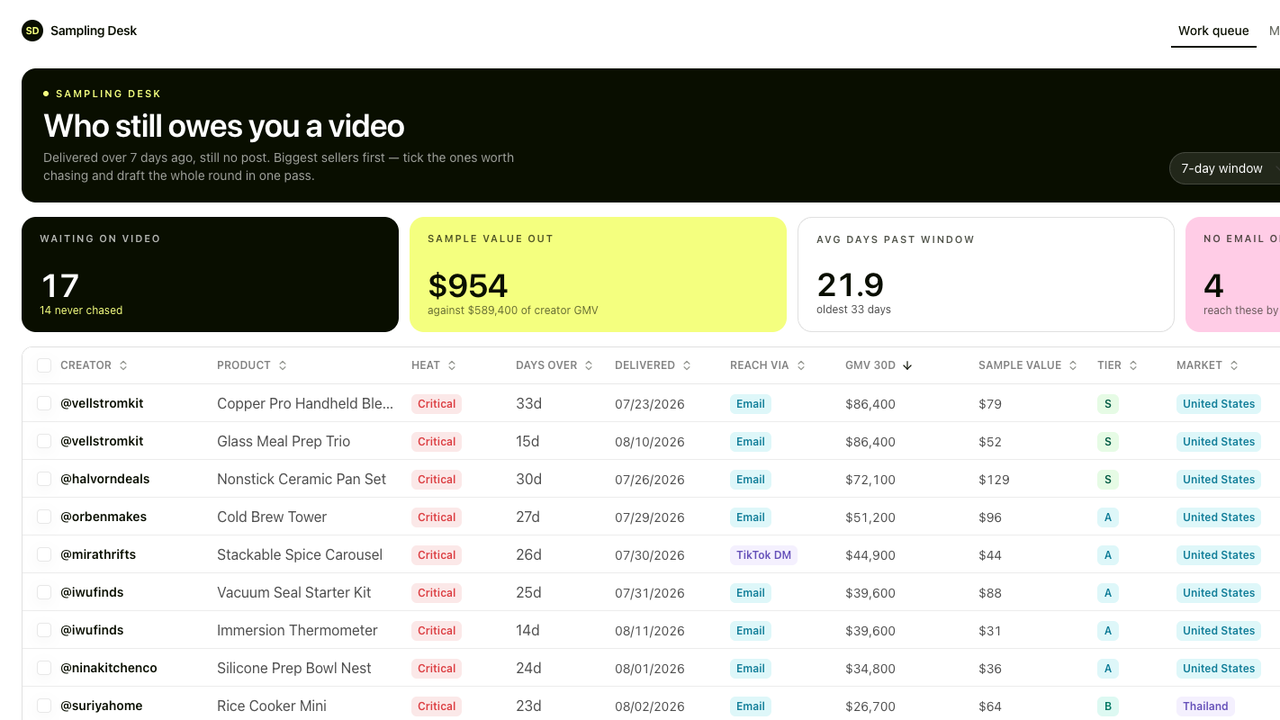
Sampling Desk
One queue for the samples that shipped and never became a video, biggest seller first.
How you use it
01Log samples
02Track delivery
03Agent follow-up
04Track posts & sales
05Ask what's pending
View the build instruction↗
Build this App
Build an App called Sampling Desk in this Room. One queue for the samples that shipped and never became a video, biggest seller first.

Include these features:
- A sample goes out
- Delivery starts the clock
- The queue ranks by size
- Chases you read before they go

First propose the data structure and screens. Once confirmed, build a draft with sample records so I can try adding and editing them. Show me the preview before publishing.
Construction
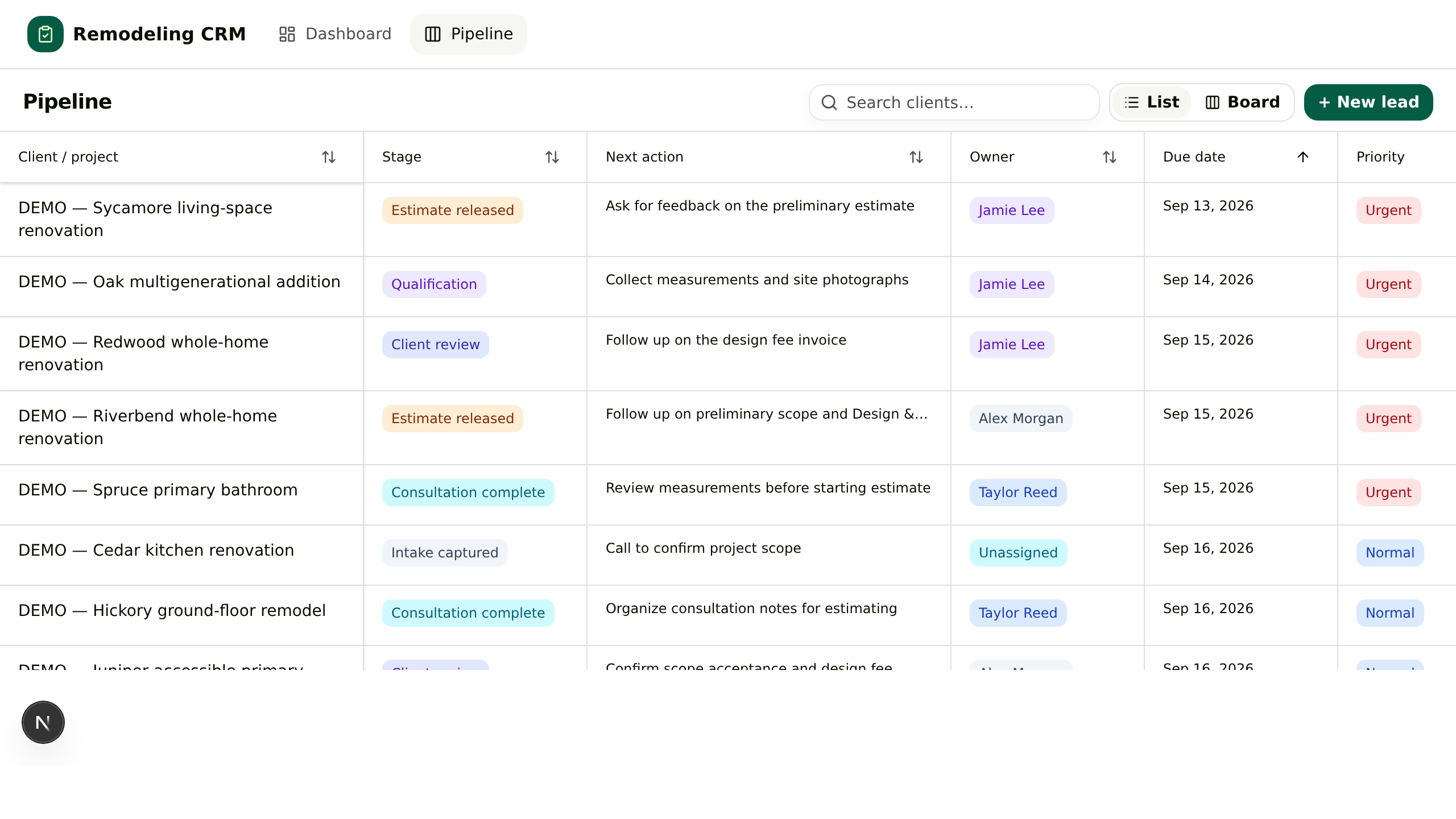
Remodeling CRM
One board for residential renovation sales: qualify, consult, estimate, then collect the Design and Discovery fee.
How you use it
01New enquiry
02Add requirements
03Quote follow-up
04Update project
05Ask what's waiting
View the build instruction↗
Build this App
Build an App called Remodeling CRM in this Room. One board for residential renovation sales: qualify, consult, estimate, then collect the Design and Discovery fee.

Include these features:
- The enquiry becomes a project
- Qualification is written down
- The estimate has a state
- The design fee is the milestone

First propose the data structure and screens. Once confirmed, build a draft with sample records so I can try adding and editing them. Show me the preview before publishing.
Hiring
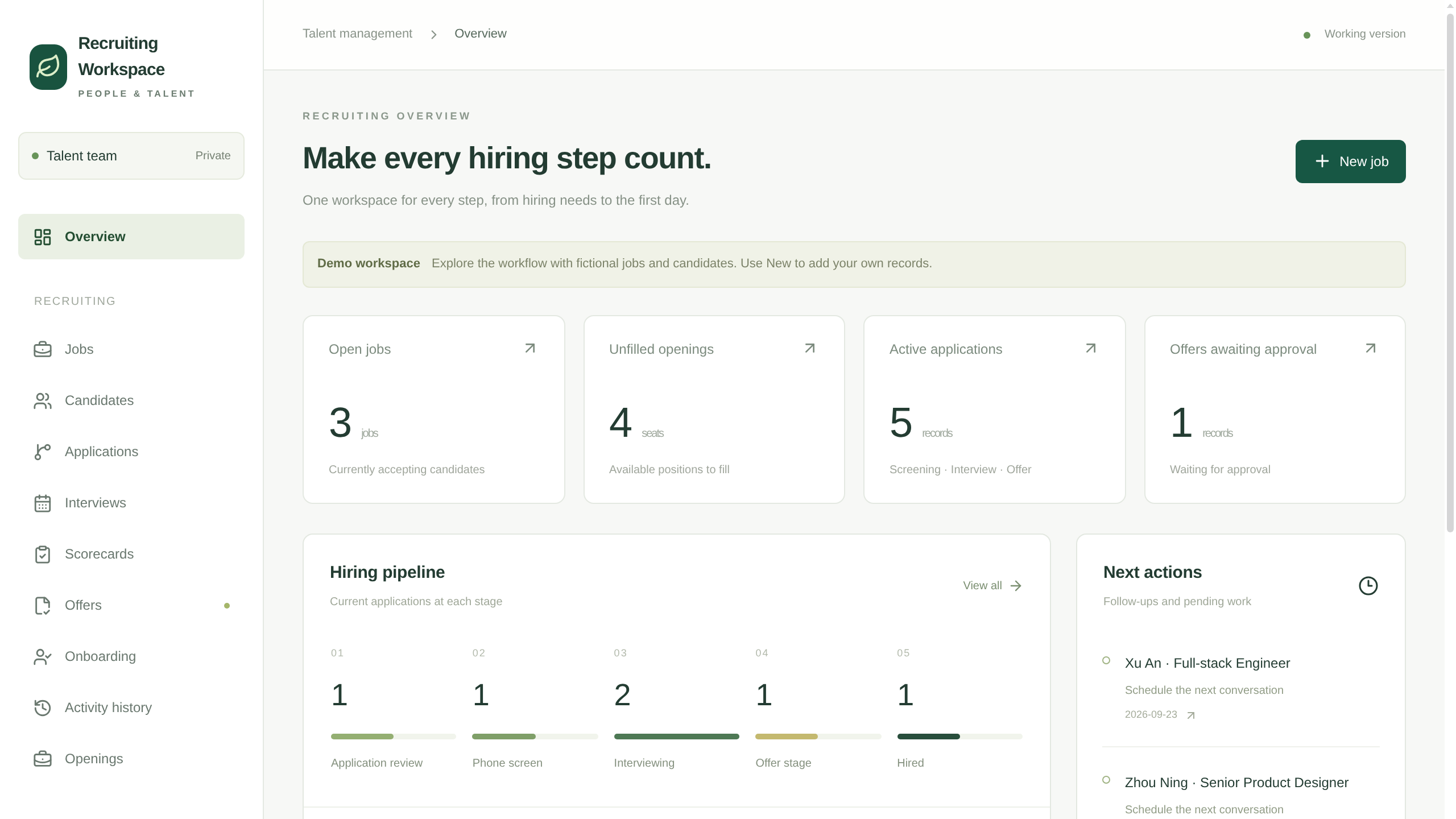
Recruiting Workspace
In-house hiring in one App: jobs and their openings, applications by stage, interviews with scorecards, offer approvals and the onboarding handover.
How you use it
01Add applicants
02Organize profiles
03Interview & feedback
04Track offers
05Ask hiring status
View the build instruction↗
Build this App
Build an App called Recruiting Workspace in this Room. In-house hiring in one App: jobs and their openings, applications by stage, interviews with scorecards, offer approvals and the onboarding handover.

Include these features:
- A job carries its openings
- A person can apply more than once
- Interview feedback becomes a scorecard
- The offer has an approver, the hire has a first day

First propose the data structure and screens. Once confirmed, build a draft with sample records so I can try adding and editing them. Show me the preview before publishing.
Travel
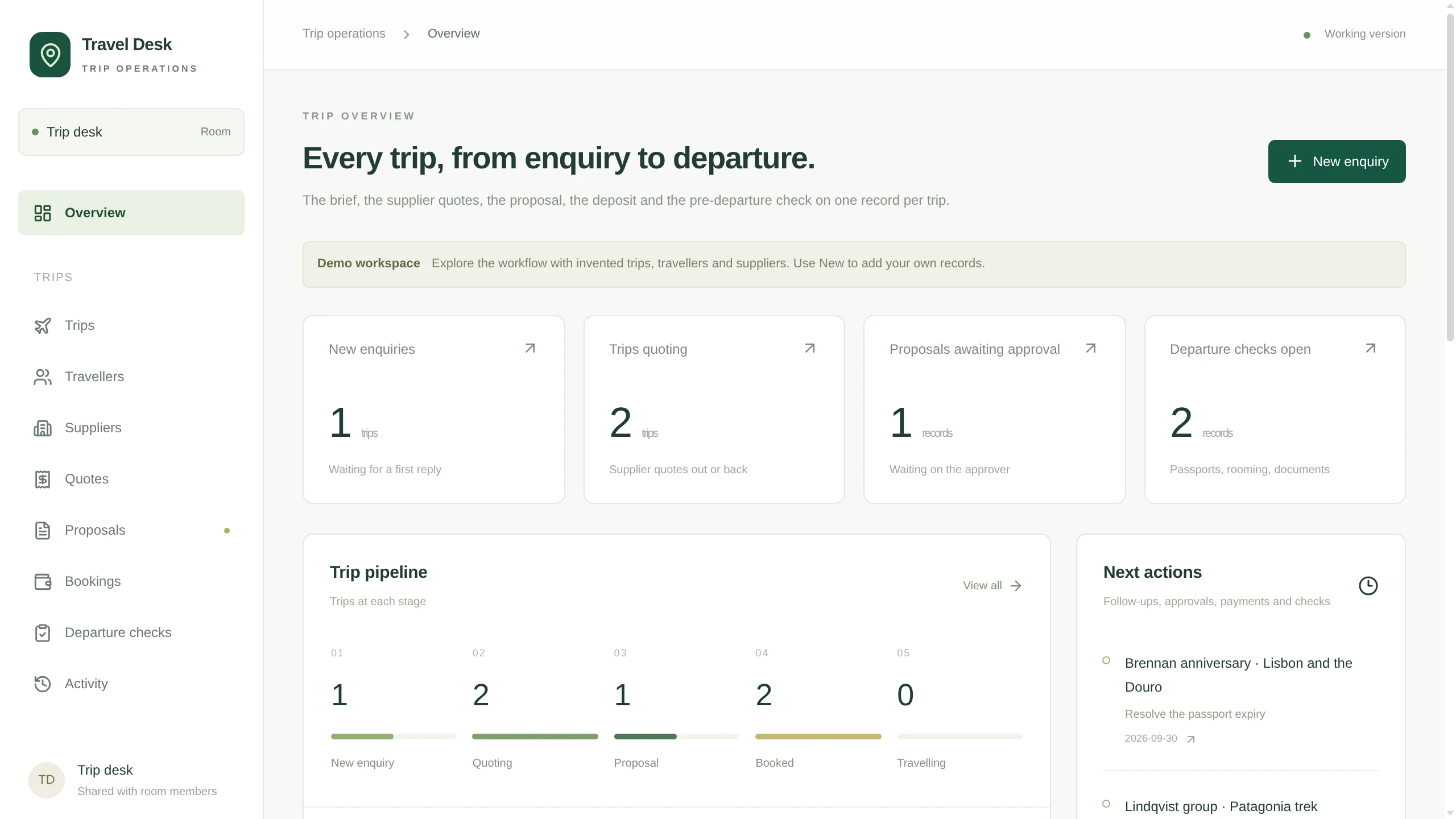
Travel Desk
A trip desk for a travel agency: enquiries with the brief in fields, travellers, supplier quotes per trip, proposals with versions and an approver, then bookings and the pre-departure check.
How you use it
01Log enquiry
02Collect quotes
03Draft proposal
04Approve booking
05Check departure
View the build instruction↗
Build this App
Build an App called Travel Desk in this Room. A trip desk for a travel agency: enquiries with the brief in fields, travellers, supplier quotes per trip, proposals with versions and an approver, then bookings and the pre-departure check.

Include these features:
- The brief lives in fields
- Quotes hang off the trip
- A proposal has versions and an approver
- After the deposit, a dated check

First propose the data structure and screens. Once confirmed, build a draft with sample records so I can try adding and editing them. Show me the preview before publishing.
Operations
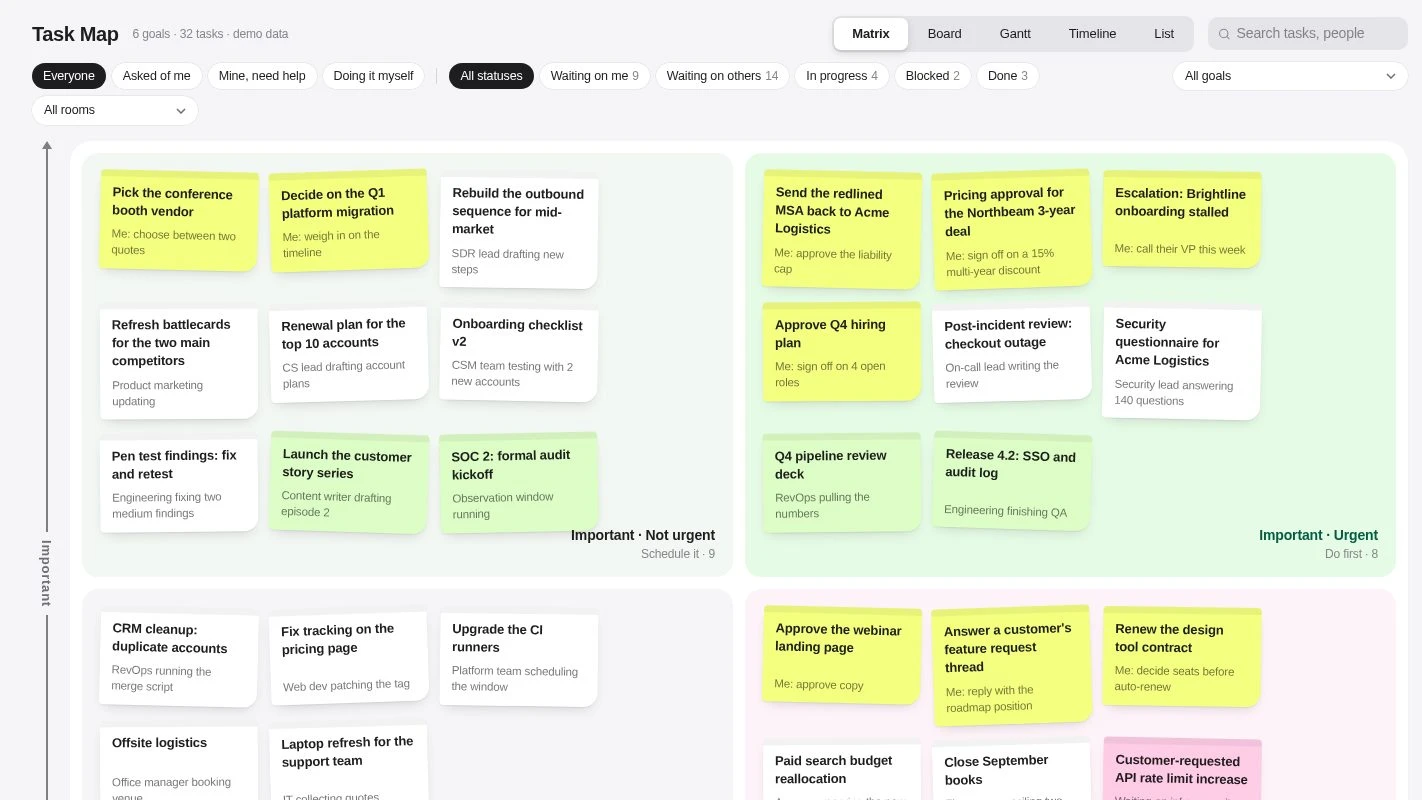
Task Map
Goals and one-off tasks on an Eisenhower matrix you reclassify by dragging, with Board, Gantt, Timeline and List views of the same work.
View the build instruction↗
Build this App
Build an App called Task Map in this Room. Goals and one-off tasks on an Eisenhower matrix you reclassify by dragging, with Board, Gantt, Timeline and List views of the same work.

Include these features:
- Goals and tasks, kept apart
- A matrix you can argue with
- Whose court the ball is in
- Five views of the same work

First propose the data structure and screens. Once confirmed, build a draft with sample records so I can try adding and editing them. Show me the preview before publishing.