Sales · 4 Apps · 5 Skills

Kylon for sales

Hand the agent every enquiry and quote. You approve what goes out.

Sales, owner and an agent, in one thread. Names and numbers are examples.

The Apps in this Room

Two Apps carry the work: a CRM for every enquiry and deal, and a people search for who you are about to talk to. Two industry versions start from the same structure with their own words.

Sales · App · sample data

General CRM

Take an enquiry from first contact to closed, without losing where it came from

Make your own
  • 01Every enquiry is a lead with a source and an owner, and it stays out of the pipeline until someone converts it.
  • 02Converting writes the account, the contact and the opportunity in one step, and the deal keeps the enquiry it came from.
  • 03Each opportunity holds one next step with a due date. The late ones lead the dashboard.

Junoin the Room

@Orin log the Northgate enquiry and convert it once the call is booked.
The pipeline. One line per opportunity, and the lead it was converted from in the second column.

Industry versions

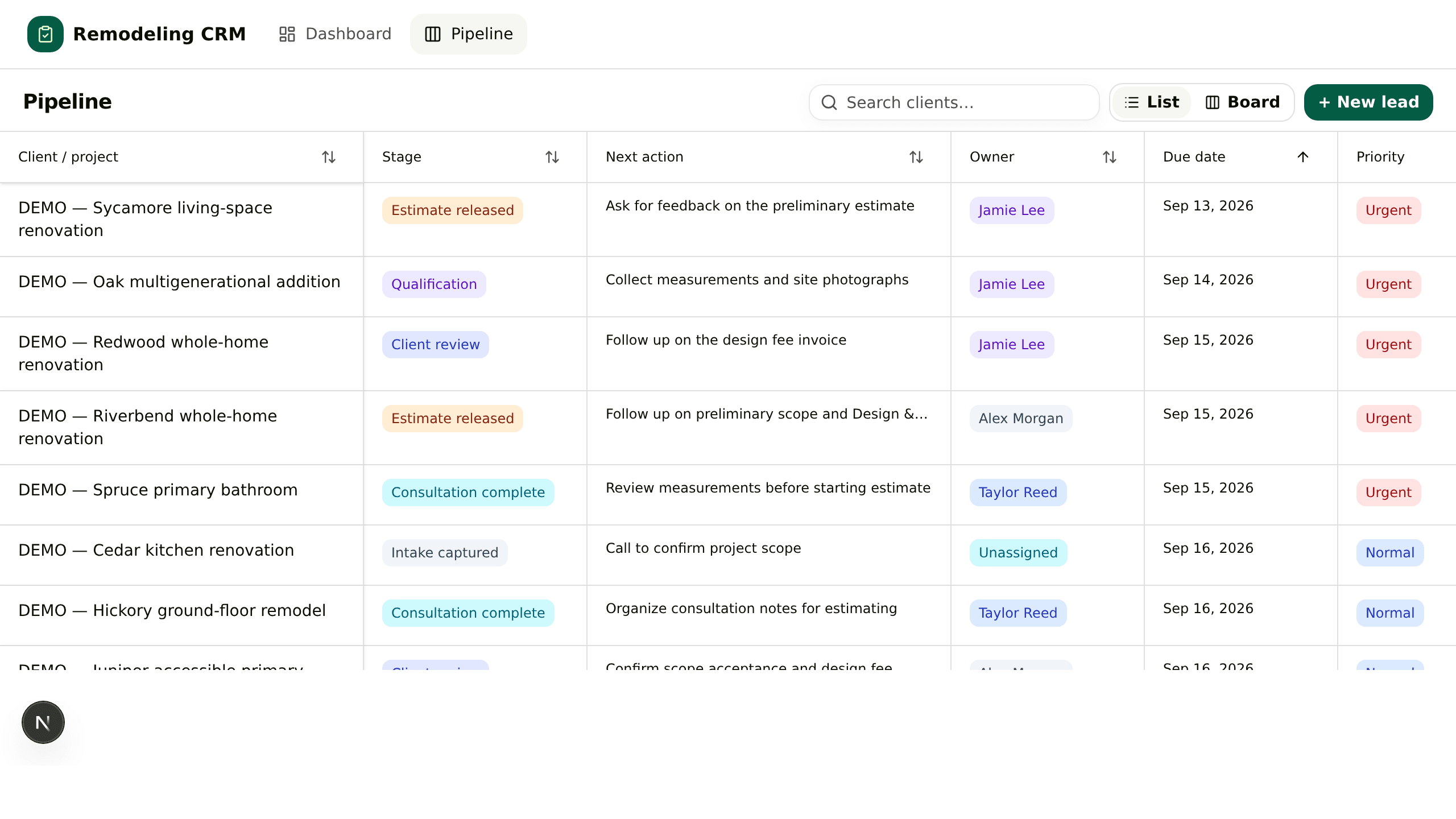
Construction version

Pipeline list of renovation projects with stage, next action, owner and due date

Remodeling CRM

Carry a renovation lead from the first call to the paid design fee

  • 01The enquiry becomes a project with the household, the address and the source.
  • 02Budget, timeline and decision makers are written down before a site visit is booked.
  • 03The paid design fee is checked against the invoice, so the milestone is a fact on the row.

Junoin the Room

@Orin which kitchen leads have a consult this week and no estimate yet?

Make your own

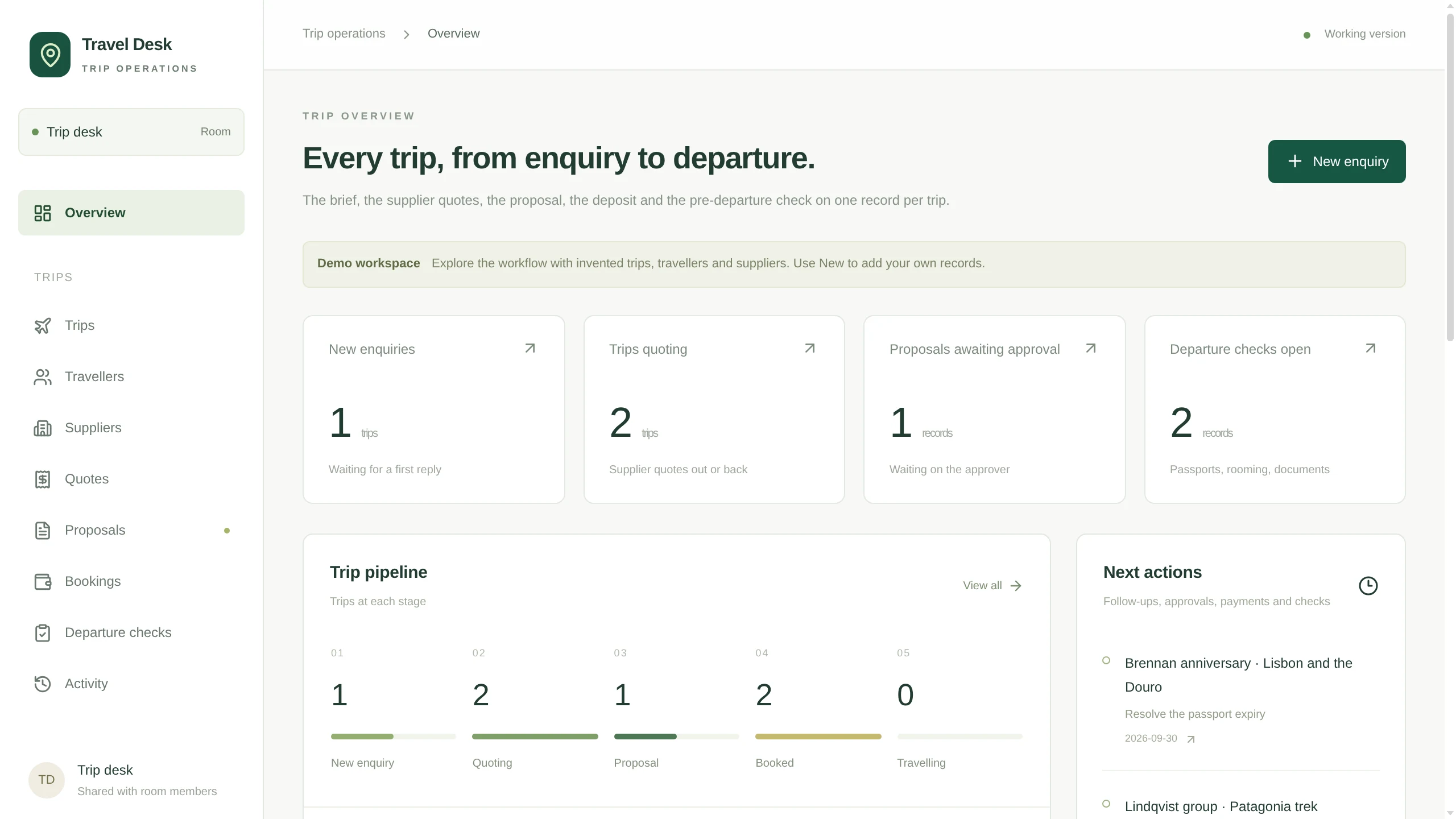
Travel version

Travel Desk overview with the trip pipeline by stage

Travel Desk

Take a custom trip from the first enquiry to a priced, approved proposal

  • 01The trip brief lives in fields: party, dates, budget band, style and dietary notes.
  • 02Supplier quotes hang off the trip, and the proposal is built from the ones you select.
  • 03Each proposal has versions and an approver, and an accepted one opens the booking.

Junoin the Room

@Orin build the proposal for the Lisbon family trip from the two quotes we picked.

Make your own

What it works with

  • 01

    General CRM + Skills

    Write down once how your team qualifies a lead. The agent follows the same steps on every enquiry, and you edit the Skill when the rules change.

  • 02

    General CRM + Automations

    A weekday morning run finds every quote with no reply after three days and drafts the follow-up in its thread.

  • 03

    General CRM + email draft cards

    Replies and follow-ups arrive as Gmail or Outlook drafts inside the thread. Someone on your team presses Send.

  • 04

    General CRM + People Search

    Before a call, the agent looks up everyone on the invite and adds who signs off on budget to the opportunity.

  • 05

    General CRM + your own agent

    Bring Claude Code or Codex into the Room. It works on the same records and waits for the same approvals.

  • 06

    General CRM + your phone

    Drafts and approvals reach the Kylon app on iOS and Android, so a follow-up does not wait for a laptop.

Each stage of a deal

Pick a stage. Each one has a line you can say in the Room as it is.

Find leads

Describe who buys from you. The agent builds a shortlist from Apollo and public profiles, checks that each role is current, and adds the people you keep as leads with their source.

Say this in the Room

Find 20 heads of marketing at consumer brands in London that ran a campaign this year, and add the ones I approve as leads.

One deal, start to finish, in one room

Northgate Creative, from the first form to a signed quote. Two people and one agent in the same thread, each stepping in where they are needed.
  1. 01

    The enquiry

    Juno Northgate asked about an autumn campaign through the site form.

    OrinAgentOrin logged a lead with its source, rating and owner, and drafted the first reply.

    ApprovedJuno sent the reply.

  2. 02

    Before the call

    Juno Who is joining on Thursday?

    OrinAgentOrin looked up the three people on the invite, checked their roles, and noted that Ivo signs off on budget.

    ApprovedJuno read the brief and added one question.

  3. 03

    The quote

    Otto Quote the full eight weeks at $52,000.

    OrinAgentOrin converted the lead into an account, a contact and an opportunity, and drafted the quote email.

    ApprovedOtto checked the price. Juno sent it.

  4. 04

    Four quiet days

    Juno Northgate went quiet after the quote.

    OrinAgentOrin drafted a follow-up with the two launch weeks Ivo had asked about, at $41,500.

    ApprovedOtto agreed the floor. Juno sent it.

  5. 05

    Closed

    Juno Ivo signed. Mark it won.

    OrinAgentOrin moved the opportunity to Closed won, kept the enquiry on the record, and put it in Monday's pipeline post.

    ApprovedOtto confirmed the amount.

What comes with it

Skills · 5

  • Person lookup

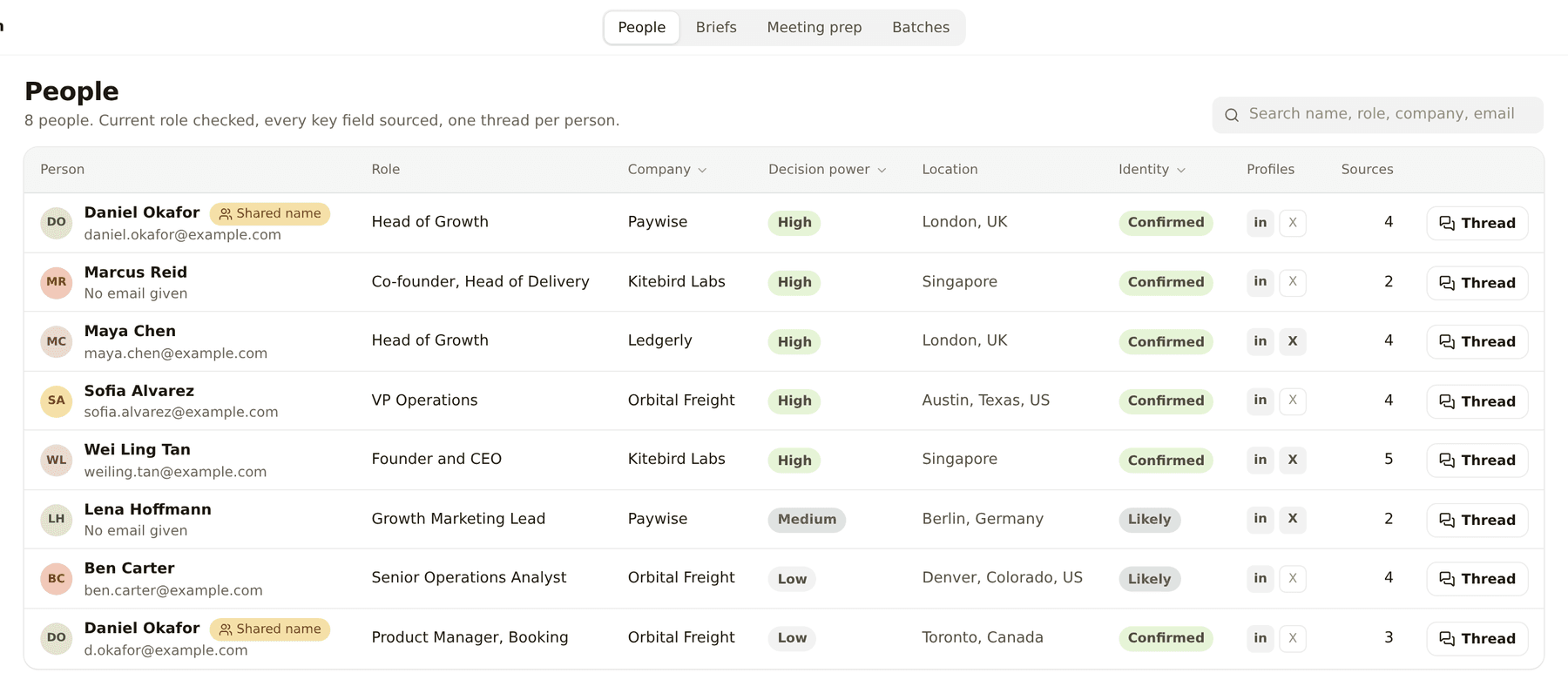
    Takes an email, a LinkedIn link or a name and company and works out who it is, checking the job is current.

    Runs: When you paste one.

  • Find by brief

    Turns a description of the people you want into a ranked shortlist that passes every hard filter, with evidence.

    Runs: When you write a brief.

  • Find at a company

    Names the one to five people at a company who own what you are asking about.

    Runs: When you name a company and a topic.

  • Meeting prep

    Researches every attendee on a calendar invite before the call.

    Runs: The day before, or on demand.

  • Work email

    Finds and verifies a work email, only after identity is settled.

    Runs: When you ask for one.

Included with Kylon

  • Apollo, for B2B people and company search
  • Exa, for web research with citations
  • LinkedIn and X public profiles, for current role, location and history

Reached through Kylon on your workspace credits, with no API key of your own.

You connect

Nothing to start. It opens with sample data.

  • Your calendar, later, for meeting prep
  • Your CRM, later, for knowing who you already talk to
  • Gmail or Outlook, later, for replies and follow-ups as drafts

What it connects to

The accounts and data this Room uses. Each logo opens its integration page when there is one.

Questions

Who is this for?

Small sales teams and owners who sell by enquiry and quote: agencies, studios, contractors and travel desks, anyone whose deals live in an inbox and a spreadsheet today.

Does it send anything without me?

No. Replies and follow-ups wait as email drafts in the thread until someone on your team presses Send. You can also ask the agent to hold a draft until the owner has approved the price.

Where does the data come from?

Enquiries come from the inbox or form you connect. People and company research runs on Apollo, Exa and public profiles, reached through Kylon on your workspace credits with no API key of your own. What the agent writes is saved on the record with its source.

How do I start?

Press Start with this. The instruction is copied and Kylon opens. Paste it into the chat in your workspace and the agent builds the General CRM with sample data. New here, you sign up first.

I already use HubSpot. Do I switch?

Keep HubSpot. Connect it and the agent works with the records you already have from the Room. The General CRM App is there for teams that track deals in a spreadsheet today.

Start with one enquiry.

Forward the next one to the Room. The agent logs it, drafts the reply, and waits for you.