Sales Outreach
Turn customer signals into the best move.
Anyone can buy a list. The hard part is knowing which account is worth a message this week, and why.
- An AI SDR that does its own research, instead of a list you rented.
- It watches the accounts you care about and catches what changed this week.
- It names the person who owns that decision, with the reason and the source behind it.
- It drafts the email and sends it from your own inbox, under your approval.
01 · Know your business
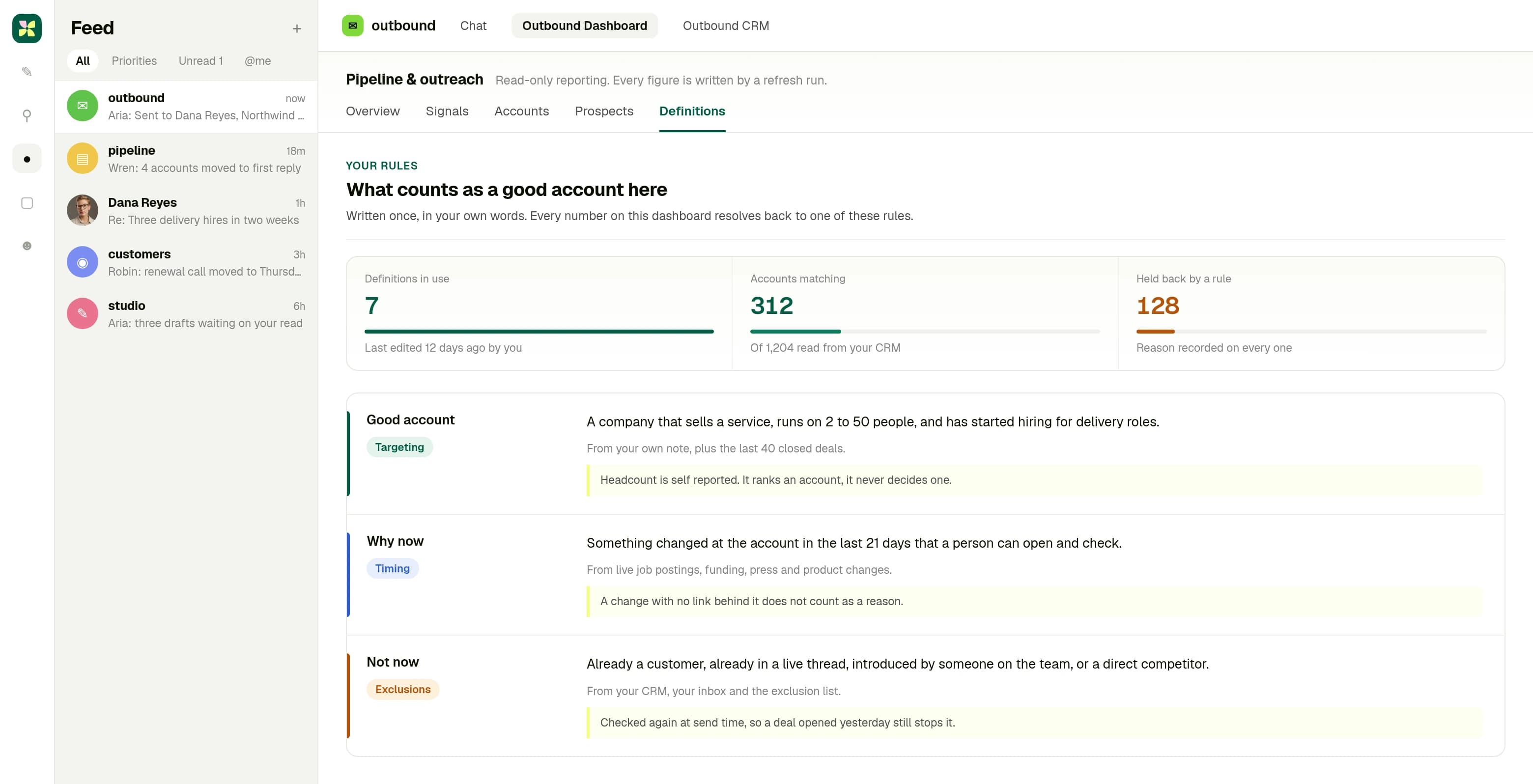
It starts from your definition, not from a filter.
You write what a good account looks like once, in your own words. Every number after that resolves back to one of those rules, including the accounts held back. Screens here are Kylon, with invented companies and figures.
02 · See it in your room
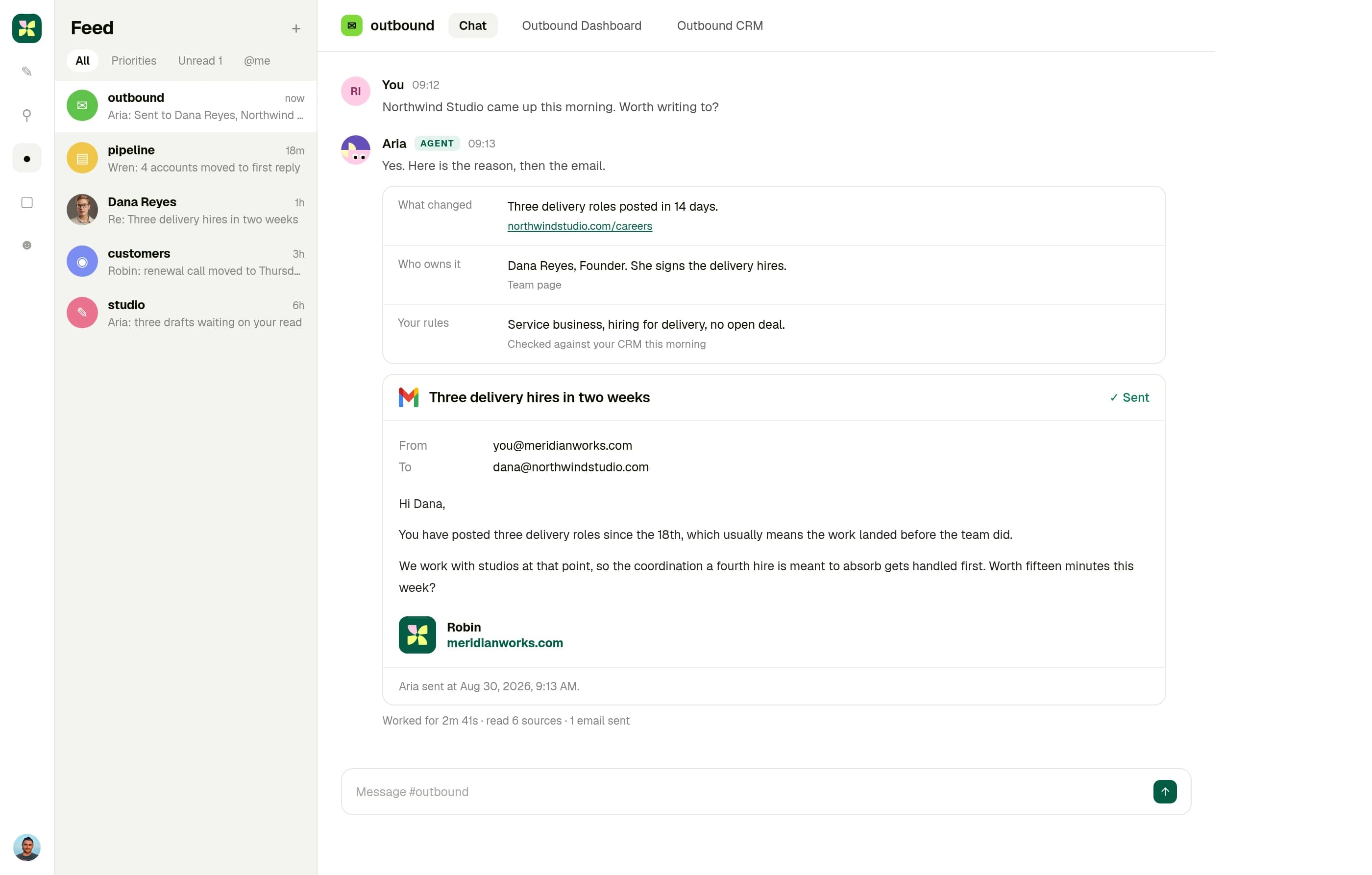
Ask about an account. Get the reason, then the email.
The research comes back where you work: what changed, who owns it, how it reads against your rules, each line with the page it came from. The email goes out from your own address, and the sent copy stays in the room.
03 · Run your work
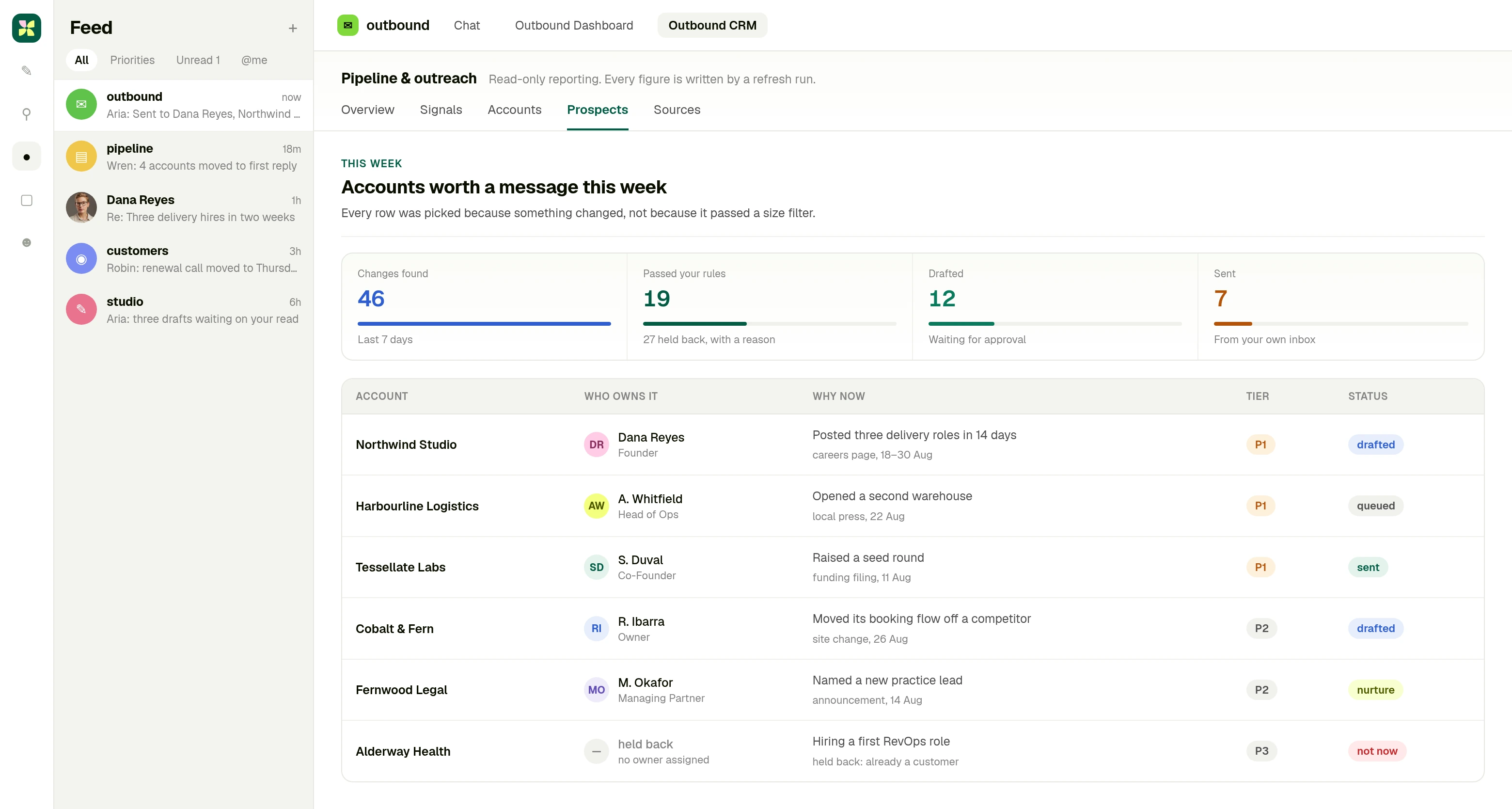
A week of accounts, each one with a reason attached.
Every row earned its place because something changed at that company. The ones that did not are held back with the rule that stopped them, so the list stays short enough to read.
How it works
- 01
Say what a good account looks like, once, in your own words. It reads the rest from the workspace: past deals, past conversations, what you actually sell.
- 02
It watches for the change that makes an account worth a message now, finds the person who owns that decision, and fills in the record.
- 03
It writes the email with the reason it found and the source behind it, then sends it from your inbox. Leave approval on and it waits for you first.
What Kylon does not do
Kylon does not buy you a list, and it does not invent a reason to write. It also will not pretend that a size filter and an industry filter describe a company. Those tell you what a company is, not what changed there this week, and the change is the only thing that earns a reply. Kylon starts at the change.
Questions people ask
- Are the screens on this page real data?
- The screens are the real product. The companies, people and figures in them are invented, so nothing on this page is a real account or a real rate.
- Do I need an Apollo account?
- No. Apollo runs through Kylon with no API key and no separate subscription. Ask in plain language and the results come back in your room.
- Does it send email on its own?
- It can. Mail goes out from your own inbox and domain, on your side of the conversation. Approval is on by default, so every message waits for you until you turn it off for a list you trust.
- Where does the reason to reach out come from?
- Public sources, and it is named on every message so you can check it. Job postings, recent news, company changes and cited research.
- Can it write back to our CRM?
- Yes. Salesforce, HubSpot, Pipedrive, Close and Dynamics 365 are connected today.
- What if the account is not in any contact database?
- Then the signal has to come from the open web instead. That is why the web sources sit next to Apollo on this page rather than behind it. Plenty of companies worth talking to have a thin database record.
- We do not have a sales team. Is this still for us?
- That is the case it is built for. Most of the work here is reading and retyping, which is exactly the part a founder ends up doing at night. Kylon takes that part and hands you the draft. The conversation stays yours.
Your company can do more than its headcount.
Say what a good account looks like, let the work find the reason to reach out, and spend your time on the conversation instead of the list.