All apps

Sales / App template

Sales CRM

Enquiries arrive in a shared inbox, the pipeline lives in a spreadsheet, and the reason a deal exists sits in one person's memory. This template separates the two halves the way a CRM is supposed to: an enquiry is a lead with a status and a rating and nothing else, and it becomes an account, a contact and an opportunity only when someone converts it. The objects are the Salesforce standard ones, so the fields already match what a sales team expects to find.
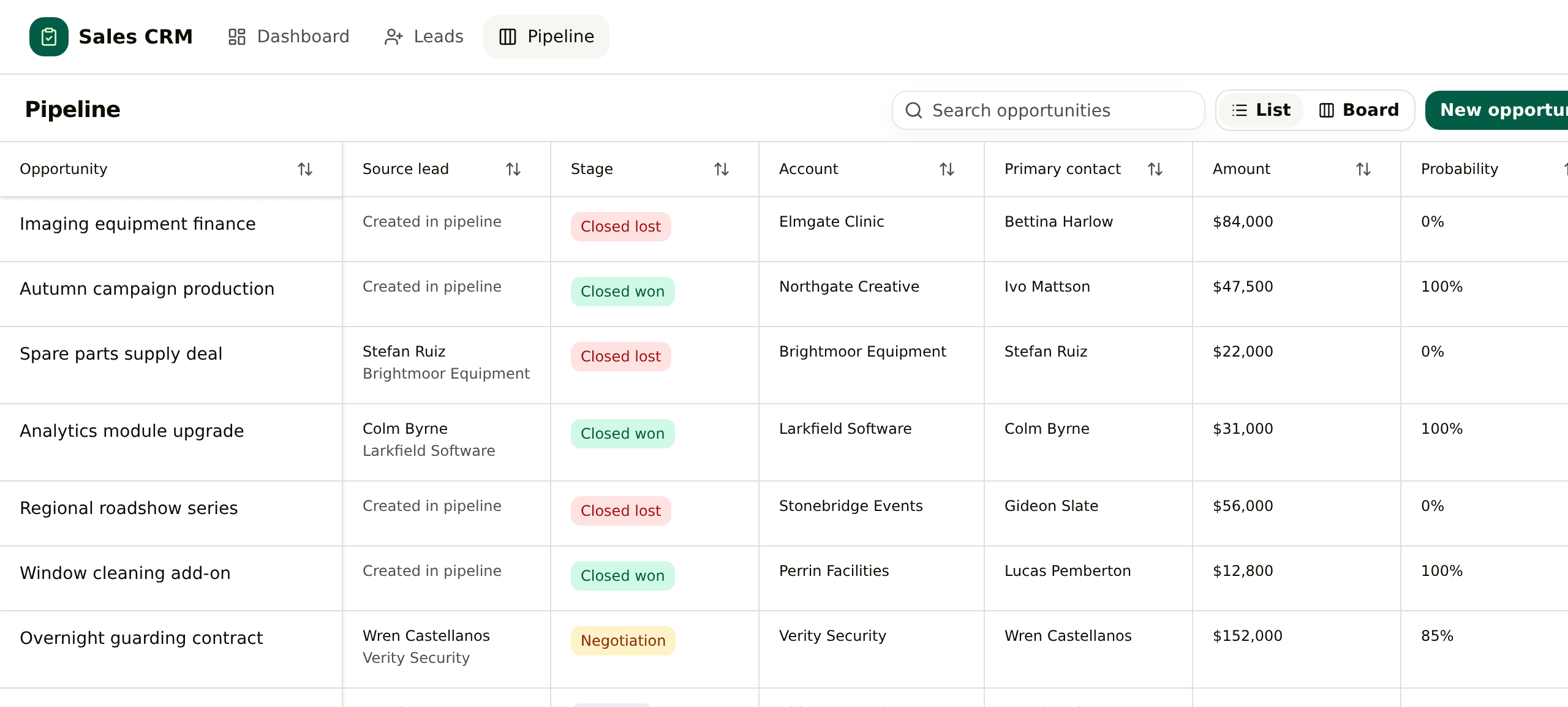
Pipeline list in the Sales CRM template, with a source lead column next to each opportunity
The pipeline. One line per opportunity, and the lead it was converted from in the second column.
What it puts on screen

01

An enquiry is not a deal yet

A lead carries a status, a rating, a source and an owner, and no amount. Enquiries that go nowhere stay out of the pipeline instead of inflating it, and the open list hides everything already converted.

02

Conversion writes three records at once

Converting a lead creates or links the account, creates or links the contact, opens the opportunity at New with the source and rating carried over, then marks the lead Qualified. It is one transaction, and converting the same lead twice is refused rather than duplicated.

03

The deal remembers where it came from

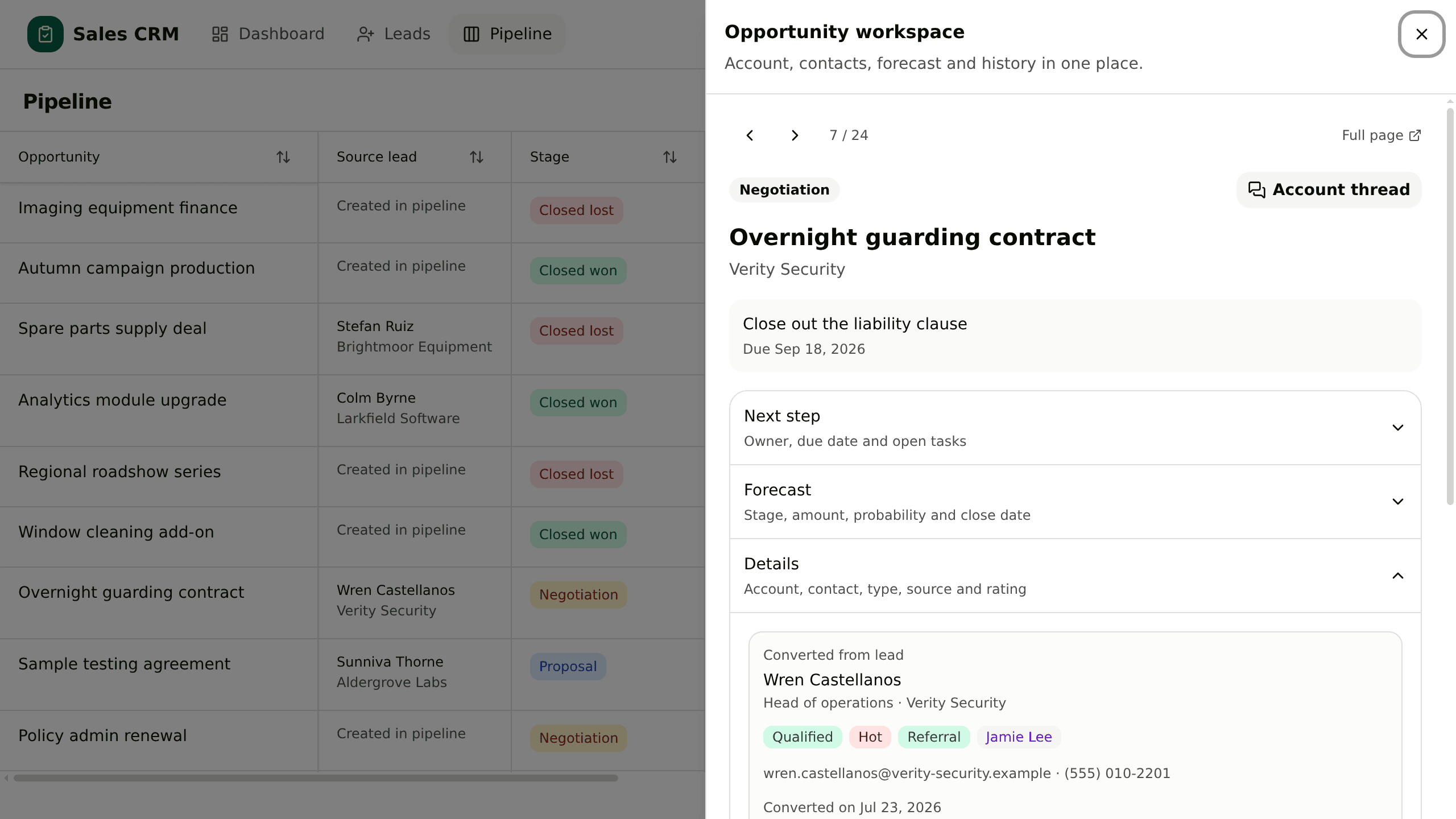
The pipeline has a source lead column, and the full enquiry record opens inside the opportunity panel: who asked, what they said, when it converted. Deals typed straight into the pipeline say so.

04

One next step in front of the owner

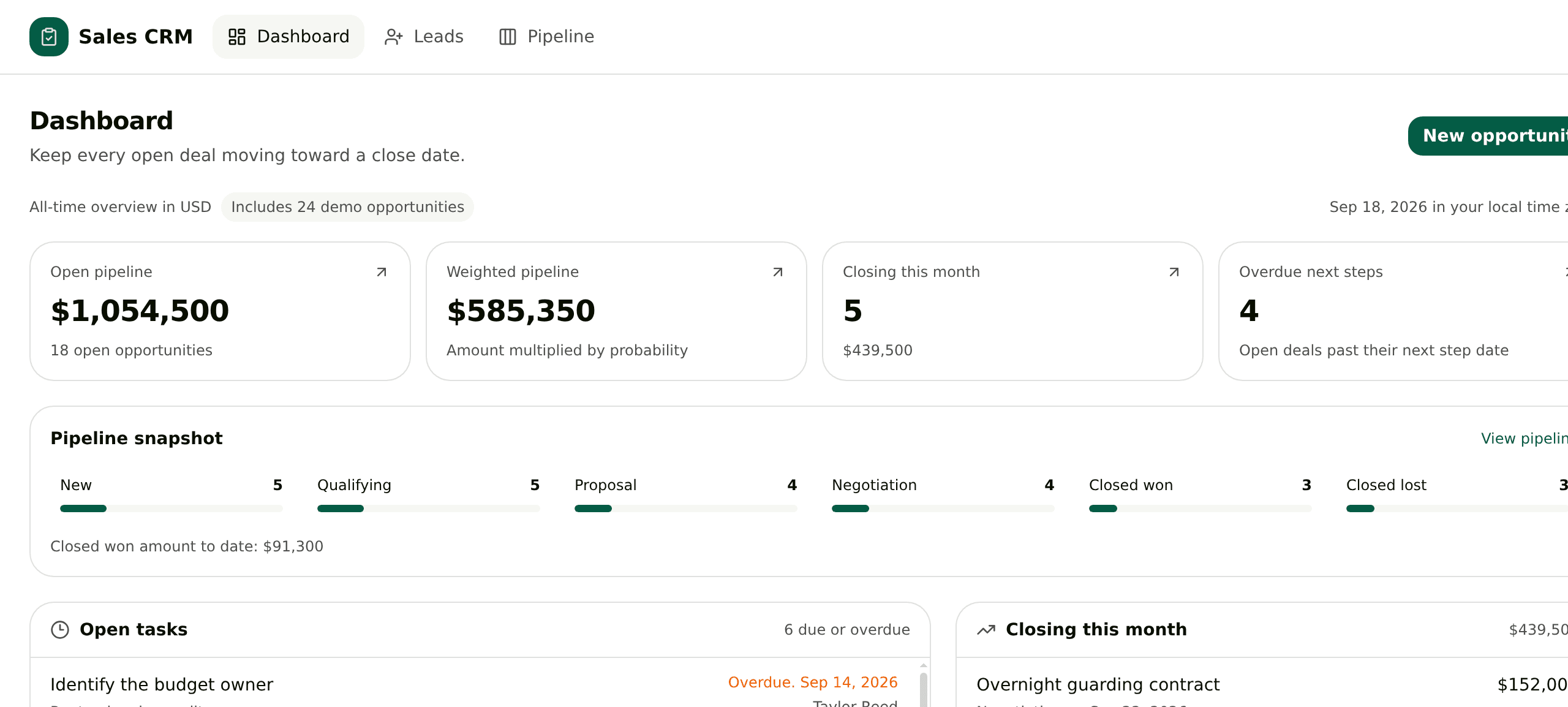
Every opportunity holds one next step with a due date and its own tasks, and the dashboard leads with the ones that are late, alongside open pipeline, weighted forecast and what closes this month.

The screens

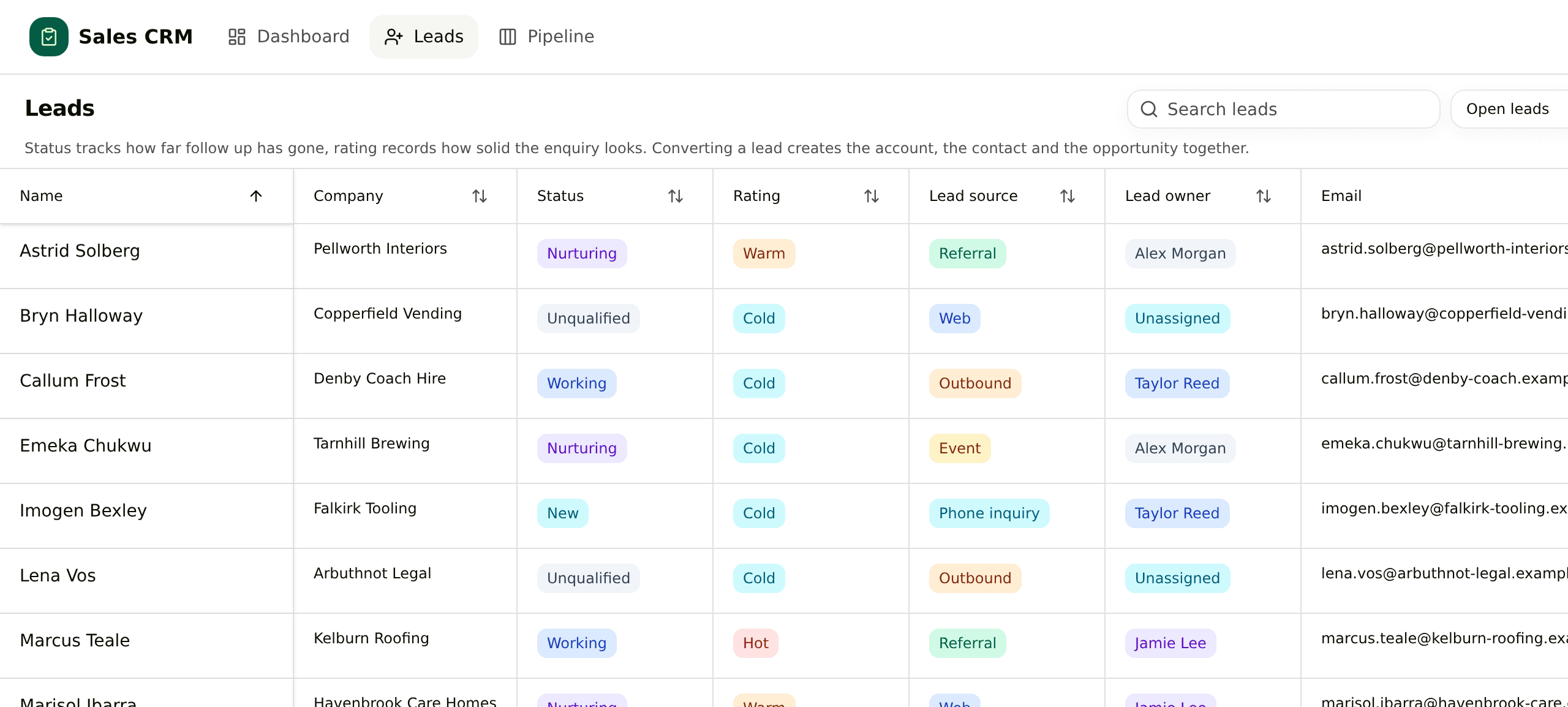
Leads list filtered to open enquiries, with status, rating, source and owner
Leads. Open enquiries by default, with status, rating, source and owner filtered from the column headers.
Opportunity panel showing the converted lead inside the details section
The opportunity panel. The lead that produced the deal opens inside it, so nobody leaves the pipeline to read the enquiry.
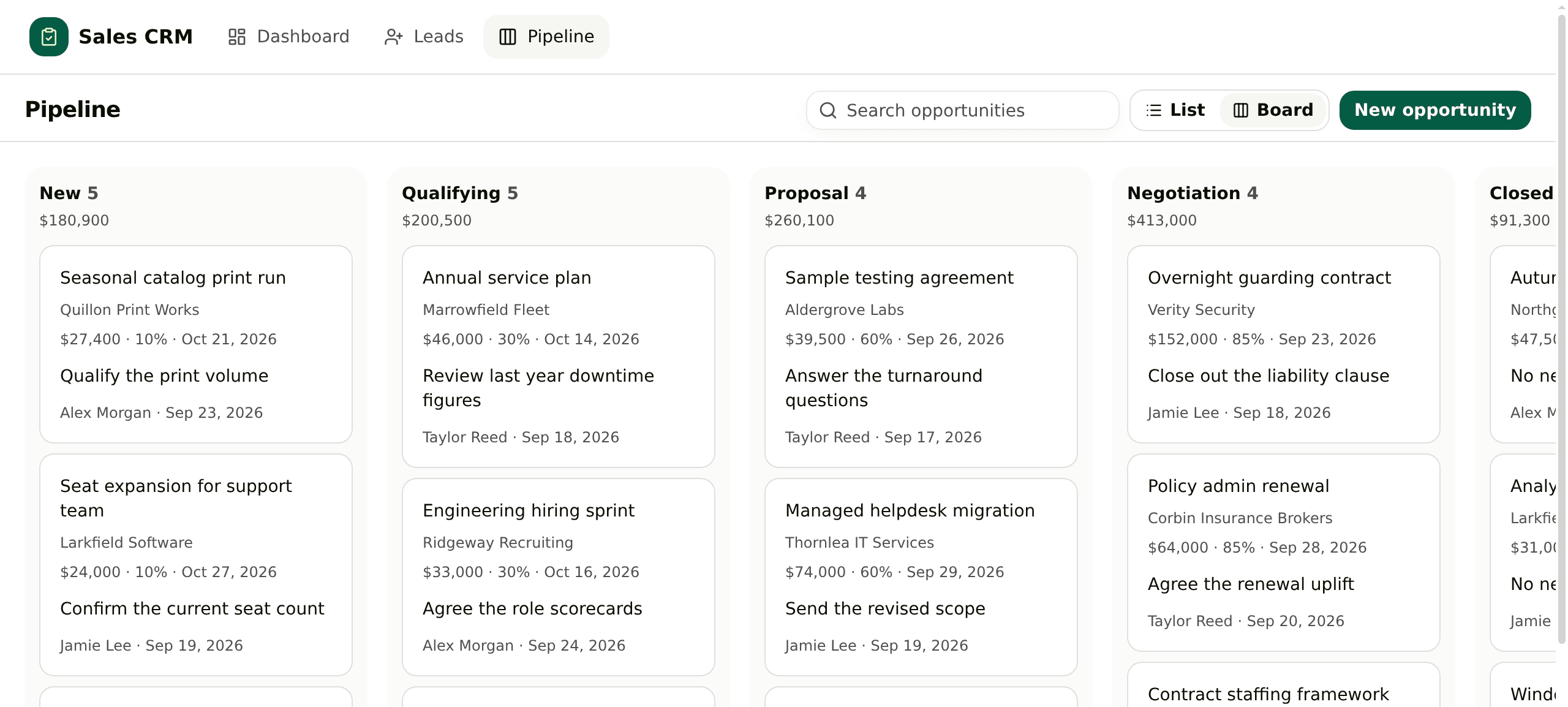
Stage board with open deals grouped into six columns
The same deals as a board. Six stages, with the amount in each column.
Dashboard with open pipeline, weighted forecast, deals closing this month and overdue next steps
The dashboard. Open pipeline, weighted forecast, what closes this month, and the next steps that are already late.

Paste this at your agent

Paste this at the agent in your own workspace. The instruction carries the archive URL, so the agent fetches it itself, and only the first time.

Download https://kylon.io/app-templates/sales-crm-template.zip and build me a sales CRM from it. Unpack it, read README.md and TEMPLATE_GUIDE.md, and follow them: create the App, provision its database, copy the source into the checkout, replace the placeholder app id and base URL, then push a draft and send me the link. Never run SQL by hand. The numbered files in db/migrations apply themselves in order to a new empty database and seed the demo accounts, leads and opportunities, so the leads list and the pipeline are full on the first open. Leave those rows in. Then stop. Do not import our real customers and do not connect email or calendar. Ask me before anything real goes in.

Yours will not look exactly like this.

That is the point. The template gives your agent a running start, then the two of you change it until it matches how the work actually goes.