Post

Creator ManagementApp · Marketing · sample data

Source creators, track every post, and see what each one returned

One roster, a price judged against the median of each creator's last ten posts rather than their best one, outreach that remembers where every conversation stopped, and posts tracked through to signups. It arrives populated with six invented creators, so the roster is full the first time you open it and nothing is spent on research before you say go.
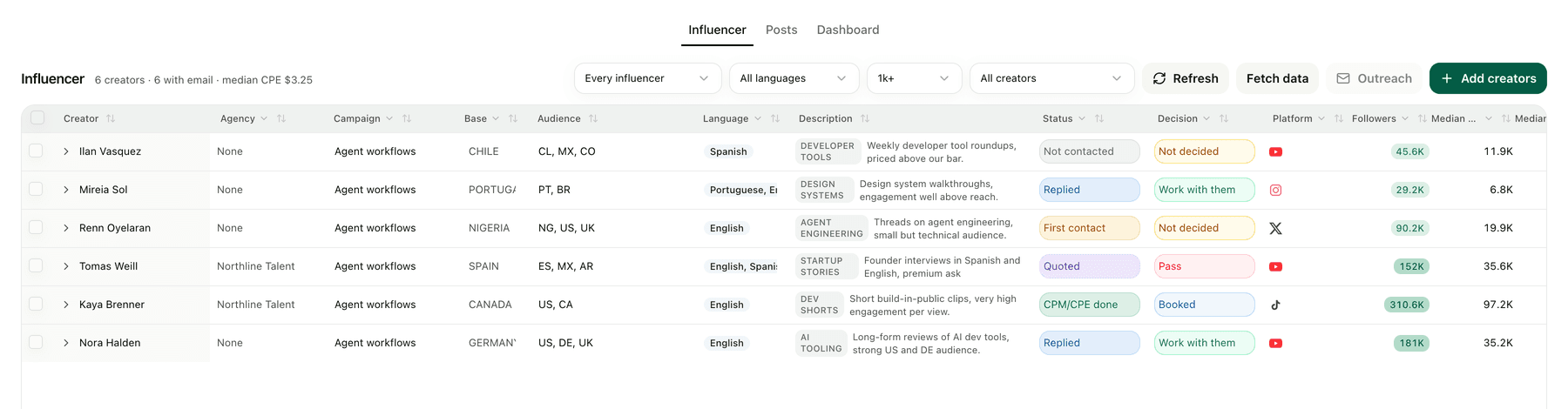
Creator roster table with agency pitched and self sourced creators

One roster. Agency pitched and self sourced creators in the same table.
What it puts on screen

  • One roster. Every creator in one table, whether an agency pitched them or you found them yourself.
  • Accounts under them. One row per platform, carrying the handle, the follower count and their quote.
  • A real sample. An automation pulls their last ten posts and keeps the median, not the best one.
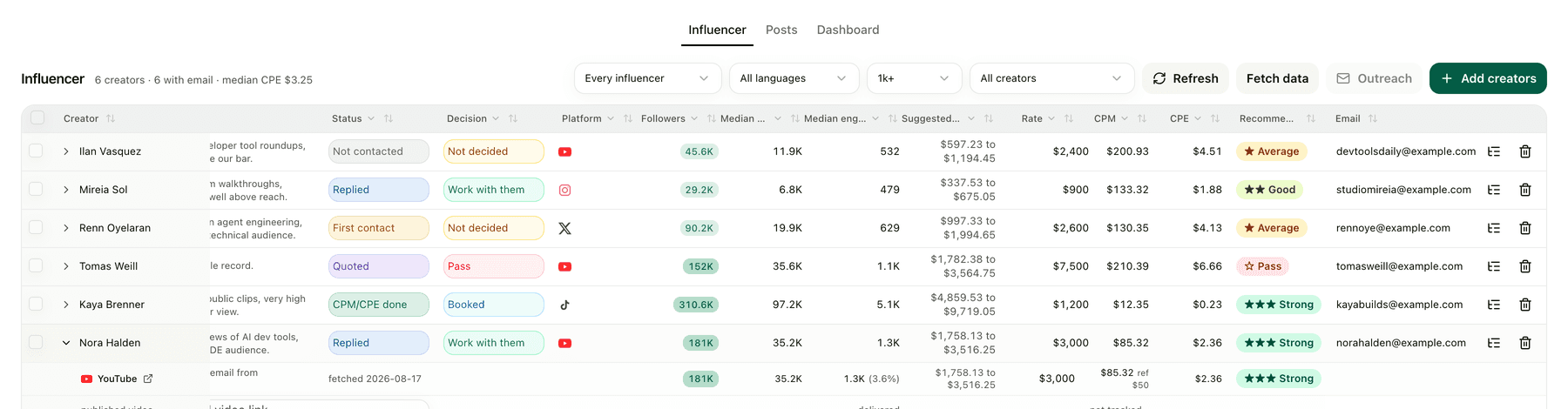
  • A price you can defend. CPM and CPE come from that median, never from followers, and are scored against your own bar.
  • Outreach and posts. Mail goes out from your inbox, replies move the pipeline, campaign links carry signups back.

The screens

Creator roster scrolled right showing medians, price range, CPM, CPE and verdict
The same rows, scrolled right: medians, a suggested price range, CPM, CPE, verdict.
Posts table showing spend against signups delivered by each campaign link
Posts. What you paid, and what the campaign link actually delivered.
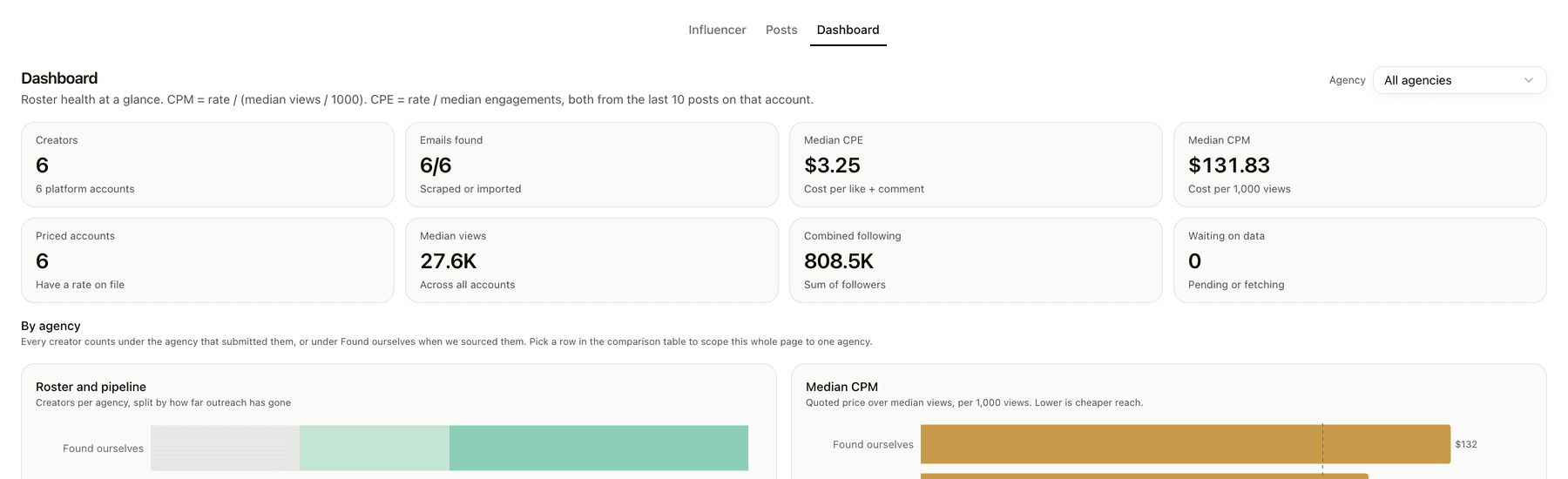
Dashboard showing roster health and agencies compared on price
Dashboard. Roster health, and every agency compared on the price you would pay.

Three things the template leaves to you

  • The reference CPM you buy against.
  • What mints your campaign links and what counts as a conversion.
  • The domain you send outreach from.

The setup guides inside the archive walk your agent through each one.

Questions

How is this different from an influencer marketing platform?

A platform gives you its own database and its own rates. This is your workspace: your creators, your inbox, your numbers, and an agent that prices from the last ten posts rather than from a follower count.

Where do the prices come from?

From engagement on recent posts, not from the follower number. The template calculates cost per engagement across the latest ten posts so a quote can be argued for.

Does it send outreach on its own?

No. It drafts, a person approves. Sending stays behind an explicit approval, and the template ships without the workflows connected.

Is the demo data real?

No. It seeds invented creators and posts so the roster is full when you open it. Ask your agent before pointing it at real creators, because that is where research spend starts.

The instruction behind it

Paste this at an agent that can build Apps. It downloads the archive itself, so there is nothing to upload first.

Build me a creator CRM from https://kylon.io/app-templates/creator-crm-app-template.zip

Download it, read setup/01-build-the-app.md and app/TEMPLATE_GUIDE.md, and follow them: create the App, provision its database, copy app/. into the checkout, set the app id, name and base URL, then push a draft and send me the link. Never run SQL by hand, db/migrations applies itself, and it seeds six invented creators so the roster is full on the first open. Leave those rows in.

Then stop. Do not collect anything real and do not create the workflows. Ask me whether to start filling in real creators, and tell me that is where token spend begins.

Discover more

General CRMApp · sample data

Take an enquiry from first contact to closed, without losing where it came from

Pipeline list in the Sales CRM template

Recruiting WorkspaceApp · sample data

Take a role from approved to first day without a spreadsheet in the middle

Recruiting overview with the hiring pipeline by stage

Travel DeskApp · sample data

Take a custom trip from the first enquiry to a priced, approved proposal

Travel Desk overview with the trip pipeline by stage